A smiling author at a bright white desk holding a printed proof copy of her book, with her Mac and a stack of manuscript pages beside her

SWSO Book Studio

by Streetwise Software Online · SWSO

Lay out your book. Print it and publish it.

Page layout for books, workbooks, magazines and newsletters. Flow your text through the pages, style it once, place your pictures, then export a print-ready PDF with bleed and a reflowable EPUB ebook from the same file. One payment, no subscription.

macOSavailableWindowscomingMobilecoming soon

$93.99 · one-time price · 15-day free trial

  • Pay once, no subscription
  • No internet needed
  • Intel and Apple silicon
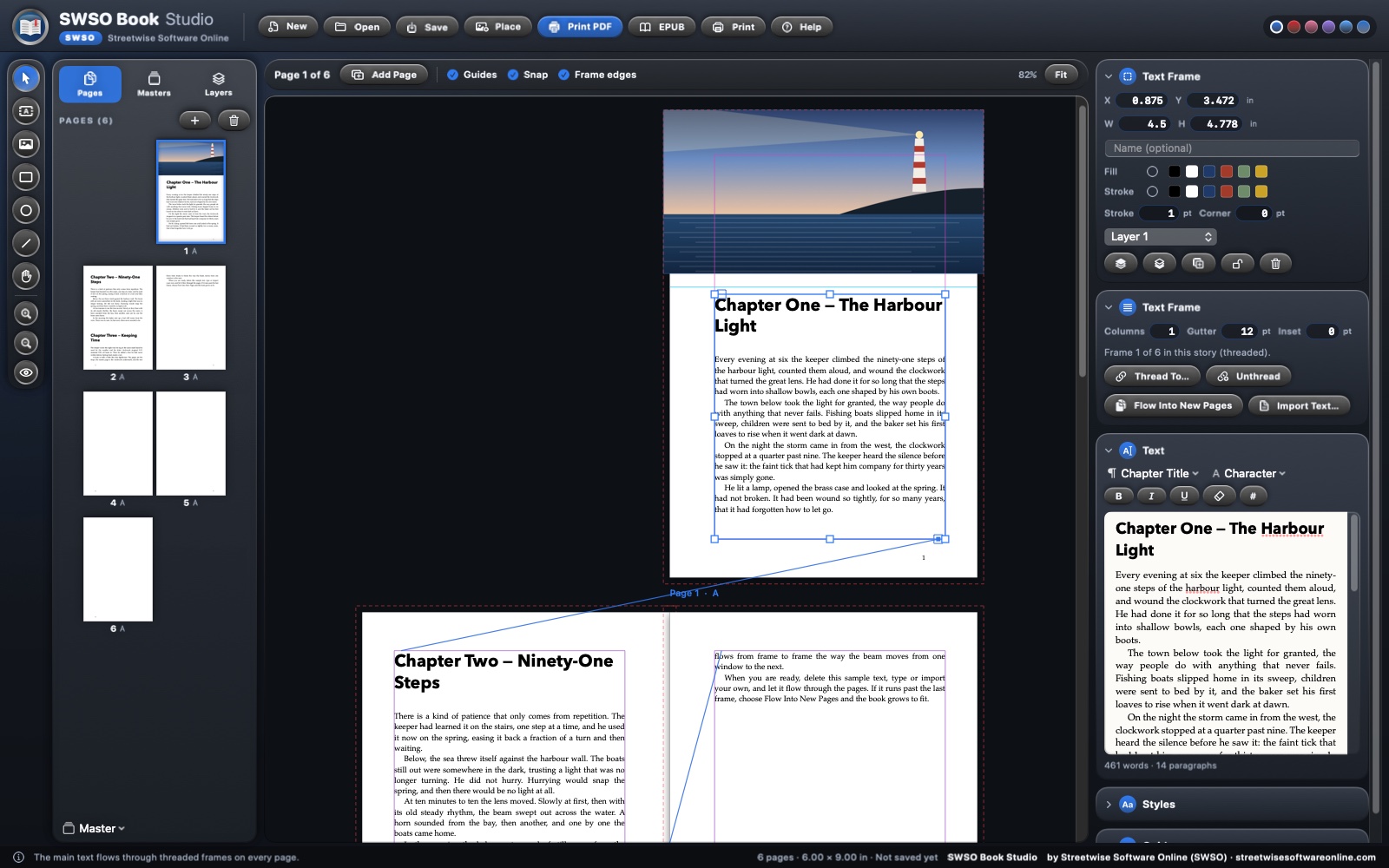
SWSO Book Studio with a novel open: the Pages panel, two chapter pages with flowing text and the Text Frame panel
The real app: a novel laid out in facing pages, text flowing from page to page.
16print-on-demand trim sizes built in
2outputs from one file: print PDF and EPUB 3
7layout tools
15day free trial
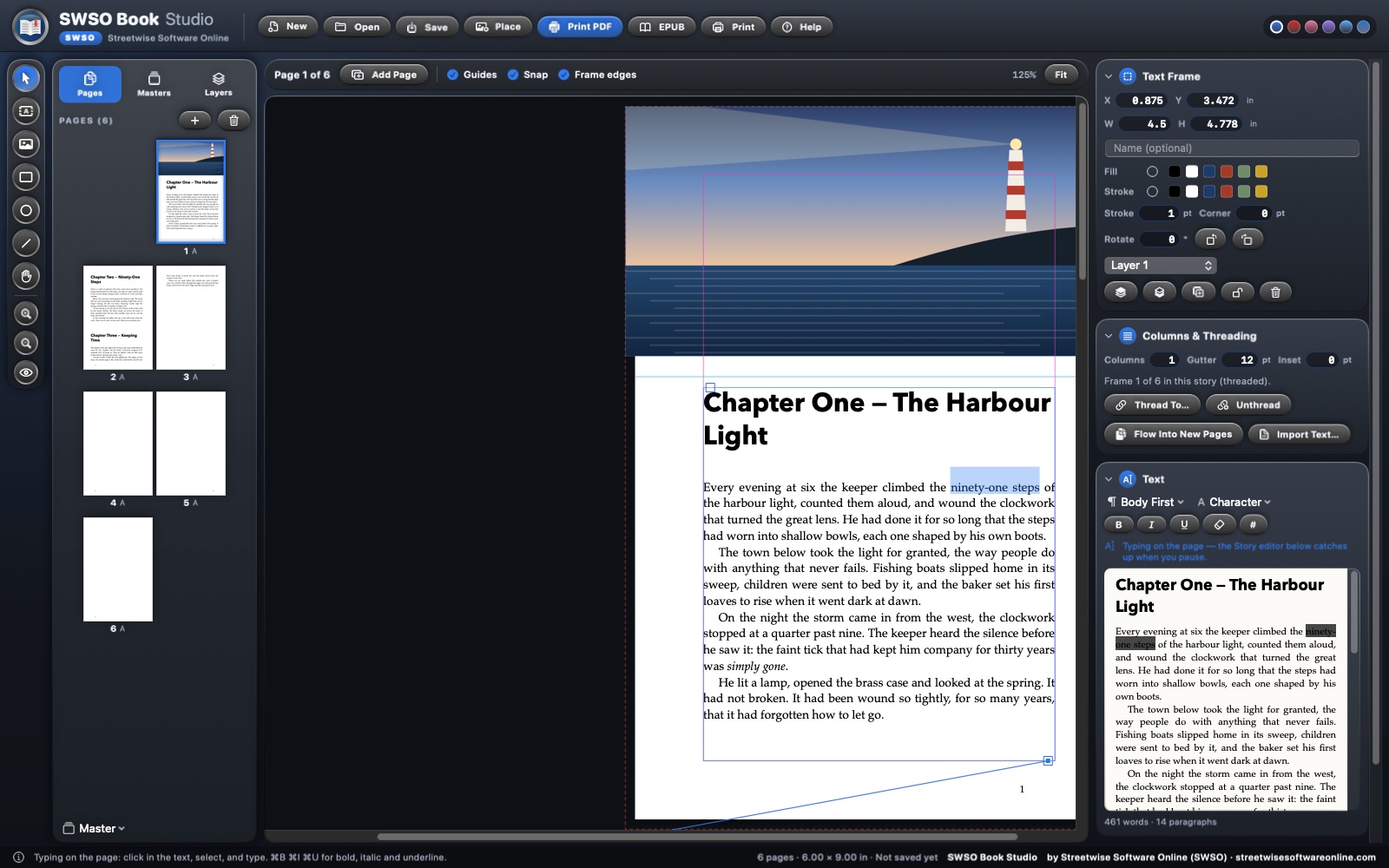
Typing directly on the page, with a few words selected and the Story editor beside it

Text

Type right on the page, and watch it flow

Start a book and every page already has a text frame, threaded to the next. Click into the page and type, or paste or import your manuscript, and it runs through the whole book as you go.

  • Type, select, copy and paste directly on the page, at any zoom, with bold, italic, underline and styles from the keyboard
  • Text flows live from frame to frame and page to page; the cursor follows it
  • Stays quick in long books: typing on page 1 of a 300-page novel feels the same as in a short story
  • A Story editor shows the whole story as one column when you'd rather write than lay out
  • Thread any text frame into another, on the same page or many pages later
  • Too much text? Flow Into New Pages adds pages until it all fits
  • Columns, gutters and insets for every frame
  • Import a plain text file in one step; chapter headings are recognised
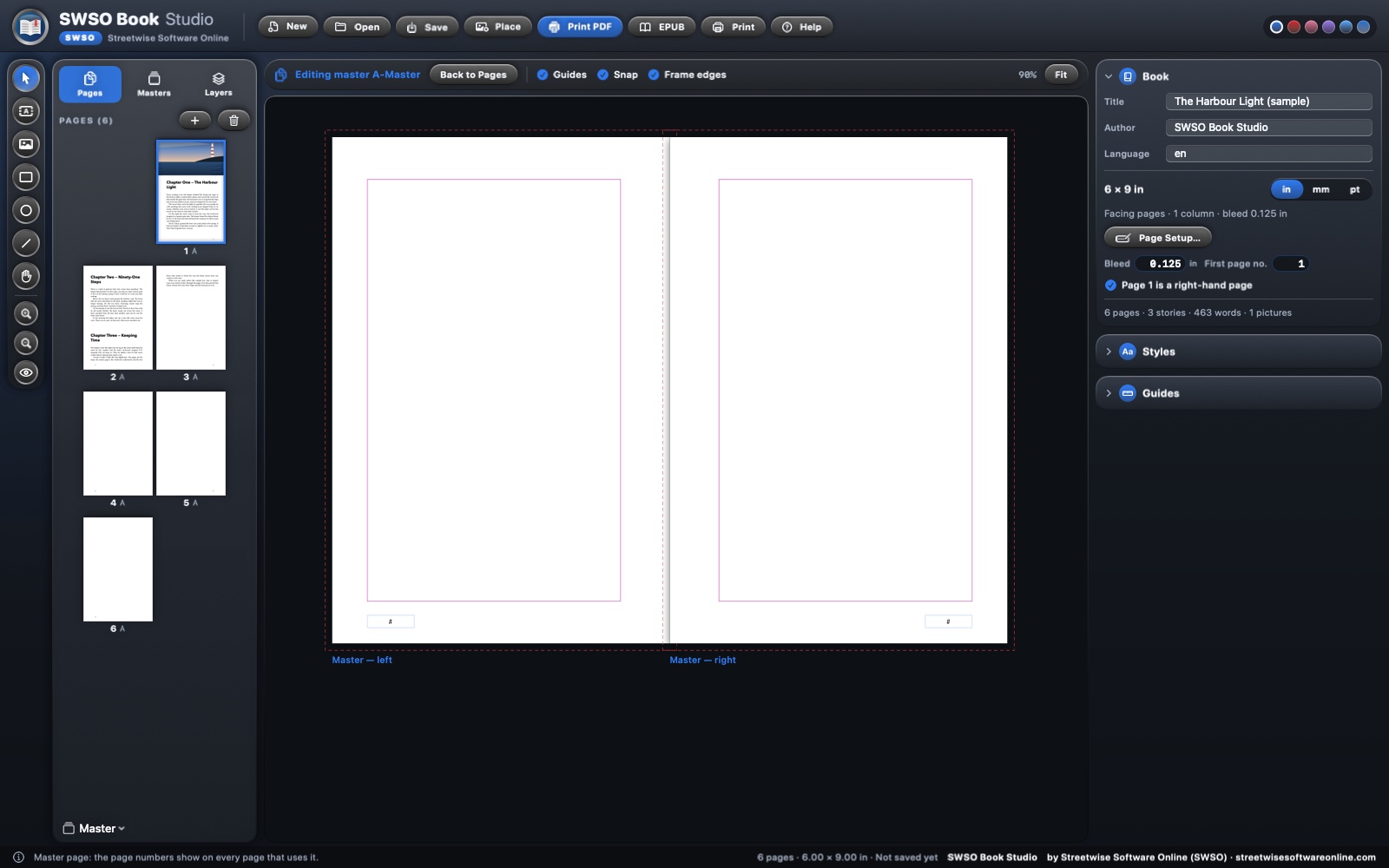
Editing the master page, with page numbers on the left and right pages

Pages

Real book pages: spreads, margins and master pages

Pick your trim size and SWSO Book Studio sets up facing pages with inside and outside margins, just like a printed book.

  • Trim sizes for Amazon KDP and IngramSpark: 5 × 8, 5.5 × 8.5, 6 × 9, 7 × 10, 8 × 10, 8.5 × 11 in and more, plus A4, A5 and Letter
  • Master pages for page numbers, running heads and rules, with separate left and right pages
  • Add, delete, duplicate and drag pages to reorder them in the Pages panel
  • Margins, columns, bleed, guides and snapping
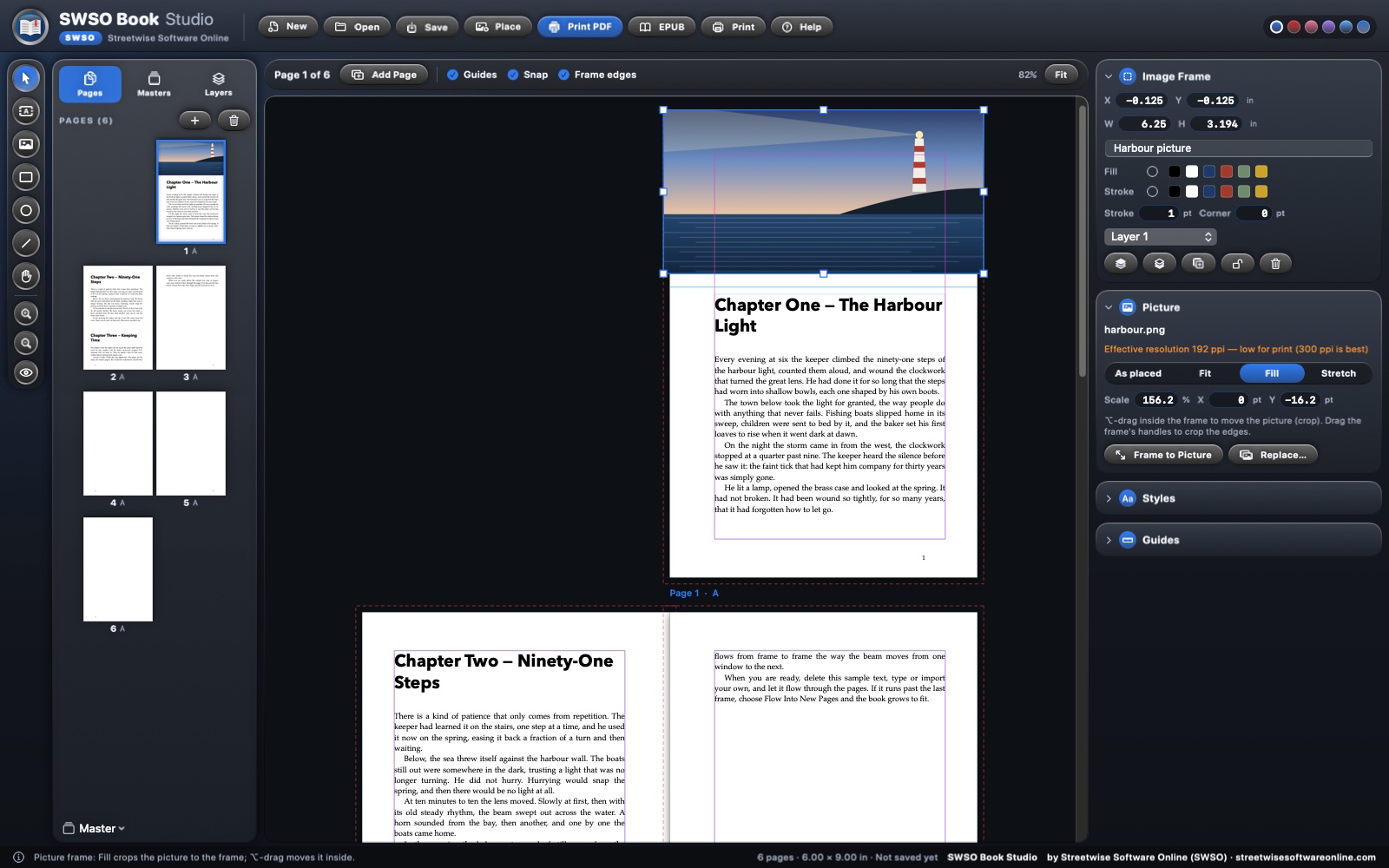
A picture frame selected, showing the Fill, Fit and Stretch options

Design

Styles, pictures, shapes and layers

Change a style once and every chapter title in the book changes with it.

  • Paragraph styles (font, size, leading, alignment, spacing, indents) and character styles, each based on another
  • Place pictures, then fit, fill, crop and slide them inside the frame; low-resolution pictures are flagged
  • Rectangles, ellipses and lines with fill and stroke colours
  • Text wrap: text flows around pictures and shapes, even following an ellipse's curve
  • Rotate any frame, text frames included
  • Layers you can hide, lock and reorder

Who it helps

For everyone with a book, a workbook or a newsletter to finish

You write it; SWSO Book Studio turns it into real pages. One file gives you a print-ready PDF for the printer and an EPUB ebook for the stores.

A happy self-published author holding up one of his newly printed paperbacks from a box on his desk

Self-publishing authors

Trim sizes for Amazon KDP and IngramSpark are built in, with bleed for print-on-demand interiors.

A smiling teacher at her classroom desk handing out freshly printed workbooks

Teachers and trainers

Workbooks and handouts with your own styles, pictures and page numbers, printed straight from the app.

A small publishing team looking over printed page spreads on a big table

Small publishers

Master pages, paragraph and character styles, and layers keep every title consistent from chapter to chapter.

A grandfather and his granddaughter making a family book with old recipe cards and photos at the kitchen table

Family books and memoirs

Place your photos, flow your stories around them, and have a printed copy made for everyone.

How it works

From manuscript to printed book in four steps

Pick your trim size

Choose 6 × 9 in, A5 or another size. Facing pages, margins and text frames are set up for you.

Bring in your words

Type on the page, or import a plain text file. It flows through the book and chapter headings are recognised.

Style it once

Set your paragraph styles, add pictures and page numbers on the master pages.

Export

Save a print-ready PDF with bleed for the printer and an EPUB 3 ebook from the same file.

Print-ready PDF

  • One PDF page per book page, with the trim and bleed areas marked for the printer
  • Bleed on all sides, or on the top, bottom and outside edges only for print-on-demand interiors
  • Optional crop marks
  • Text stays sharp, searchable text with the fonts embedded

EPUB 3 ebooks

  • Reflowable: the text adapts to every reader's screen and font size
  • Chapters and a table of contents made from your headings
  • Your paragraph and character styles carried over
  • A cover from your first page or any picture in the book
  • Pictures included; the package is checked for the structure ebook stores require

Also included

  • One .bs file holds the whole book: pages, text, styles and every picture, so nothing goes missing when you move it
  • Undo and redo for every change, including typing
  • Print straight from the app
  • Cut, copy, paste and duplicate frames, with their text
  • Six colour themes and interface zoom from 85% to 200%
  • Searchable built-in Help

Try it free for 15 days

  • Every feature works for 15 days from the first launch, with no key and no sign-up
  • After day 15 the app opens read-only: you can still open, view and export your own work, and nothing is ever deleted
  • A license key unlocks editing again; it is checked on your Mac and works offline

System requirements

System
macOS 13 Ventura or later, Intel and Apple silicon (universal)
Files
Saves .bs books; exports print PDF and EPUB 3; places PNG, JPEG, TIFF, HEIC and other common pictures
Internet
Not needed. Your books stay on your Mac
Free trial
15 days with every feature. After that, opening, viewing and exporting still work; editing needs a license key. Nothing is ever deleted
Made by
Streetwise Software Online (SWSO)

Price

SWSO Book Studio by Streetwise Software Online

One-time purchase, no subscription. Try it free for 15 days first.

$93.99 one-time

Back to all software

Add-ons

Grow SWSO Book Studio when you need more

Optional extras for SWSO Book Studio. Buy only the ones you want: each is a one-time purchase with its own key, unlocked inside the app in seconds, no internet needed.

New in 1.1 — free for every owner

Hyphenation in every language macOS knows, and tables right in your text: heading rows that repeat, rows that never split across pages, borders and shading, in print and in ebooks. Each add-on opens from the new Add-Ons menu; your SWSO Book Studio license key works with 1.1, and an add-on key never replaces it.

$14.99 · one-time

Print Pro

Send files to the printer with confidence.

  • Preflight report: low-resolution and RGB pictures, missing fonts, overset text, objects off the page
  • PDF/X-1a and PDF/X-4 style press PDFs with a CMYK output intent
  • Ink coverage warnings and full printer's marks: crop, bleed, registration, colour bars, page info

Add-on for SWSO Book Studio 1.1 or later

$14.99 · one-time

Cover Designer

Wraparound covers sized to your book.

  • Spine width worked out from page count and paper (Amazon KDP and IngramSpark)
  • Paperback, hardcover and dust-jacket layouts with every fold marked
  • ISBN barcode drawn for you in a ready-made barcode area

Add-on for SWSO Book Studio 1.1 or later

$14.99 · one-time

Ebook Pro

Ebooks that look right on every reader.

  • Fixed-layout EPUB for picture books, cookbooks and comics
  • Embedded fonts, Kindle-friendly output, series, ISBN, keywords and description
  • Accessibility details and a built-in EPUB checker report

Add-on for SWSO Book Studio 1.1 or later

$12.99 · one-time

Template Library

160 ready-made layouts to start from.

  • Novels, cookbooks, children's books, photo books and magazines
  • Yearbooks, journals, planners, flyers and brochures
  • Several trim sizes and looks for each, all fully editable

Add-on for SWSO Book Studio 1.1 or later

$19.99 · one-time

Long Document Tools

Everything a long book needs.

  • Table of contents and index with real page numbers
  • Footnotes, endnotes, cross-references, running heads and chapter numbers
  • A book made of several files, numbered straight through into one PDF

Add-on for SWSO Book Studio 1.1 or later

$12.99 · one-time

Typography Pro

Fine typography for a professional finish.

  • OpenType features: small caps, ligatures, old-style and tabular figures, fractions
  • Drop caps, optical margin alignment and a baseline grid
  • Widow and orphan control, keep-with-next and your own hyphenation words per language

Add-on for SWSO Book Studio 1.1 or later

$19.99 · one-time

Data Merge & Catalogs

Build pages from a spreadsheet.

  • Catalogues and price lists that flow onto as many pages as needed
  • Badges, certificates, cards and labels, several to a page
  • Pictures from your spreadsheet, or one PDF per row

Add-on for SWSO Book Studio 1.1 or later

$12.99 · one-time

Interactive PDF

PDFs readers can click and fill in.

  • Links, buttons and fillable form fields
  • Video links and bookmarks from your headings
  • A full-screen, page-turn presentation mode

Add-on for SWSO Book Studio 1.1 or later

$14.99 · one-time

Planner & Journal Maker

Dated planners and journals for print-on-demand.

  • Year, month, week and day pages for any year, in your language
  • Habit trackers and lined, grid or dot pages
  • Low-content books for Amazon KDP made in bulk, one PDF per title

Add-on for SWSO Book Studio 1.1 or later

$9.99 · one-time

Proof & Review

Check, review and track every change.

  • Spelling and grammar checking built in
  • Track changes you can accept or reject, plus comments
  • Review PDFs for editors and clients, and comparing two versions

Add-on for SWSO Book Studio 1.1 or later

After you buy, your add-on key arrives by email. In SWSO Book Studio choose SWSO Book Studio → Add-Ons…, paste the key and click Unlock.

Having a problem? Tell us and we’ll fix it.

Every Mac is a little different: the macOS version, the hardware and how it’s set up can all change how an app behaves. We understand that, and we fix issues as they come in. If something doesn’t work the way it should, please don’t stay silent. Use our contact form and tell us the app, its version, your Mac and macOS version, and what happened. Your report helps us fix it fast, for you and for everyone who uses our software.

Contact us

Product updates & bug reports

Found a bug or an issue? Report it to Streetwise Software Online with the app name, version and steps to reproduce it. We review reports and address confirmed bugs through product updates.

Read product updates and published fixes · 15-day trial and refund policy