SWSO Career Desk app icon

New · job search tracker for your Mac

Every application, contact and follow-up. In one place.

SWSO Career Desk by Streetwise Software Online · SWSO

Keep a clear record of the jobs you are going after: the company and role, where you are with each one, who you talked to, your notes and when to follow up. It all stays in one local workspace on your Mac, with backups you can read and spreadsheet exports.

$25.99 one-time · 7-day free trial
Mac • macOS 15 or later • built for Intel Macs • 5.7 MB

macOSavailableWindowscomingMobilecoming soon
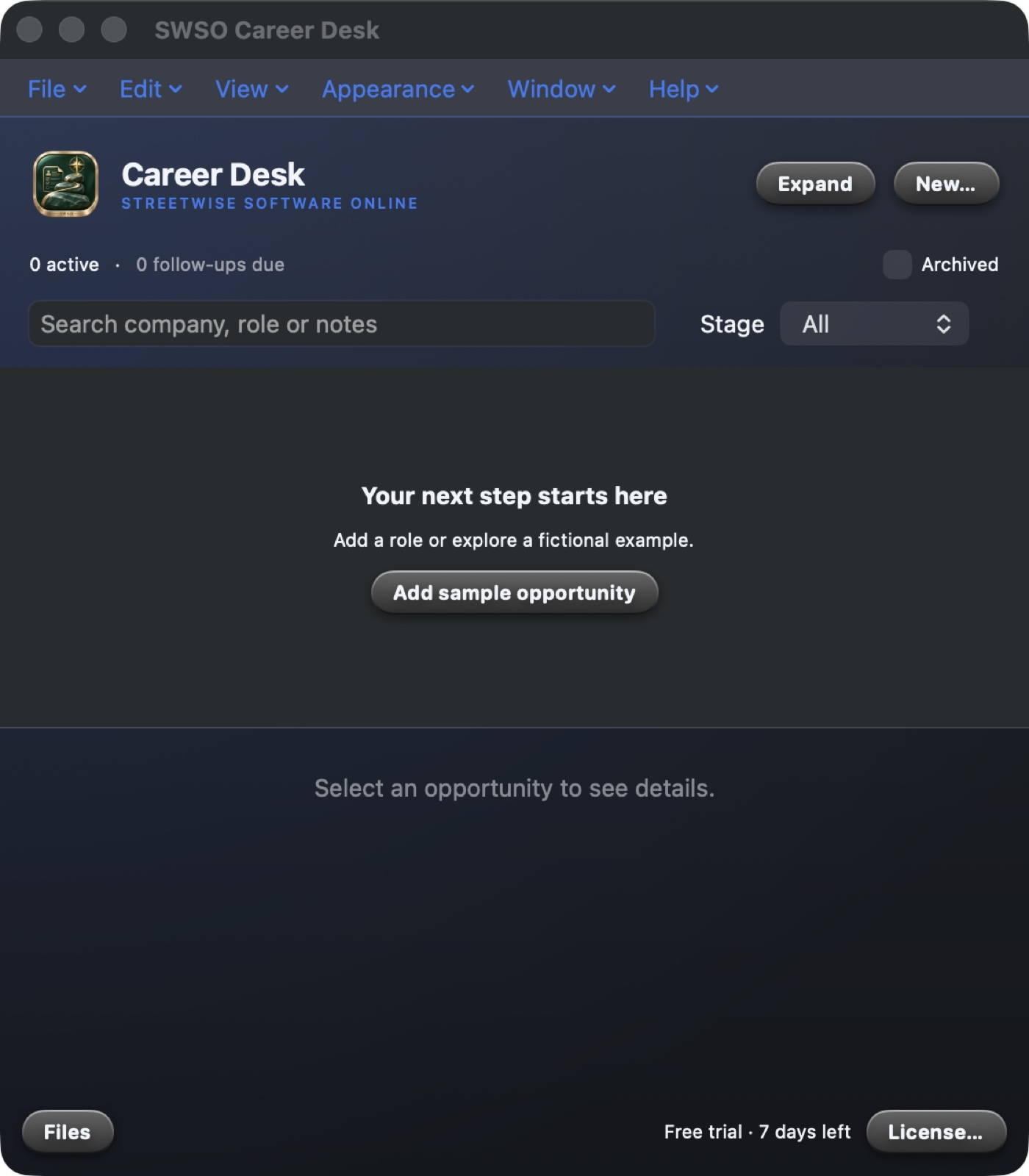
SWSO Career Desk ready for its first opportunity: search, stage filter, the Add sample opportunity button and the free-trial bar
Every stageyou choose the stage for each opportunity
Follow-upsdates add to the app’s due count
JSON + CSVreadable backup and spreadsheet export

What you get

Track each opportunity

  • Company and Role, plus Location, Contact, Notes and the Job URL
  • Choose the current Stage yourself
  • Open the job listing in your browser when you want
  • Edit any record later

Stay on top of follow-ups

  • Turn on a Follow-up date and it counts toward the due total
  • Search covers company, role, location and notes
  • Filter by stage
  • Archive closed opportunities and restore them any time; nothing is deleted

Your records, your files

  • Files → Export backup makes a JSON backup you can import later
  • Export CSV to open your list in a spreadsheet
  • Import merges new records and skips identical ones
  • A conflicting record stops the import instead of overwriting your work

How it works

Click New…, or try the fictional sample first with Add sample opportunity.

  1. Add an opportunityEnter Company and Role (both required), then any details you want.
  2. Track the next stepPick the Stage, add notes and a follow-up date, then Save opportunity.
  3. Back up your recordsUse Files → Export backup… for JSON, or Export CSV… for a spreadsheet.

Who it’s for

For job seekers who want an organized, private record.

Job seekers

One list of every application, with the stage and the next step for each.

Career changers

Notes on every contact and conversation, so nothing slips.

Spreadsheet fans

Export CSV any time and keep working in Numbers or Excel.

Try it free for 7 days

  • Every feature works for 7 days from the first launch, no key and no sign-up needed
  • After the trial, your records stay readable and exportable; adding, editing and importing need a license
  • Your key arrives by email after you buy. Enter it with SWSO Career Desk → Enter License Key…
  • One-time purchase, no subscription

Specifications

System
macOS 15 Sequoia or later. Built for Intel Macs; on Apple silicon Macs macOS runs it through Rosetta 2
Version
0.2.2
Download
5.4 MB disk image (.dmg), Developer ID signed and notarized by Apple
Files
JSON backup (export and import), CSV export
Look
6 SWSO themes (Cobalt Gunmetal, Candy Red Titanium, Rose Gold, Lavender Pearl, Midnight Black, Brushed Gray), interface zoom 85% to 200%
License
One-time purchase, $25.99. 7-day free trial. Key entered with SWSO Career Desk → Enter License Key…

Questions

Does it apply for jobs for me?

  • No. It is a manual tracker. It does not scrape job sites, submit applications or write resumes.

Does it send reminders?

  • Follow-up dates add to the app’s due count. It does not send calendar or system notifications.

Is my list uploaded anywhere?

  • No. The workspace is saved locally. It is not an encrypted vault, so keep backups in a private folder.

Price

SWSO Career Desk by Streetwise Software Online

Download the free trial now. One-time purchase, no subscription.

$25.99 one-time

See all SWSO software

Having a problem? Tell us and we’ll fix it.

Every Mac is a little different, and we fix issues as they come in. If something doesn’t work the way it should, use our contact form and tell us the app, its version, your Mac and macOS version, and what happened. Your report helps us fix it fast, for you and for everyone who uses our software.

Contact us

Product updates & bug reports

Found a bug or an issue? Report it to Streetwise Software Online with the app name, version and steps to reproduce it. We review reports and address confirmed bugs through product updates.

Read product updates and published fixes · Free trial and refund policy