SWSO Clip Workshop app icon

New · simple clip assembly for your Mac

Line up your clips. Make one movie.

SWSO Clip Workshop by Streetwise Software Online · SWSO

Add your video clips, put them in order, trim the start and end of each one and set its volume. Build a preview to watch the whole sequence, then export a single MP4 movie. A straightforward tool for joining clips, not a full editing suite.

$25.99 one-time · 7-day free trial
Mac • macOS 15 or later • built for Intel Macs • 6.5 MB

macOSavailableWindowscomingMobilecoming soon
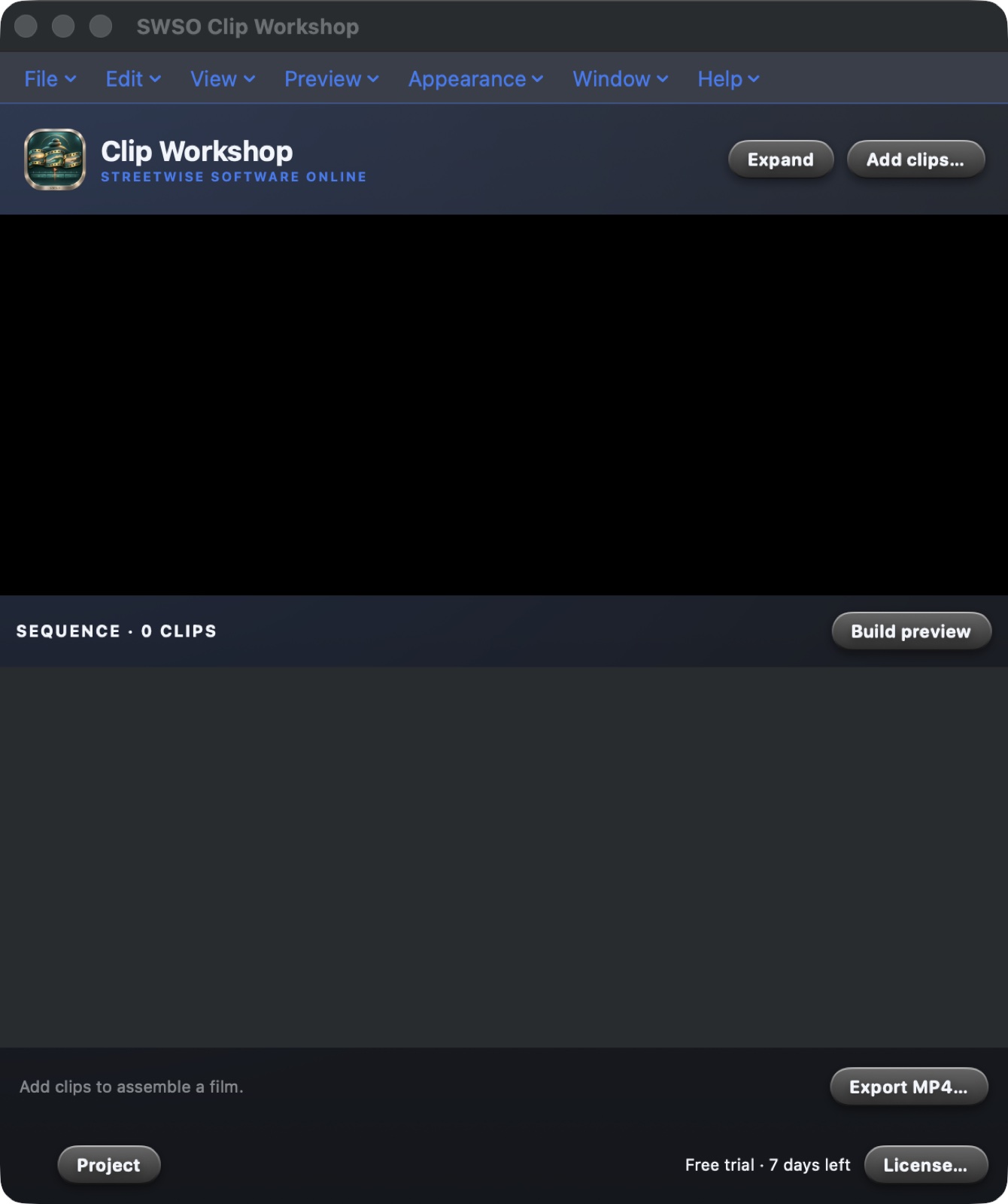
SWSO Clip Workshop with its preview area, the empty sequence list, Build preview and Export MP4 buttons
In / Outtrim each clip in seconds
0–100%volume for each clip’s own sound
MP4 export1280 × 720 at 30 frames per second

What you get

Arrange your clips

  • Add clips… brings in local movie files
  • Earlier and Later move a clip in the sequence
  • Remove takes a clip out of the project, never deletes the file
  • Up to 200 clips and six hours

Trim and set the sound

  • In and Out pick the part of each clip you use (Out 0 = the end)
  • Volume from 0% (muted) to 100% for each clip
  • Apply clip commits your settings
  • Build preview plays the whole assembled sequence

Save and export

  • Save Project keeps your order, trims and volumes (JSON)
  • Export MP4… renders 1280 × 720, 30 fps
  • Pictures are fitted without stretching; black borders fill any gap
  • Cancel stops an export and removes the unfinished file

How it works

Start with two short clips that already play on your Mac.

  1. Arrange clipsClick Add clips… and put them in order with Earlier and Later.
  2. Set trim and volumeSelect a clip, set In, Out and Volume, then click Apply clip.
  3. Preview and exportClick Build preview, watch it, then Export MP4….

Who it’s for

For anyone who wants to join clips into one movie without learning a big editor.

Families

Join short videos from one day into one movie.

Small businesses

Put a few product or event clips together for sharing.

Beginners

Simple trims and volume, and a preview before you export.

Try it free for 7 days

  • Every feature works for 7 days from the first launch, no key and no sign-up needed
  • After the trial, editing and adding clips are locked; saved projects stay viewable, playable and exportable
  • Your key arrives by email after you buy. Enter it with SWSO Clip Workshop → Enter License Key…
  • One-time purchase, no subscription

Specifications

System
macOS 15 Sequoia or later. Built for Intel Macs; on Apple silicon Macs macOS runs it through Rosetta 2
Version
0.2.3
Download
6.2 MB disk image (.dmg), Developer ID signed and notarized by Apple
Export
MP4, 1280 × 720, 30 fps, original audio where present
Projects
JSON (keeps clip paths, order, trims and volume)
Limits
200 clips, six hours
Look
6 SWSO themes (Cobalt Gunmetal, Candy Red Titanium, Rose Gold, Lavender Pearl, Midnight Black, Brushed Gray), interface zoom 85% to 200%
License
One-time purchase, $25.99. 7-day free trial. Key entered with SWSO Clip Workshop → Enter License Key…

Questions

Does it add titles or transitions?

  • No. This version has no transitions, titles, separate music track, effects, subtitles or multi-track timeline.

Why are there black borders?

  • Clips are fitted inside the 1280 × 720 picture without stretching, so a differently shaped clip leaves space at the sides or top.

Are my original clips changed?

  • No. The project points to your clips and the export is a new file.

Price

SWSO Clip Workshop by Streetwise Software Online

Download the free trial now. One-time purchase, no subscription.

$25.99 one-time

See all SWSO software

Having a problem? Tell us and we’ll fix it.

Every Mac is a little different, and we fix issues as they come in. If something doesn’t work the way it should, use our contact form and tell us the app, its version, your Mac and macOS version, and what happened. Your report helps us fix it fast, for you and for everyone who uses our software.

Contact us

Product updates & bug reports

Found a bug or an issue? Report it to Streetwise Software Online with the app name, version and steps to reproduce it. We review reports and address confirmed bugs through product updates.

Read product updates and published fixes · Free trial and refund policy