
Streetwise Pro Suite · available now
See how any software is put together. Without touching it.
Drop an app, a project folder or a website folder on CodeScope Pro. It reads the files, never changes or runs them, and tells you what it is built with, how big everything is, what licenses it carries and what it asks your system for.
$19.99 one-time · 7-day free trial
A first look
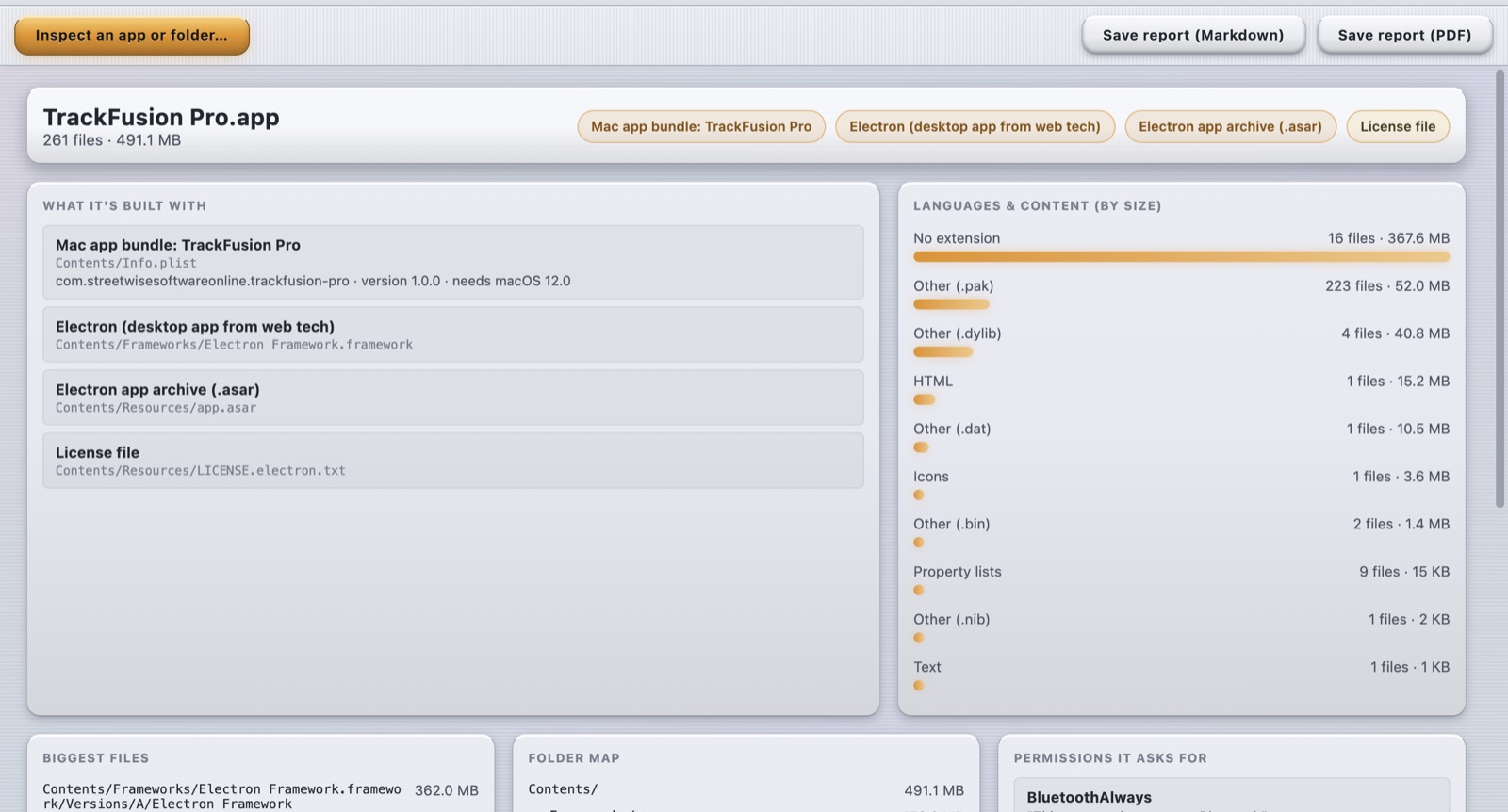
One report, everything in one place
Every finding shows the file that proves it, so you can check it yourself.
The checklist
A build-your-own checklist, the Streetwise way
Every report ends with a checklist for building your own program that does a similar job, with your own code.
- It lists the frameworks the original uses, so you can choose the same stack or your own.
- It lists every license it found, so you can check what they allow before reusing any file, name or artwork.
- It lists the permissions the original asks for, so your version can ask for the same.
- It never decompiles or runs anything: it only reads files.
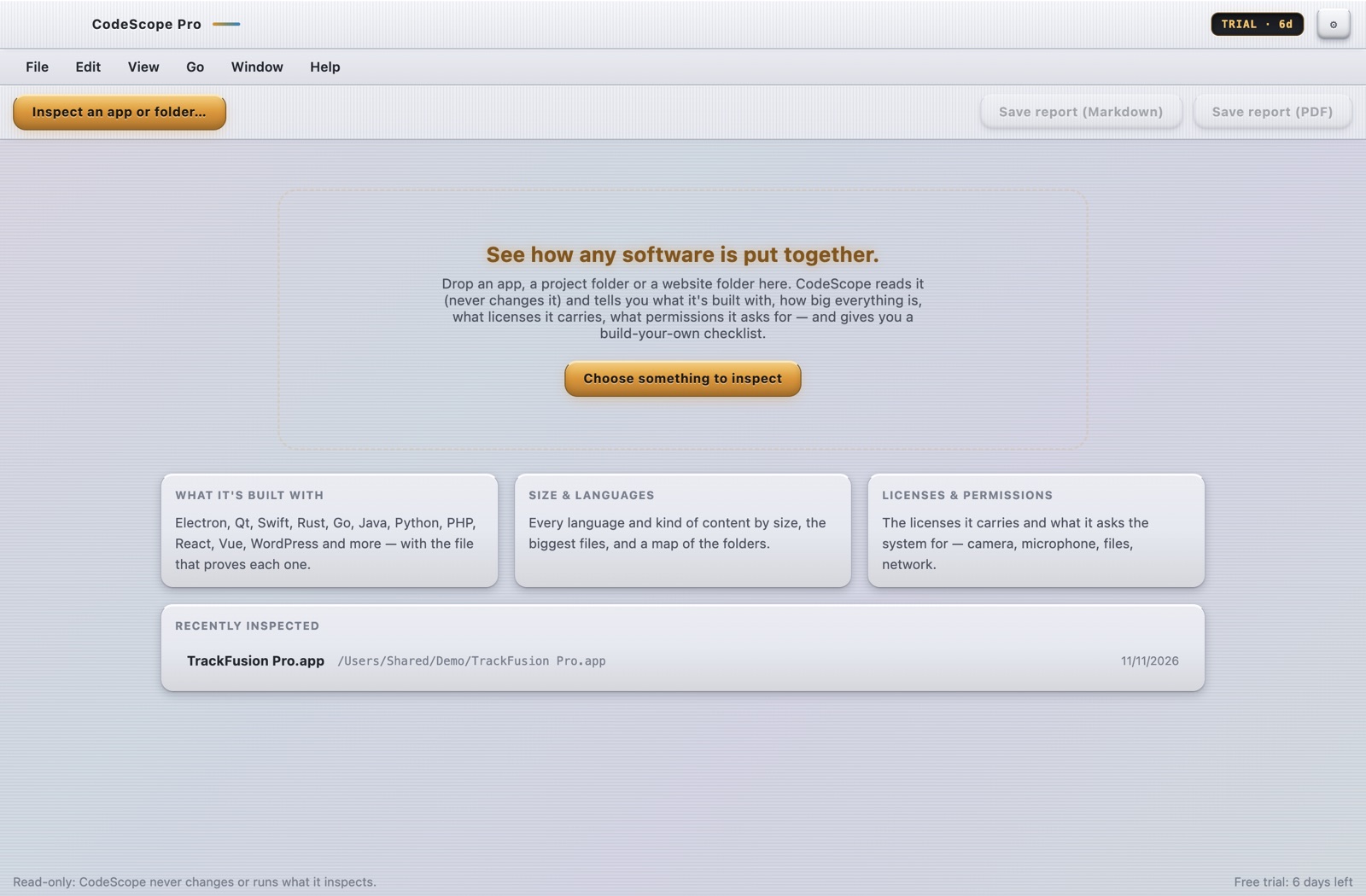
The start screen: drop something in, see what CodeScope reports, and re-open anything you inspected before with one click.
Who it helps
Made for real work at home and in small businesses
Curious makers
Find out what that app you like is built with before you start your own.
Small businesses
Check what licenses an app or website you were handed actually carries.
Students
See how real projects are laid out, folder by folder.
Straight talk
What it can and cannot do
It can
- Inspect apps, project folders and website folders
- Detect frameworks and project types, with the file that proves each
- Show languages and content by size, the biggest files and a folder map
- Find license files and, for Mac apps, the permissions requested
- Save the report as Markdown or PDF
It does not
- Decompile, run or change anything (it only reads files)
- Tell you what code does inside a compiled program
Easy to live with
Everything in one window
The menu bar (File, Edit, View, Go, Window, Help) lives inside the window, so everything is in one place. It opens in the bright Pearl White look, and the whole window zooms from 85% to 200% for easier reading. It works offline: no account, no sign-in, no subscription.
Questions
How much does it cost?
$19.99, one time, no subscription, with a 7-day free trial first, like every Streetwise app.
Which computers does it run on?
Mac with macOS 12 Monterey or later, on Intel or Apple silicon. A Windows 10/11 version is available too.
Does it change anything it looks at?
No. CodeScope Pro only reads files. It never changes, moves or runs what it inspects.
Can it look at a website?
Yes, a website folder on your computer: it spots things like WordPress and index.html sites.
Does it decompile apps?
No. It reads what is in the files and folders and reports it.
Is it part of a suite?
Yes. CodeScope Pro is one of six apps in the Streetwise Pro Suite: TrackFusion Pro, PrecisionCAD Pro, GridMatrix Pro, ScriptForge Pro, Material Nexus Pro and CodeScope Pro.
CodeScope Pro by Streetwise Software Online
$19.99, a one-time purchase with no subscription. Download the 7-day free trial first; your license key arrives by email right after you buy.
$19.99 one-time
Specifications
Having a problem? Tell us and we’ll fix it.
Every computer is a little different. If something doesn’t work the way it should, tell us what happened and we’ll look into it.