SWSO DJ Booth app icon

New · two decks, a mixer & your own records

Two decks. One mixer. Your music.

SWSO DJ Booth by Streetwise Software Online · SWSO

Put your own music files on the shelf, load a track on each deck, and blend one into the other. Key lock so the speed changes and the pitch does not, SYNC to pull the tempos together, beat loops, cue markers, a real mixer with tone kills and a sweep filter — and RECORD, which keeps the whole set as a WAV file. Nothing is uploaded and nothing is copied: the app only remembers where your music lives. Opens in the Club Night theme, with 11 more to choose from.

$19.99 one-time purchase · 7-day free trial

Mac • macOS 14 or later • Intel and Apple silicon • 7-day free trial

macOSavailableWindowscomingMobilecoming soon
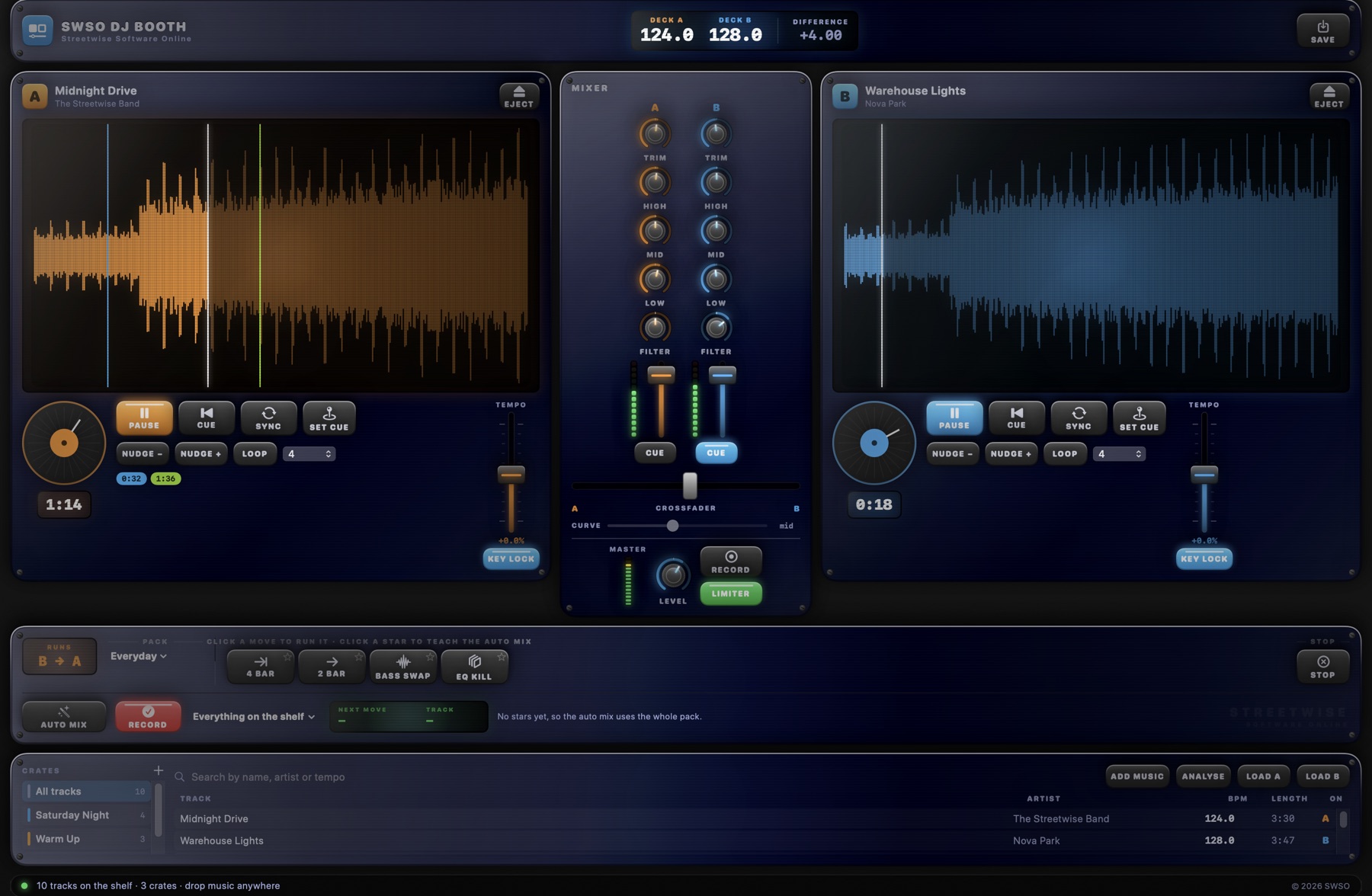
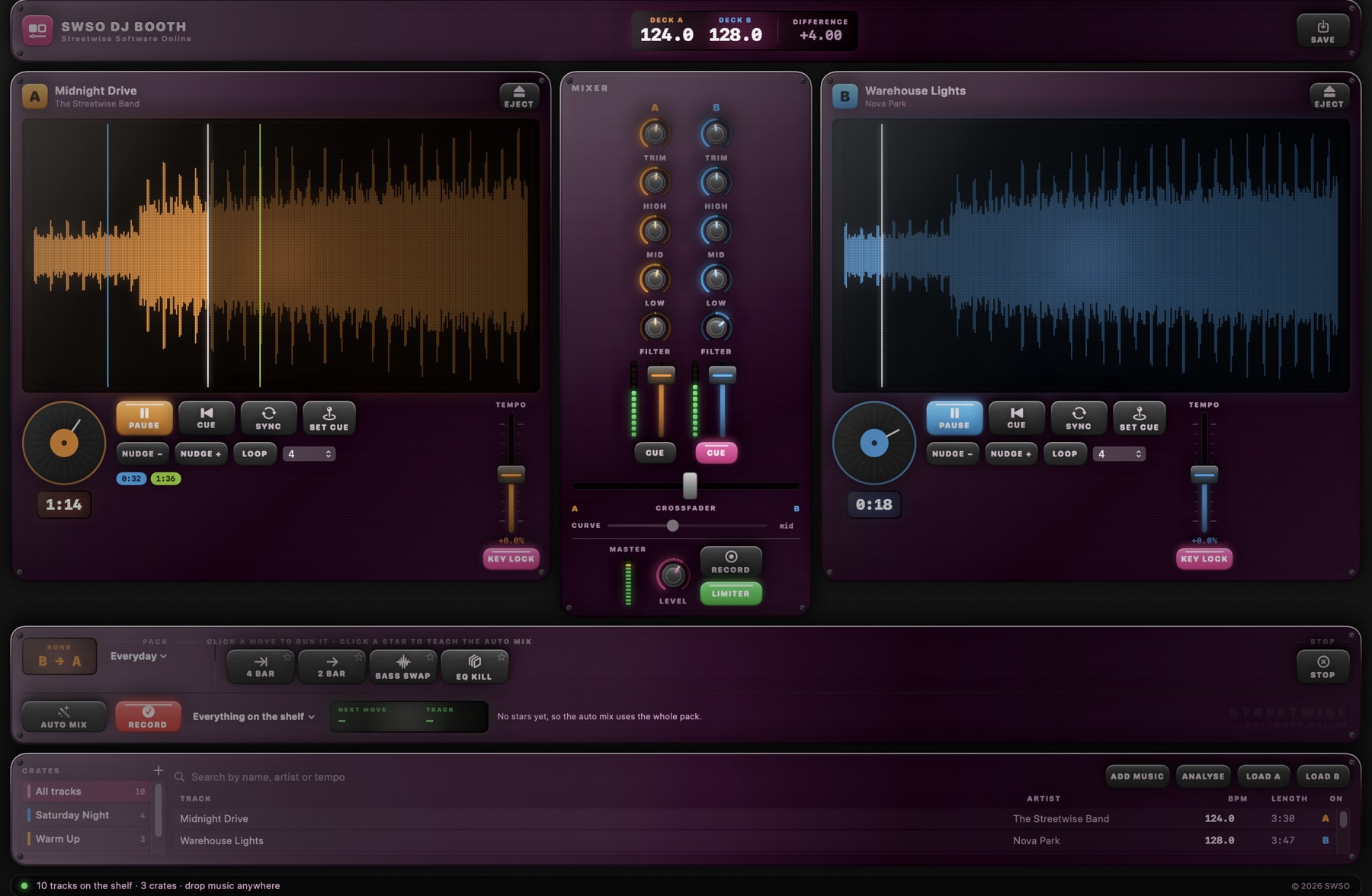
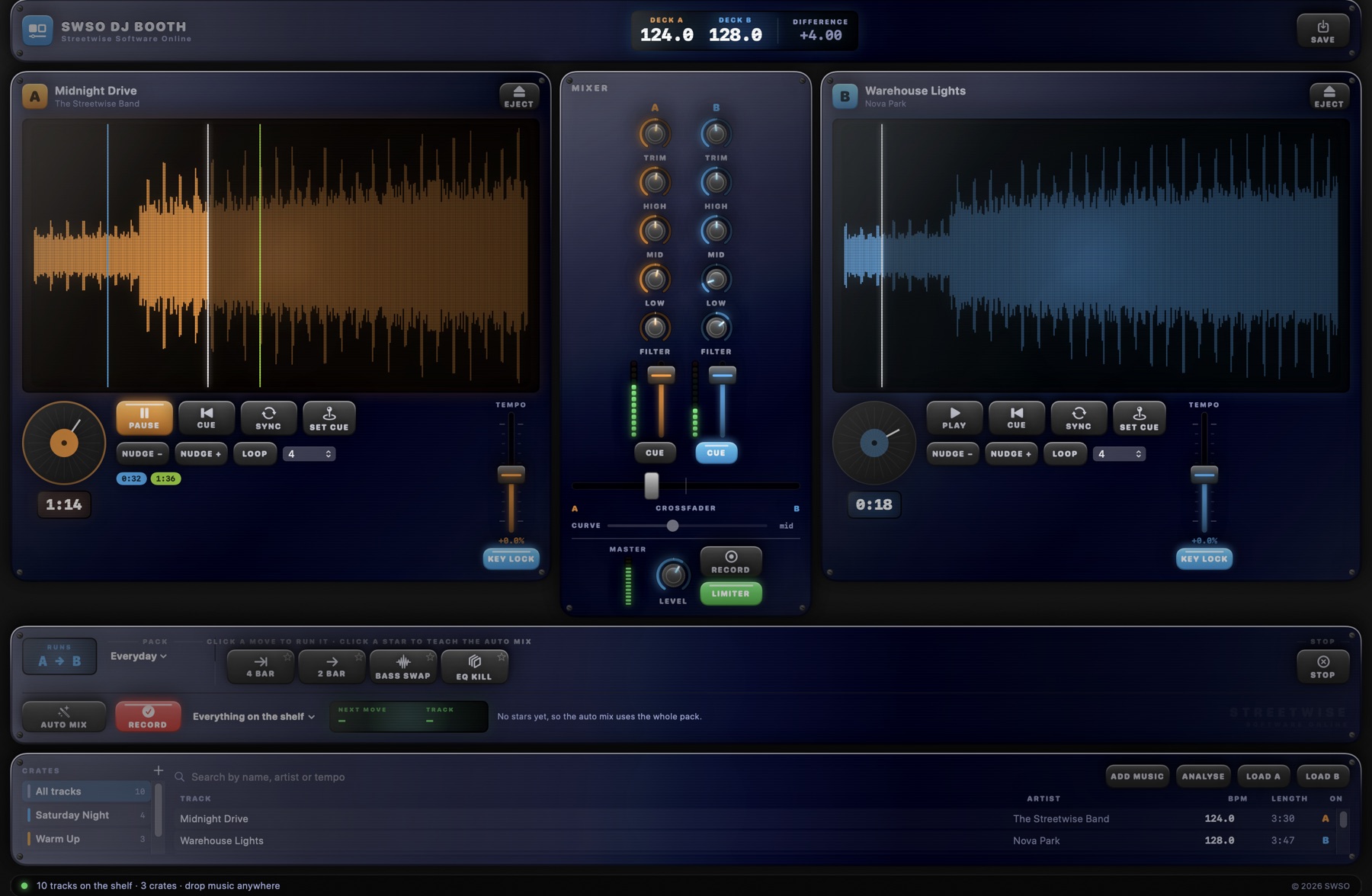
SWSO DJ Booth: deck A running Midnight Drive at 124 BPM, deck B cued on Warehouse Lights at 128 BPM, the mixer down the middle and the shelf of tracks and crates underneath
2 deckswaveform you can click, platter, ±16% tempo, key lock, SYNC, nudge, loops and cue markers
1 real mixertrim, high / mid / low, sweep filter, headphone cue, crossfader with a curve and a master limiter
48 kHz 24-bit WAVRECORD keeps the whole set — the mix itself, not what the speakers put into the room

The three parts of the booth

One window. Two decks either side, the mixer down the middle, and the shelf of your own music along the bottom.

Deck A playing with its blue waveform, platter, PLAY, CUE, SYNC, SET CUE, NUDGE and LOOP controls and the tempo fader

The decks

Each deck shows the whole track as a waveform — click anywhere on it to jump there. PLAY and CUE, a ±16% tempo fader, KEY LOCK, SYNC, NUDGE − and +, beat loops of 1, 2, 4, 8 or 16 beats, and SET CUE to drop a marker you can jump back to.

The mixer column with TRIM, HIGH, MID, LOW and FILTER knobs for each deck, the line faders and meters, the CUE buttons, the crossfader with its Curve slider and the master level with its limiter

The mixer

A column per deck: TRIM, then HIGH, MID and LOW, then FILTER, then the line fader and its meter and the headphone CUE. Under them the crossfader, with a Curve slider that runs from a smooth blend to a sharp cut, and the master level with its limiter.

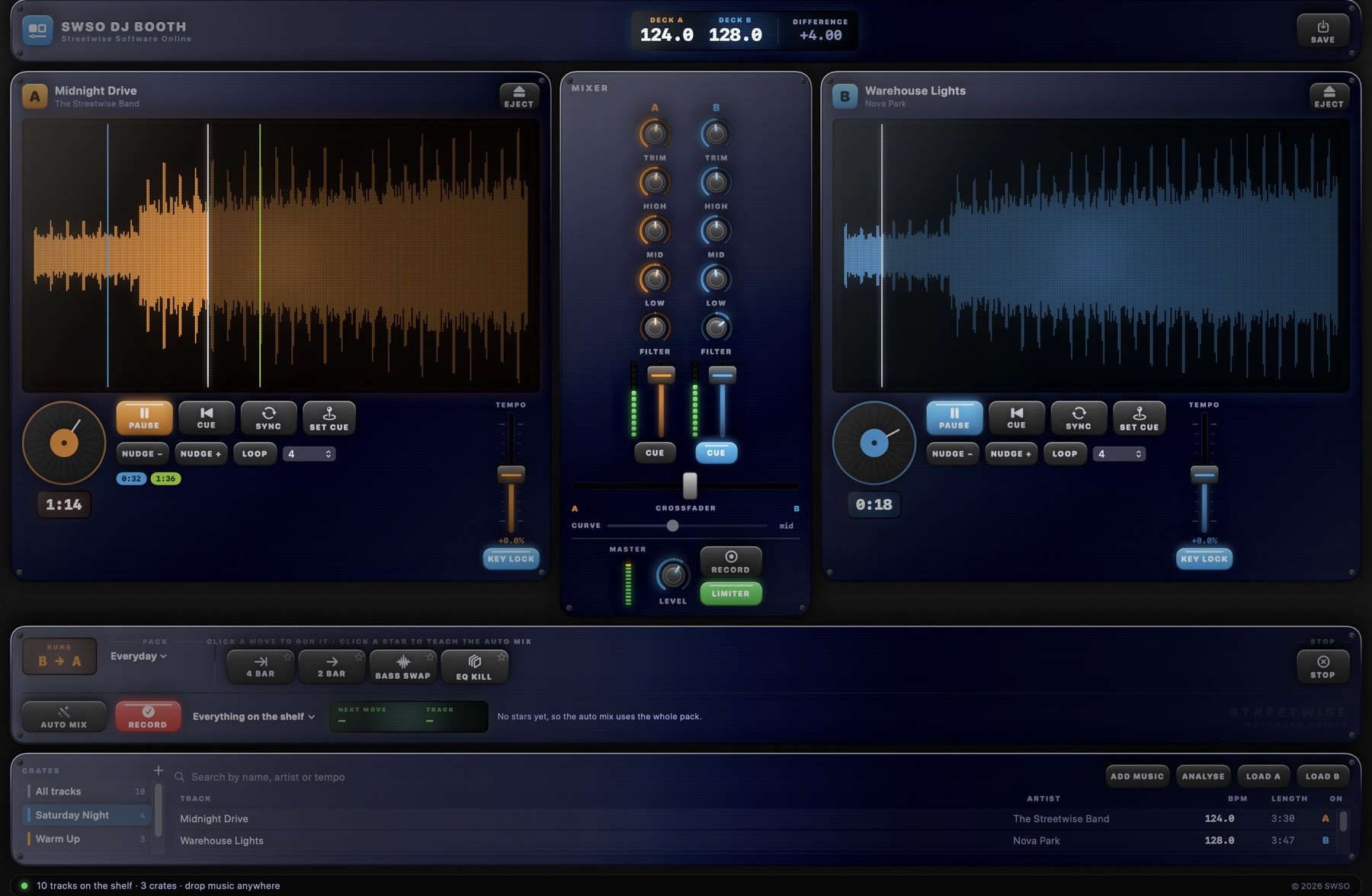
The shelf with the Saturday Night crate chosen on the left and its four tracks listed with artist, BPM and length

The shelf

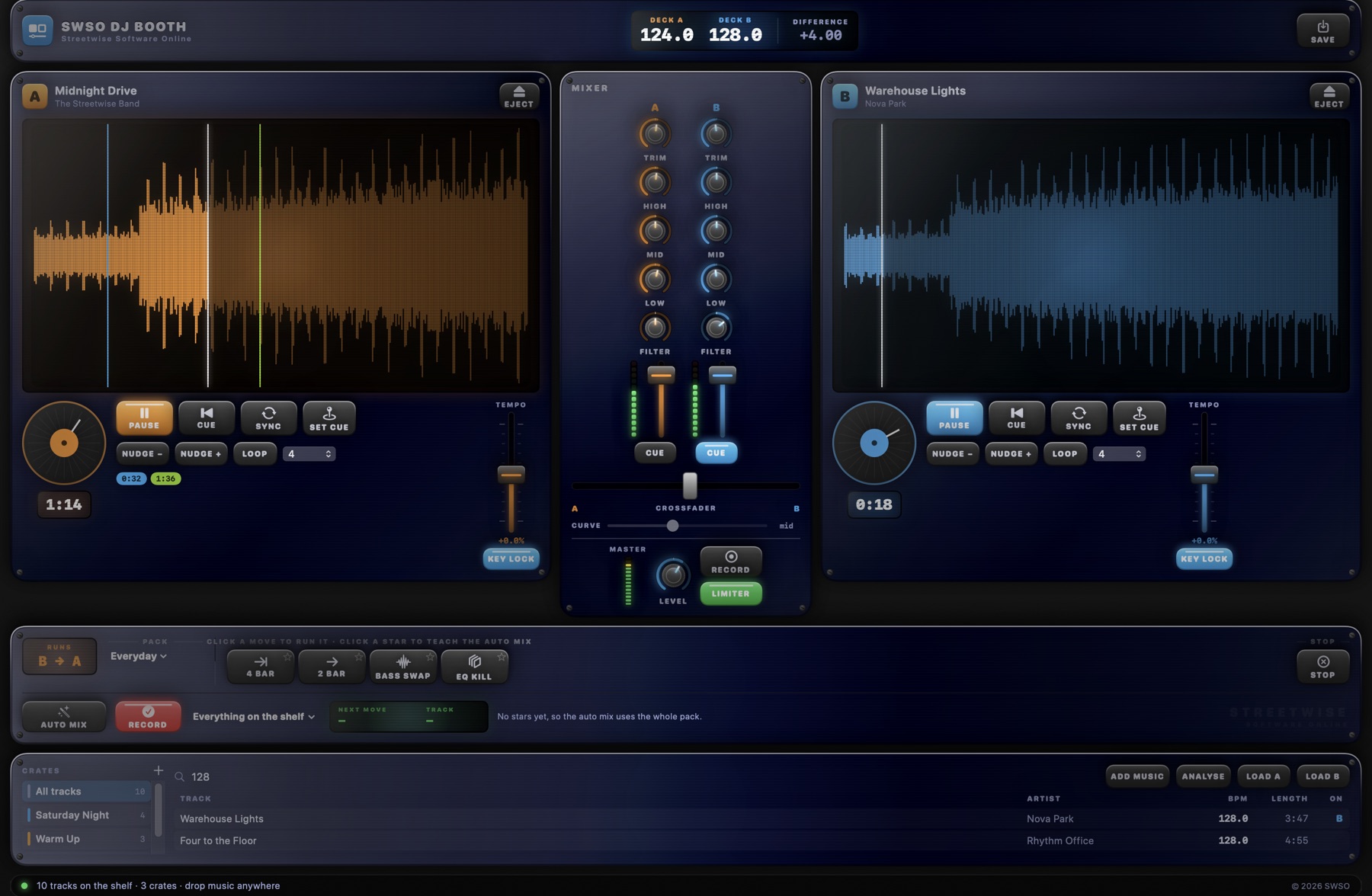
Add files or whole folders. Search by name, by artist or by tempo, and sort tracks into crates — a box of tracks for one kind of night. Your music is never copied or moved; the shelf only remembers where each file is.

What you get

Decks that behave like decks

  • Waveform — the whole track drawn out; click it to jump, and the cue markers show on it
  • TEMPO — a fader from −16% to +16%, with the tempo it is actually running at shown on the deck
  • KEY LOCK — on, the speed changes and the pitch does not; off, the deck behaves like a real turntable, where faster also means higher
  • SYNC — pulls this deck's tempo to the other one. Half and double time count as in time, so a 140 track syncs happily against a 70 one
  • NUDGE − / +, LOOP of 1, 2, 4, 8 or 16 beats, and SET CUE markers you can jump back to

A mixer with real tone controls

  • TRIM sets how loud the deck comes into the mixer; set it first, watching the meter
  • HIGH, MID and LOW — left in the middle they are exactly transparent. Turned all the way down, LOW and HIGH take that band right out — the kill a DJ uses to drop the bass out of one track while the other carries it. MID all the way down drops to a whisper rather than vanishing, because taking the middle out of a record leaves nothing of it
  • FILTER — left of the middle takes the top off, right of the middle takes the bottom off
  • CUE sends a deck to the headphones only, before the fader, so the room hears nothing
  • The crossfader has a Curve from blend to cut; the master has its own level and a limiter

It finds the beat for you

  • The app listens to each track and works out its beats per minute and where the first beat lands, from the sound itself
  • It marks every moment the sound gets suddenly louder, then asks at what spacing those hits agree with themselves at one, two and four beats apart
  • When nothing steady is found, the tempo shows as a dash and SYNC says so instead of guessing — free-time music, spoken word and live recordings that drift are the honest exceptions
  • Set the tempo by ear and use NUDGE when that happens; that is what DJs did for forty years

Yours, and only yours

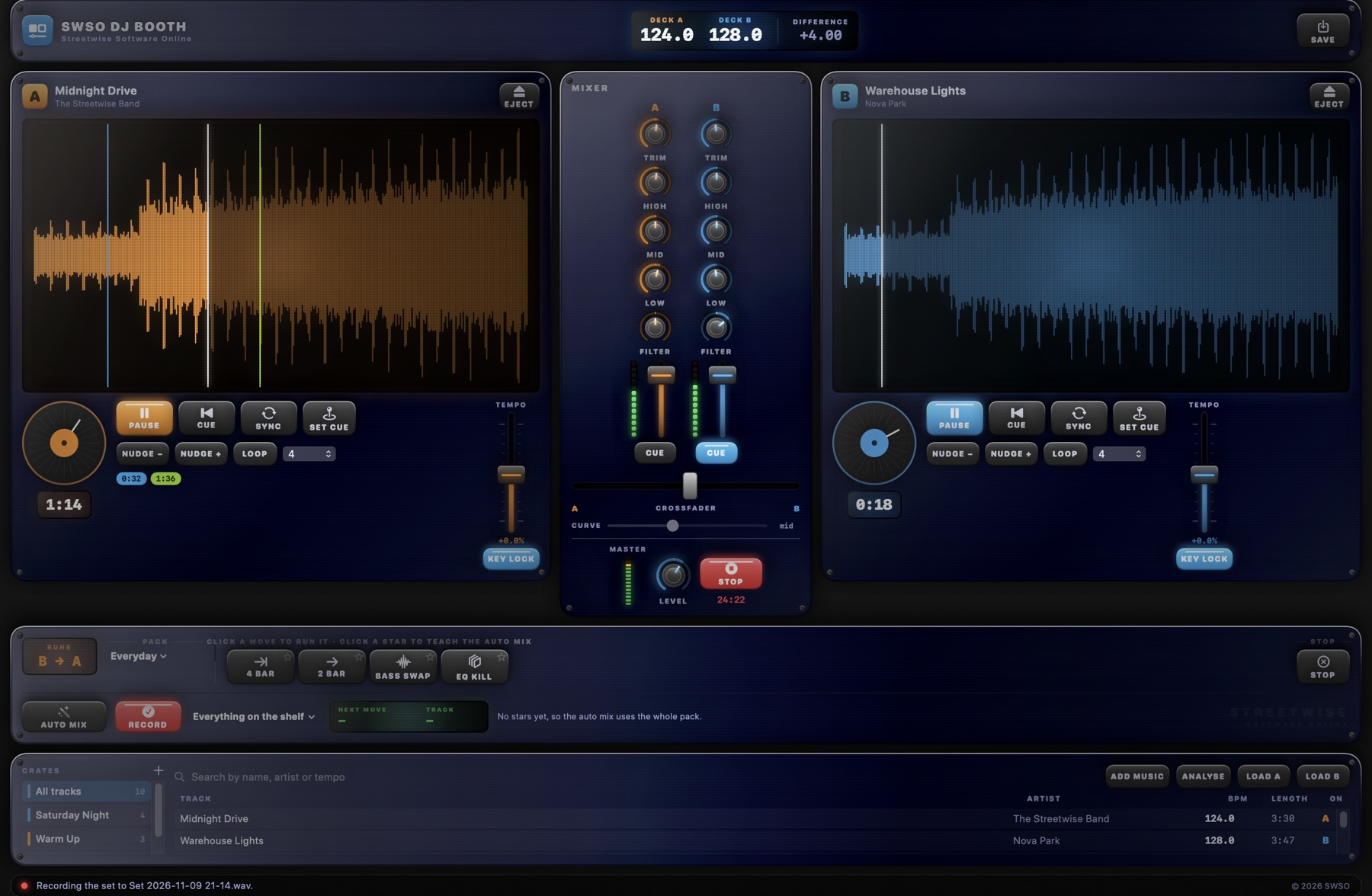
  • RECORD writes the whole set to a real WAV file — 48 kHz, 24-bit, stereo — in Music ▸ SWSO DJ Booth Sets
  • It records the mix exactly as it is made, not what the speakers put into the room, so it is clean
  • Your music is never copied or moved. Everything happens on your Mac; nothing is uploaded and no account is needed
  • Signed and notarized by Apple, Intel and Apple silicon in one universal app

What is in the box

Grouped the way they are in the app’s own Help, in plain words rather than jargon.

On each deckPlay / Pause · Cue · Tempo ±16% · Key lock · Sync · Nudge − / + · Loop · Set cue
Loop lengths1 · 2 · 4 · 8 · 16 beats
Per mixer channelTrim · High · Mid · Low · Filter · Line fader · Meter · Headphone cue
Across the mixerCrossfader · Curve (blend … cut) · Master level · Limiter
The shelf readsWAV · AIFF · MP3 · M4A · AAC · CAF · FLAC
Search the shelf byName · Artist · Tempo
Record writesWAV · 48 kHz · 24-bit · stereo — into Music ▸ SWSO DJ Booth Sets
Interface12 themes (opens in Club Night) · Liquid Glass or SWSO Chrome · zoom

How it works

The app’s own Help walks a first mix through in six steps. These are the three that matter.

  1. Put your music on the shelfPress “Add music…” and choose a folder. Everything in it goes on the shelf, including the folders inside it. Then press “Analyse” and the app works out each track’s tempo and draws its waveform.
  2. Load a deck each and line them upLoad one track on A and another on B. Press CUE on channel B to hear it in the headphones only, press SYNC to pull its tempo across, then tap NUDGE − or + if it has drifted.
  3. Bring the crossfader overSlide it across slowly, taking the LOW out of the track you are leaving as you go, so the two basslines never fight. Press RECORD at the top and the whole set lands in your Music folder as a WAV.

Who it’s for

Anyone with a folder of music and the urge to play one record into the next.

A teenage girl on her bedroom floor at night, headphones on, working out a mix on a laptop

Learning to mix

SYNC pulls the tempos together so you can hear what a blend should sound like before you can do it by hand — and NUDGE is there for the day you want to. The app’s own Help walks a first mix through, step by step.

A young man DJing in a small community hall, one hand on his headphones, people dancing behind him

Playing a party

Headphone cue, tone kills, a sweep filter and a crossfader curve you can set from blend to cut. Crates let you carry one box for the warm-up and another for peak time.

A woman at her kitchen table the morning after a gig, listening back to the recorded mix on headphones

Keeping the set

RECORD writes the mix itself to a 48 kHz 24-bit WAV, not a microphone recording of the room. It lands in your Music folder named by the date and time, ready to listen back to.

Try it free for 7 days

  • Every feature works for 7 days from the first launch, no key and no sign-up needed
  • After the trial you keep your files; add a license key to carry on. One-time purchase — no subscription
  • Family Edition: one Family key unlocks the app and every add-on, plug-in and extra pack — no second keys
  • Privacy: everything happens on your Mac. Nothing is uploaded and nothing about you is collected

System requirements

Mac
macOS 14 Sonoma or later, Intel and Apple silicon (universal). Mac only — there is no Windows version
Decks
Two · clickable waveform, platter, play/cue · tempo −16% to +16% · key lock · sync (half and double time count as in time) · nudge − / + · beat loops of 1, 2, 4, 8 or 16 beats · cue markers you can jump back to
Mixer, per deck
Trim · High, Mid and Low tone · Filter sweep (left takes the top off, right takes the bottom off) · line fader and meter · headphone cue, before the fader
Tone controls
In the middle, exactly transparent. All the way down, Low and High take that band right out (a true kill); Mid all the way down drops to a whisper rather than vanishing
Across the mixer
Crossfader with an adjustable curve from a smooth blend to a sharp cut · master level with a limiter
Tempo
Worked out from the sound itself, together with where the first beat lands. When nothing steady is found it says so rather than guessing
The shelf reads
WAV, AIFF, MP3, M4A, AAC, CAF and FLAC · files or whole folders · search by name, artist or tempo · crates
Your music
Never copied or moved — the shelf only remembers where each file is
Records
The whole set to a real WAV file: 48 kHz, 24-bit, stereo, into Music ▸ SWSO DJ Booth Sets · the mix itself, not what the speakers put into the room
Interface
12 coloured themes (opens in Club Night) · Liquid Glass or SWSO Chrome look · interface zoom · deck A and deck B keep their own colours throughout
Your data
Everything happens on your Mac. No accounts, no subscription, nothing uploaded
Signed
Signed and notarized by Apple
Questions

Is there a Windows version?

  • No. SWSO DJ Booth is a Mac app: macOS 14 Sonoma or later, Intel and Apple silicon in one universal app, signed and notarized by Apple. There is no Windows version.

Does it come with music, or connect to a streaming service?

  • No. You play your own music files — WAV, AIFF, MP3, M4A, AAC, CAF and FLAC. There is no streaming service to sign into, and a protected download from a music store cannot be played by anything but that store’s own app.

What if it cannot find the tempo of a track?

  • Then it tells you. The tempo shows as a dash and SYNC says so, instead of guessing at a number. Some music simply has no steady beat to find — free-time music, spoken word, live recordings that drift. Set the tempo fader by ear and use NUDGE.

What does RECORD actually capture?

  • The mix coming out of the master, written straight to a WAV file at 48 kHz, 24-bit, stereo — not a microphone recording of the room. Sets land in Music ▸ SWSO DJ Booth Sets, named by the date and time. What you do with a recording of other people’s music is between you and the people who own it; the app just makes the file.

Price

SWSO DJ Booth by Streetwise Software Online

Download the free trial now. One-time purchase, no subscription.

$19.99 one-time

See all SWSO software

Having a problem? Tell us and we’ll fix it.

Every computer is a little different: the macOS or Windows version, the hardware and how it’s set up can all change how an app behaves. We understand that, and we fix issues as they come in. If something doesn’t work the way it should, please don’t stay silent. Use our contact form and tell us the app, its version, your computer and system version, and what happened. Your report helps us fix it fast, for you and for everyone who uses our software.

Contact us

Product updates & bug reports

Found a bug or an issue? Report it to Streetwise Software Online with the app name, version and steps to reproduce it. We review reports and address confirmed bugs through product updates.

Read product updates and published fixes · Free trial and refund policy