SWSO FM Synth app icon

New · FM synthesizer for your Mac

Electric pianos, bells, basses and brass. Played on your Mac.

SWSO FM Synth by Streetwise Software Online · SWSO

A 6-operator FM synthesizer for the classic sounds: electric pianos, bells, punchy basses and brass. Play it with the mouse, your computer keys or any MIDI keyboard, change the sound with real knobs, and record what you play. It comes as an app and as an Audio Unit instrument for your music apps.

$19.99 one-time · 7-day free trial

Mac • macOS 14.2 or later • Intel and Apple silicon • 4.6 MB

macOSavailableWindowscomingMobilecoming soon
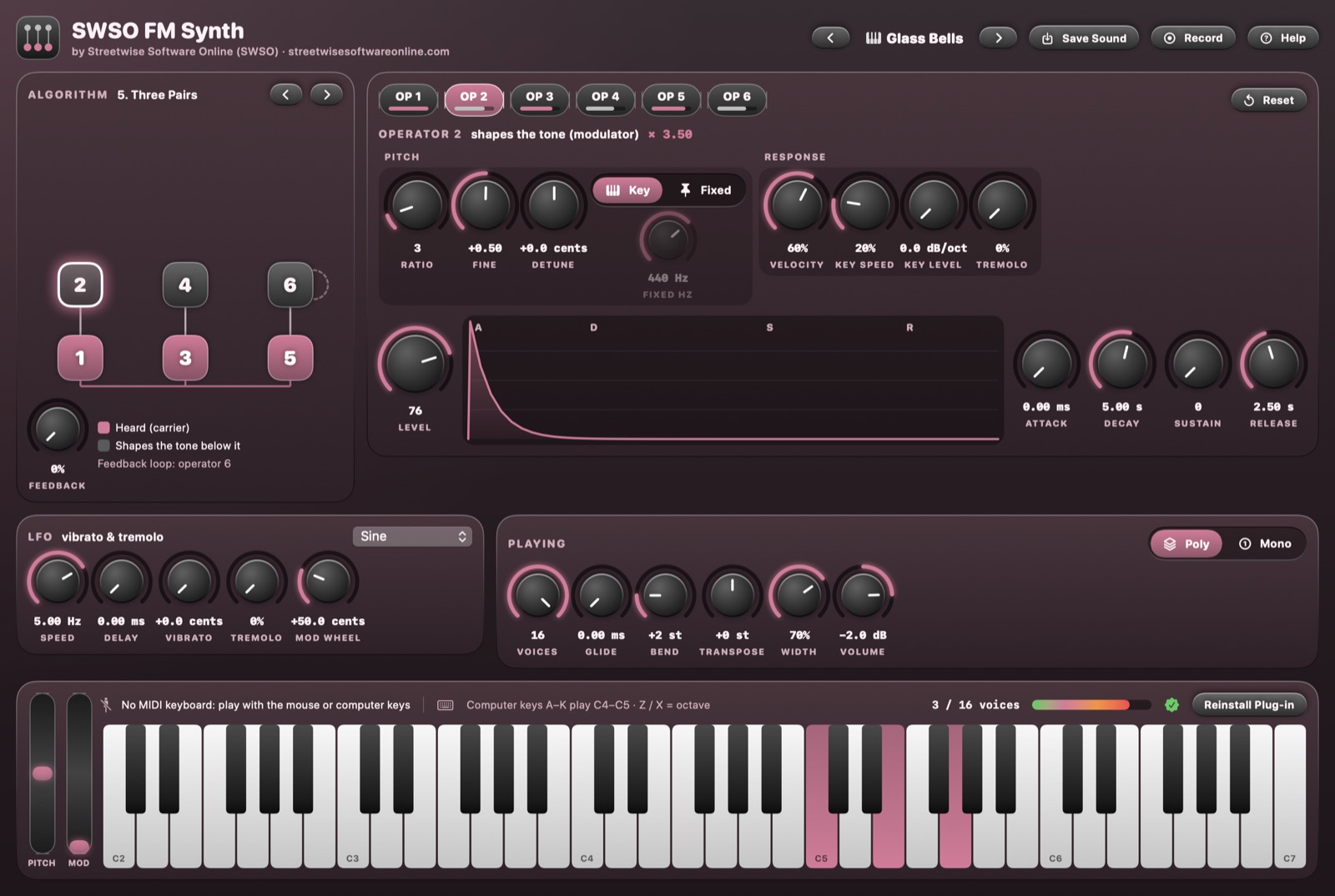
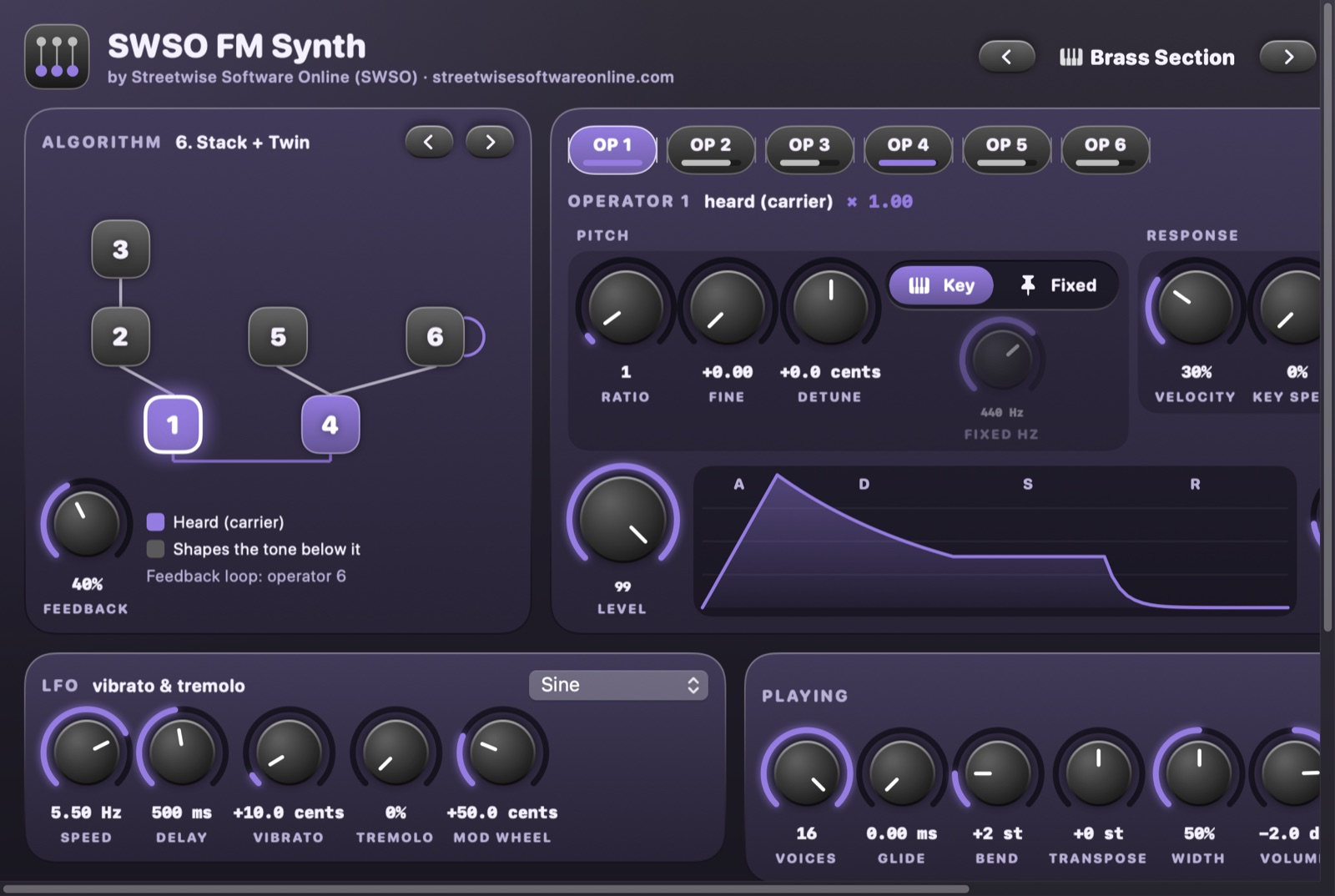
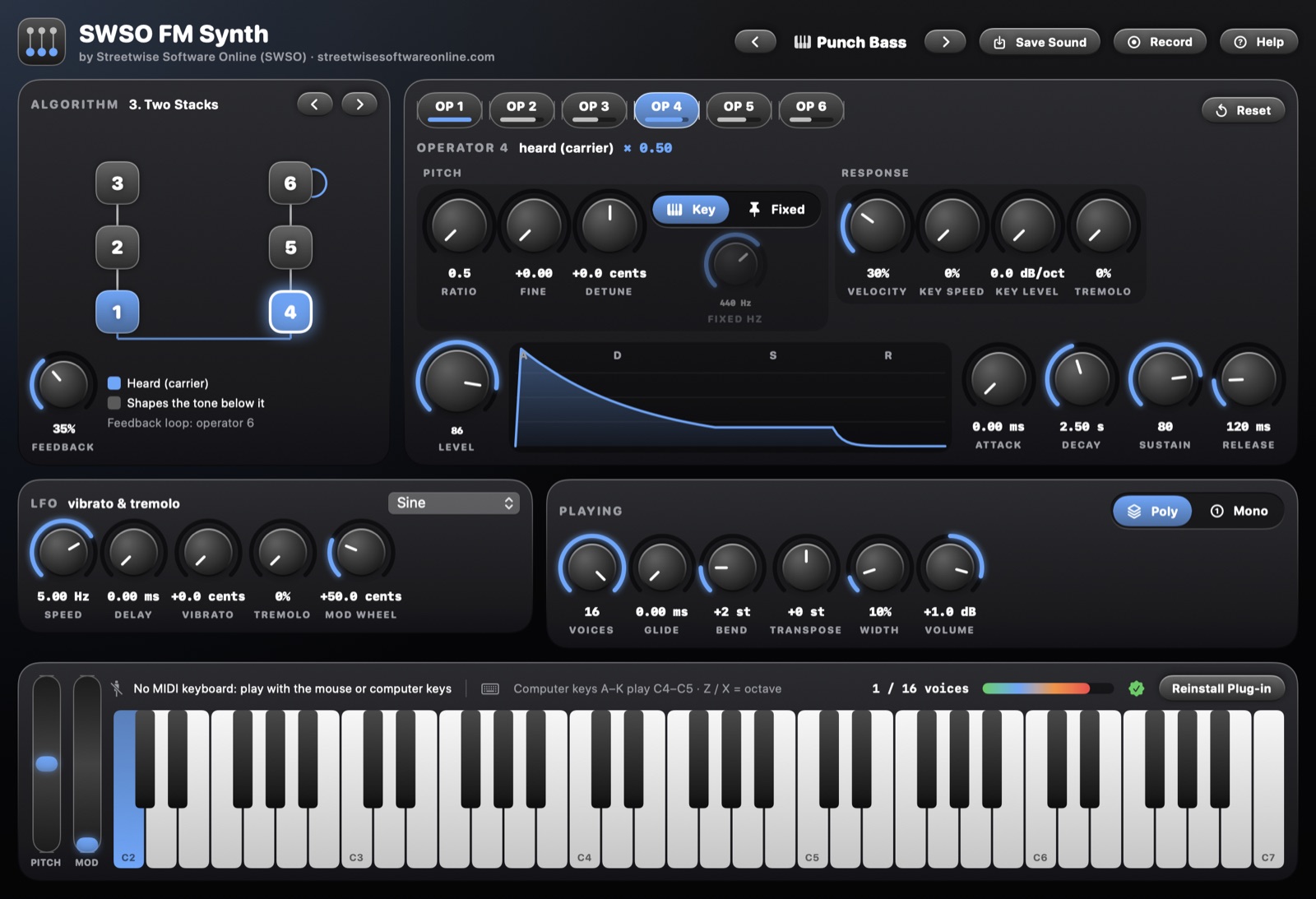
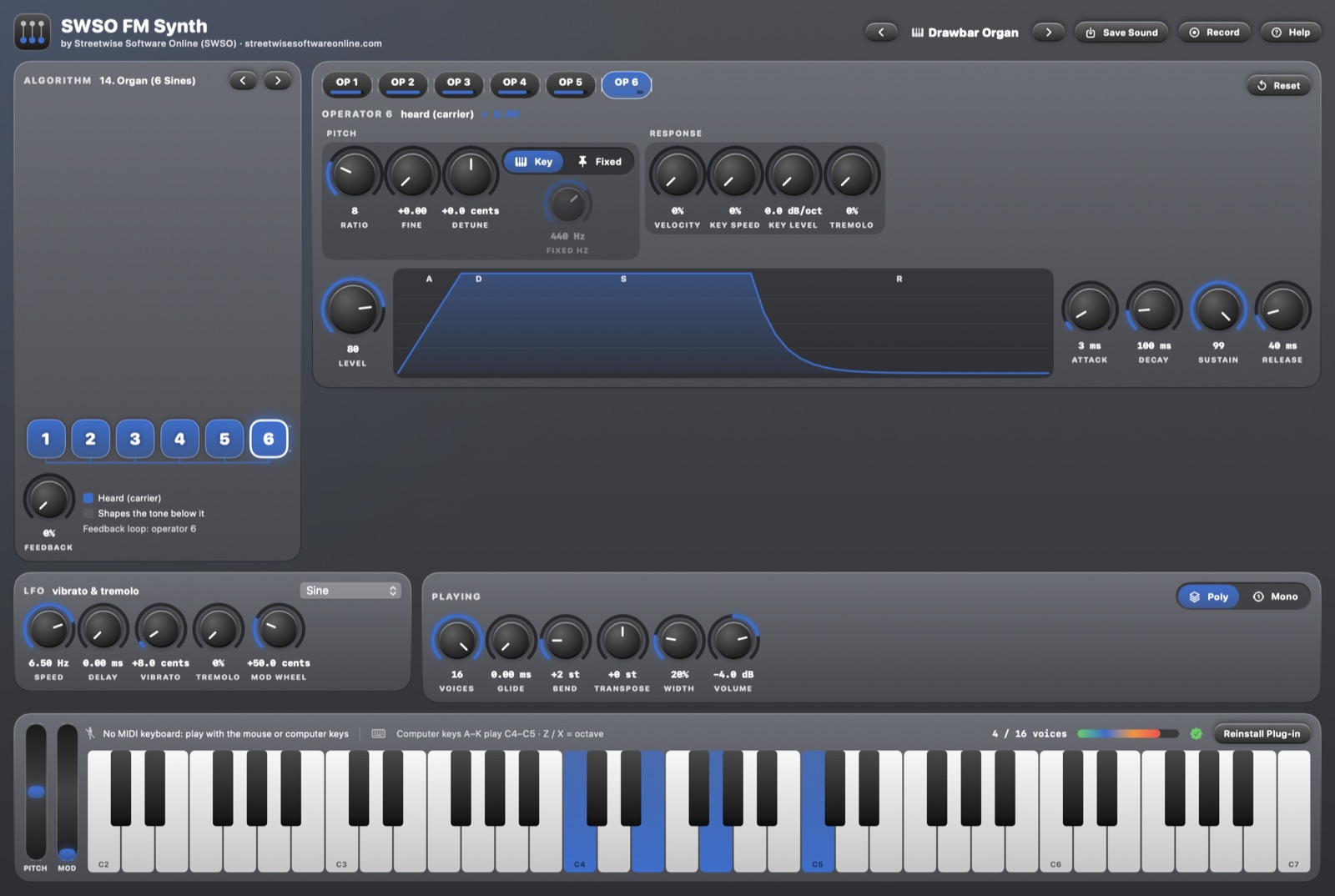
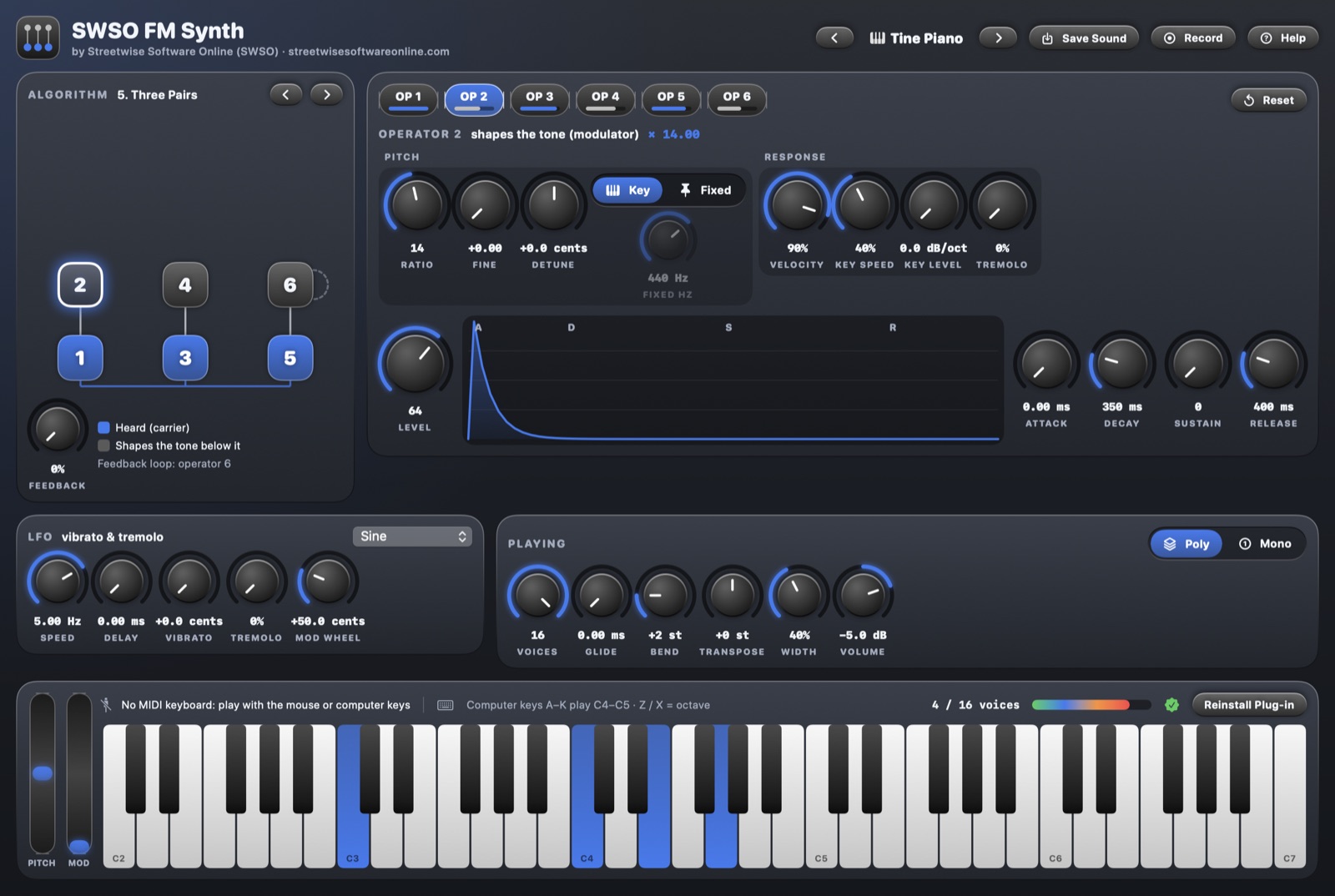
SWSO FM Synth in the Cobalt Gunmetal theme playing the Tine Piano sound: the algorithm picture, six operator tabs with pitch, response and envelope knobs, the LFO and Playing panels, and a 61-key keyboard with four keys held
6 operators16 algorithms, up to 16 voices, Poly or Mono
300 soundsbuilt in, in 17 groups, plus your own
App + plug-inan Audio Unit instrument for Logic Pro, GarageBand and other music apps

What you get

A real FM engine

  • Six operators, each with Ratio, Fine, Detune and a Key/Fixed pitch switch (Fixed is for drums)
  • Every operator has its own Attack, Decay, Sustain and Release, with a picture of the shape
  • Velocity, Key Speed, Key Level and Tremolo for each operator
  • Feedback turns a pure tone toward a buzzy sawtooth

Made to be played

  • Any USB or Bluetooth MIDI keyboard works with no setup: velocity, sustain pedal, pitch wheel and mod wheel
  • No keyboard? Click the 61 on-screen keys or use your computer keys (A to K, Z and X change octave)
  • LFO with Speed, Delay, Vibrato, Tremolo, Mod Wheel and five shapes
  • Glide, Bend range, Transpose, stereo Width and Volume

Your sounds

  • 300 built-in sounds to start from
  • Save Sound keeps your version in My Sounds
  • Export and open .swsofm sound files to email or back up
  • A removed sound goes to the Trash, so you can put it back

Record and use it in your music apps

  • Record What I Play saves a 24-bit WAV file
  • Install the Audio Unit with one button, then load it in Logic Pro, GarageBand or SWSO Production Station
  • All 300 sounds are presets in the plug-in, and your edits are saved with the song
  • Passed Apple’s own Audio Unit test with no warnings

What is in the box

Straight from the app’s own Help and sound list.

LFO shapesSine · Triangle · Saw down · Square · Random
Per operatorRatio · Fine · Detune · Key / Fixed · Level · Attack · Decay · Sustain · Release · Velocity · Key Speed · Key Level · Tremolo
PlayingPoly / Mono · Voices · Glide · Bend · Transpose · Width · Volume
RecordsWAV, 24-bit
Sound files.swsofm (open and export)
Audio UnitInstrument plug-in

How it works

The app opens with a sound ready to play. The algorithm picture shows which operators you hear (colored) and which ones shape the tone (gray), and the Help explains FM in plain words.

  1. PlayClick the on-screen keys, use your computer keyboard, or plug in a MIDI keyboard.
  2. Pick a soundChoose one from the list at the top, or step through with the arrows or ⌘← and ⌘→.
  3. Make it yoursClick an operator (1 to 6) and turn its knobs. Then click Save Sound, or Record to save a WAV.

Who it’s for

Anyone who wants the classic FM sounds without a hardware synth.

Keyboard players

Electric pianos, organs, bells and brass, played from any MIDI keyboard with velocity, sustain and both wheels.

Music makers

Load it as an instrument in Logic Pro, GarageBand or SWSO Production Station. Your edits are saved with the song.

Curious beginners

The algorithm picture and the plain-words Help show what each operator does, so FM finally makes sense.

Try it free for 7 days

  • Every feature works for 7 days from the first launch, no key and no sign-up needed
  • After the trial, a license key keeps it working. Your key arrives by email after you buy
  • One-time purchase, no subscription
  • Privacy: everything happens on your Mac. It asks for no special permissions

Specifications

System
macOS 14.2 Sonoma or later, Intel and Apple silicon (universal)
Version
1.1
MIDI
Any USB or Bluetooth MIDI keyboard, no setup. Or the on-screen keys and your computer keys
Engine
6 operators, 16 algorithms, up to 16 voices, Poly or Mono
Sounds
300 built in (17 groups), plus your own (.swsofm files)
Records
WAV, 24-bit
Plug-in
Audio Unit instrument for Logic Pro, GarageBand, SWSO Production Station and other music apps
Look
6 themes (Cobalt Gunmetal, Candy Red Titanium, Rose Gold, Lavender Pearl, Midnight Black and Brushed Gray), zoom from 85% to 200%

Questions

Do I need a MIDI keyboard?

  • No. Click the on-screen keys or play with your computer keys: A to K play one octave and Z and X move it down and up. A MIDI keyboard just plugs in and works.

Can I use it in Logic Pro or GarageBand?

  • Yes. Click Install Plug-in and it shows up as an Audio Unit instrument. All 300 sounds are its presets.

Can I load DX7 patches?

  • No. SWSO FM Synth has its own 300 sounds and saves your own as .swsofm files. It does not read DX7 .syx files.

What does it record?

  • Record What I Play saves what you play as a 24-bit WAV file.

Price

SWSO FM Synth by Streetwise Software Online

Download the free trial now. One-time purchase, no subscription.

$19.99 one-time

See all SWSO software

Having a problem? Tell us and we’ll fix it.

Every Mac is a little different, and we fix issues as they come in. If something doesn’t work the way it should, use our contact form and tell us the app, its version, your Mac and macOS version, and what happened. Your report helps us fix it fast, for you and for everyone who uses our software.

Contact us

Product updates & bug reports

Found a bug or an issue? Report it to Streetwise Software Online with the app name, version and steps to reproduce it. We review reports and address confirmed bugs through product updates.

Read product updates and published fixes · Free trial and refund policy