SWSO FX Pack app icon

New · six studio effects for your Mac

Six studio effects. One easy chain.

SWSO FX Pack by Streetwise Software Online · SWSO

EQ, Compressor, Saturator, Chorus, Delay and Limiter, chained left to right. Open a song or a vocal, switch the effects on, pick a preset or turn the knobs, and save a finished copy. Or play live through the microphone. All six also come as Audio Unit plug-ins for your music apps.

$19.99 one-time · 7-day free trial

Mac • macOS 14.2 or later • Intel and Apple silicon • 1.4 MB

macOSavailableWindowscomingMobilecoming soon
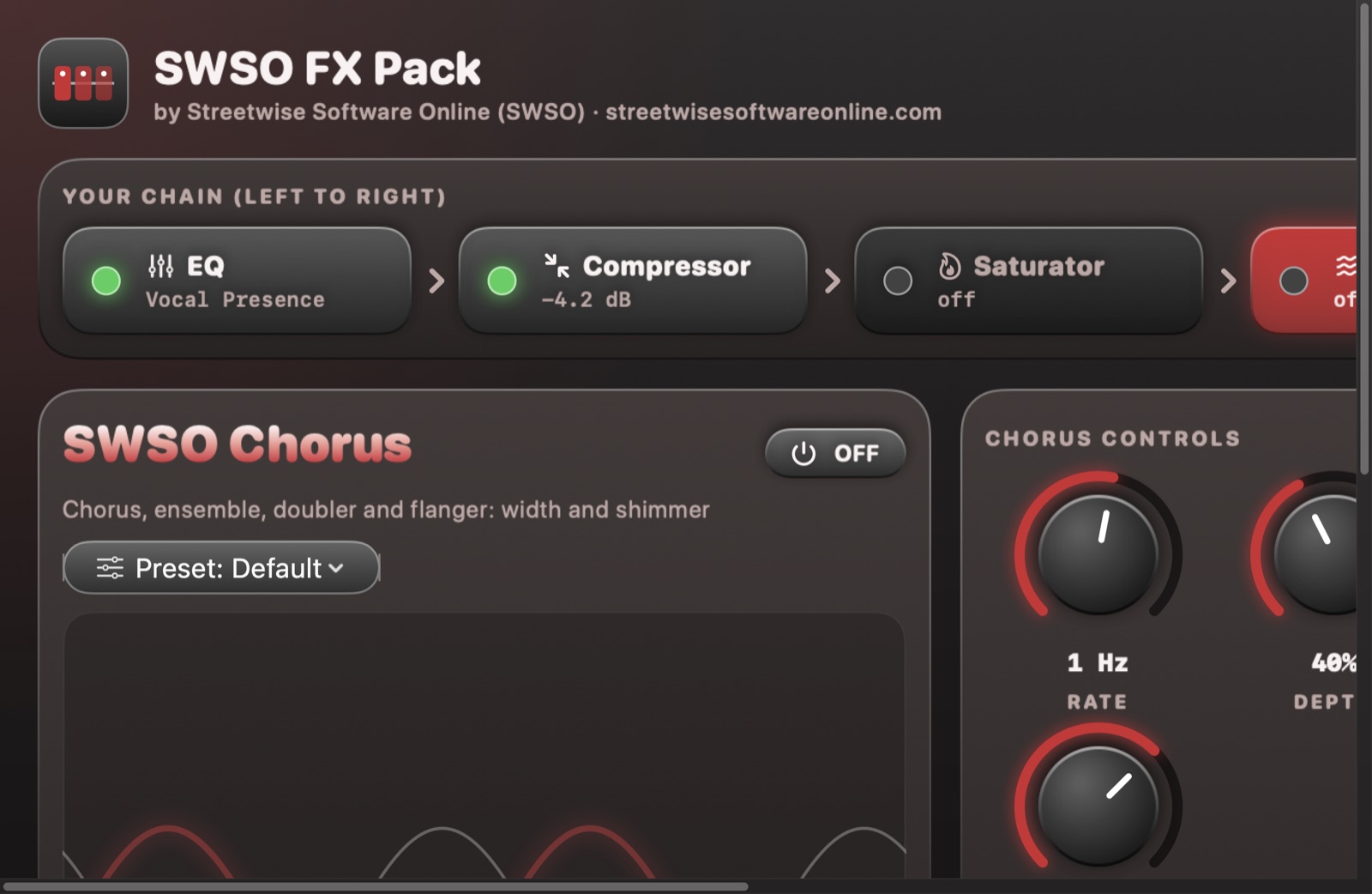
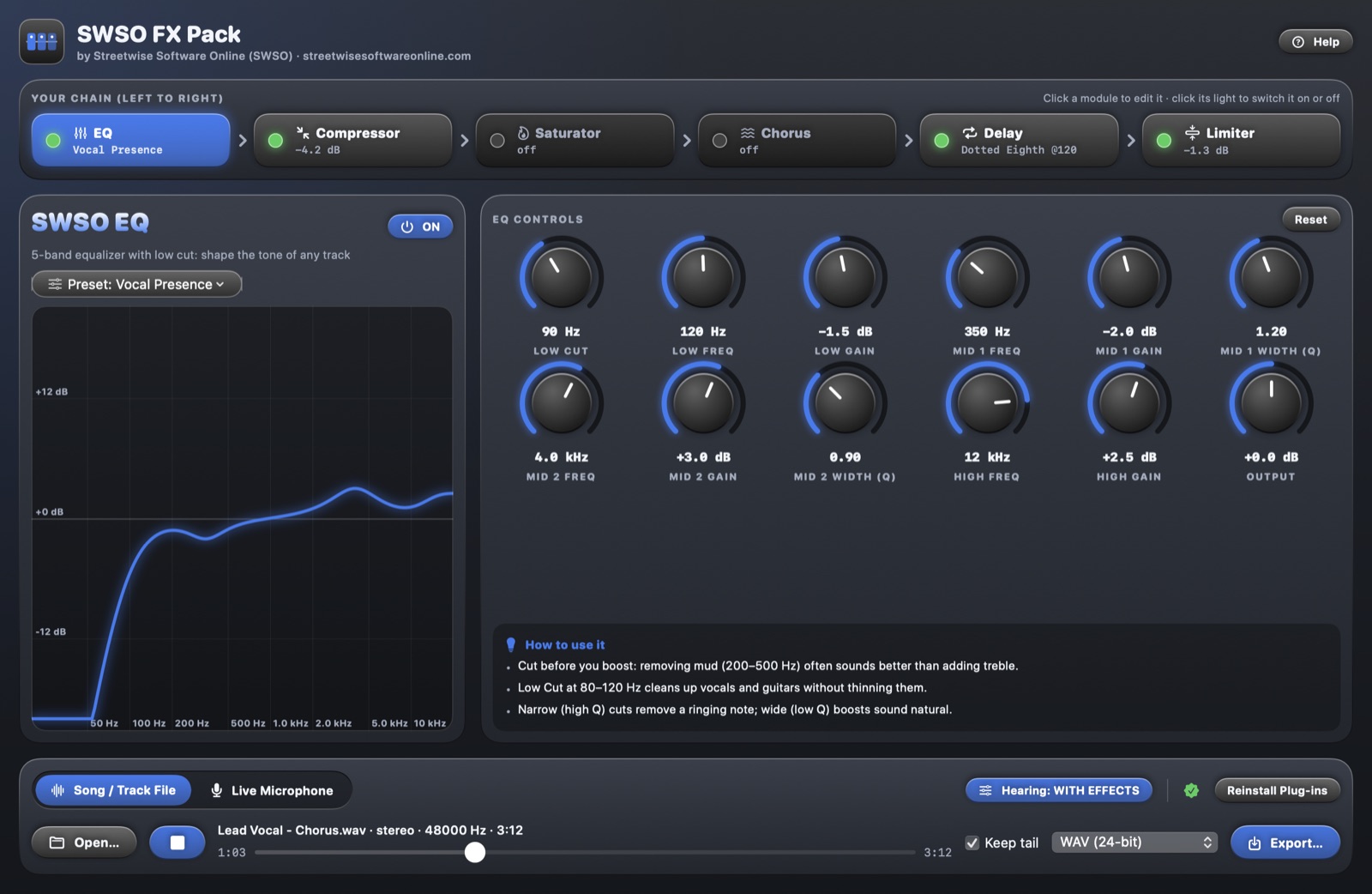
SWSO FX Pack in the Cobalt Gunmetal theme: the six-module effect chain across the top and the EQ open below with the Vocal Presence curve
6 effectsEQ, Compressor, Saturator, Chorus, Delay and Limiter
35 presetsa starting point for every effect
App + 6 plug-insone chain app, six Audio Units for your music apps

What you get

Shape and control

  • EQ: Low Cut, two shelves and two mid bands, ±18 dB each, with a live curve
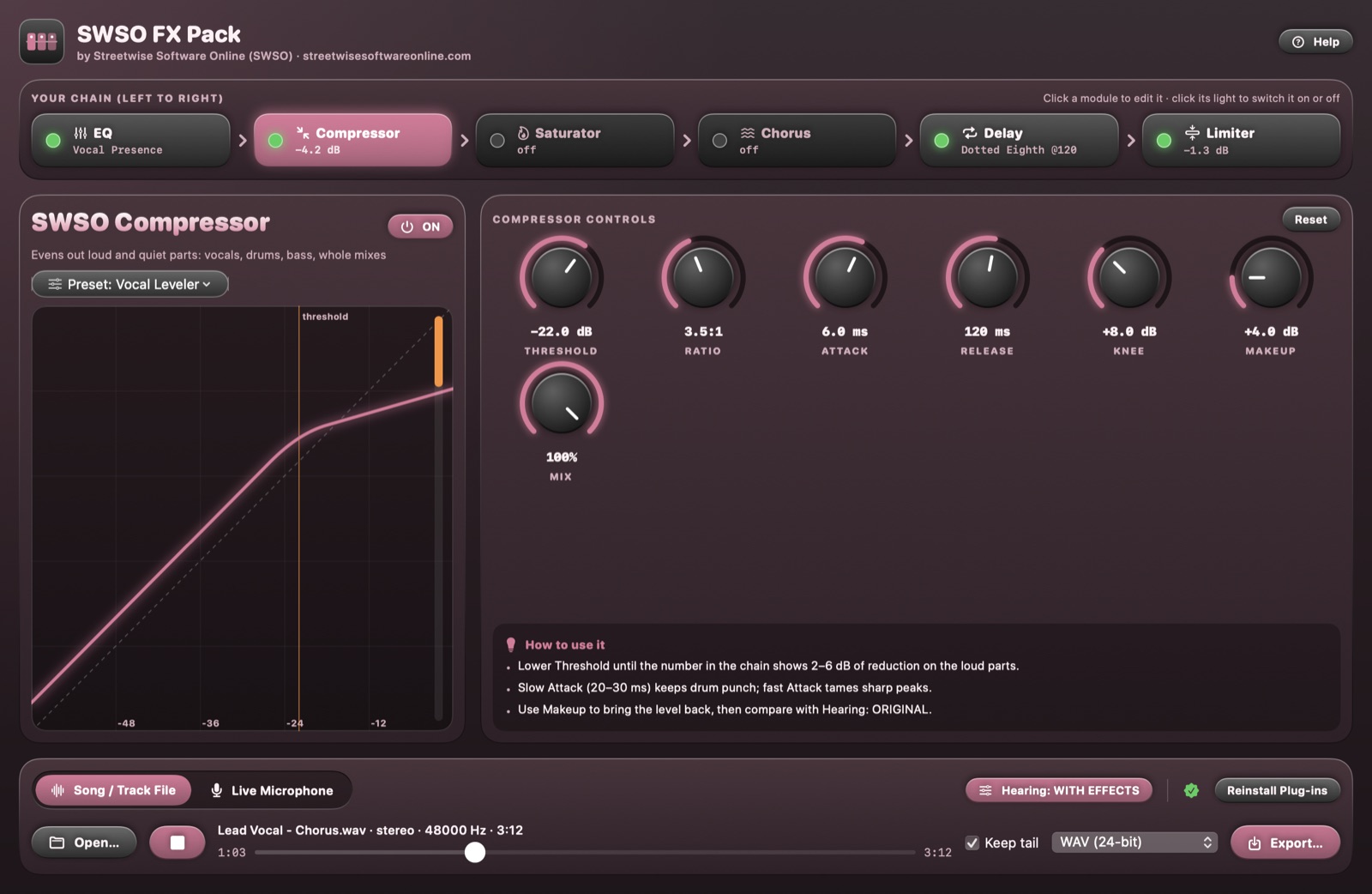
  • Compressor: Threshold, Ratio up to 20:1, Attack, Release, Knee, Makeup and Mix for parallel compression
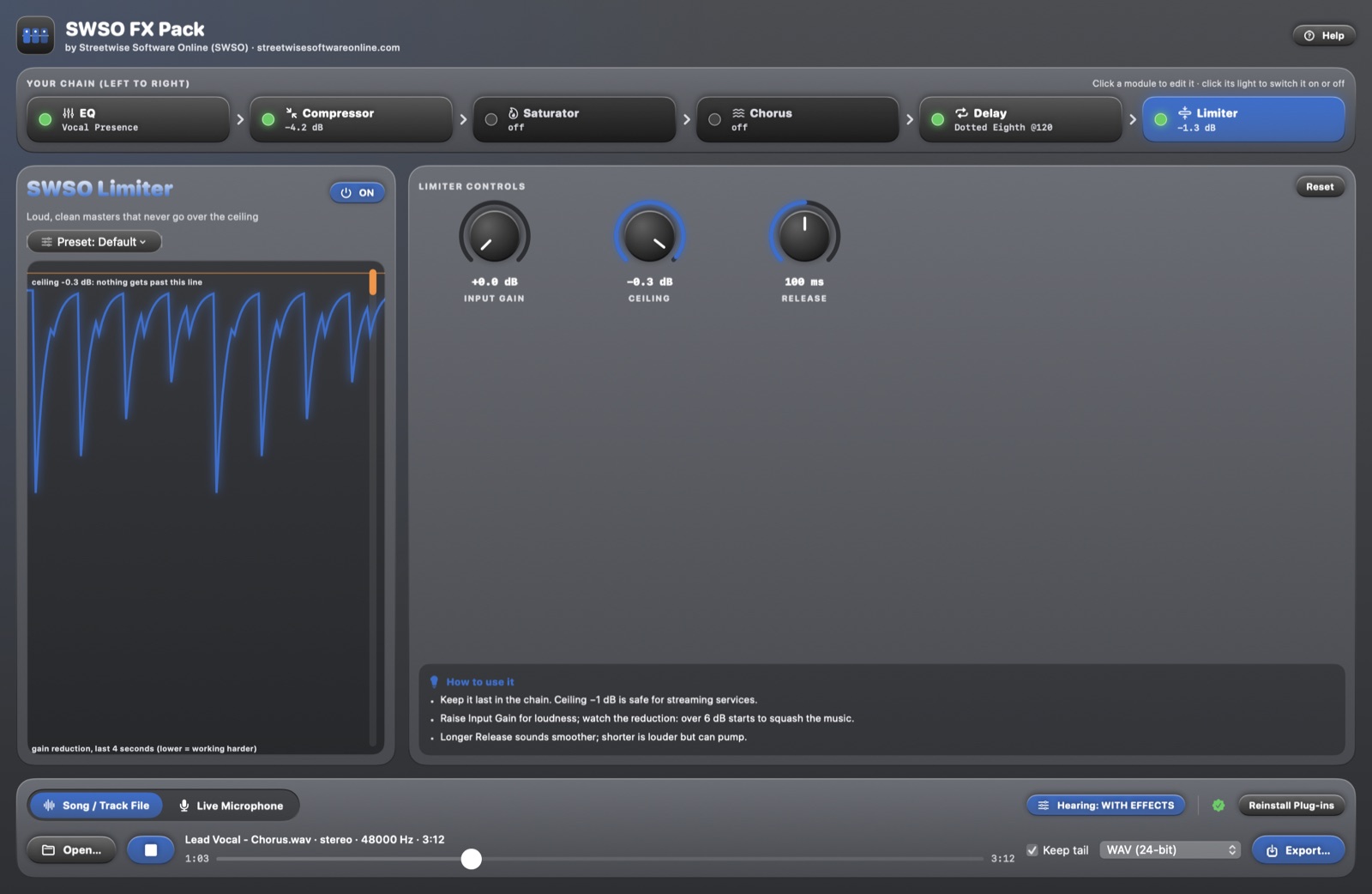
  • Limiter: looks 5 ms ahead and never lets the sound past the ceiling
  • The chain shows how many dB the Compressor and Limiter are turning down, as it plays

Color and space

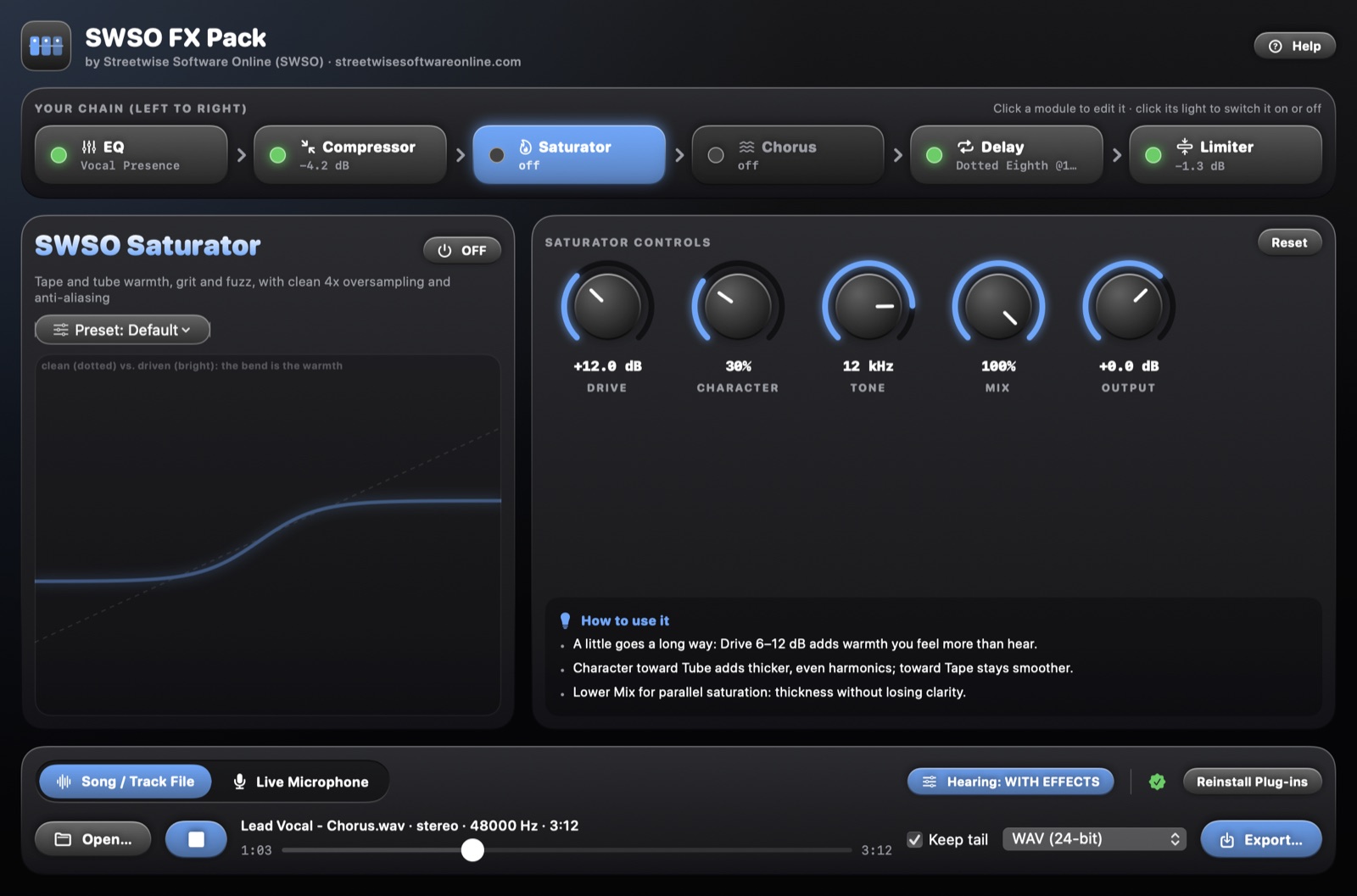
  • Saturator: Drive up to 36 dB, Character from tape to tube, 4x oversampled
  • Loudness stays about the same as you raise Drive
  • Chorus/Flanger: Rate, Depth, Delay, Feedback and Spread
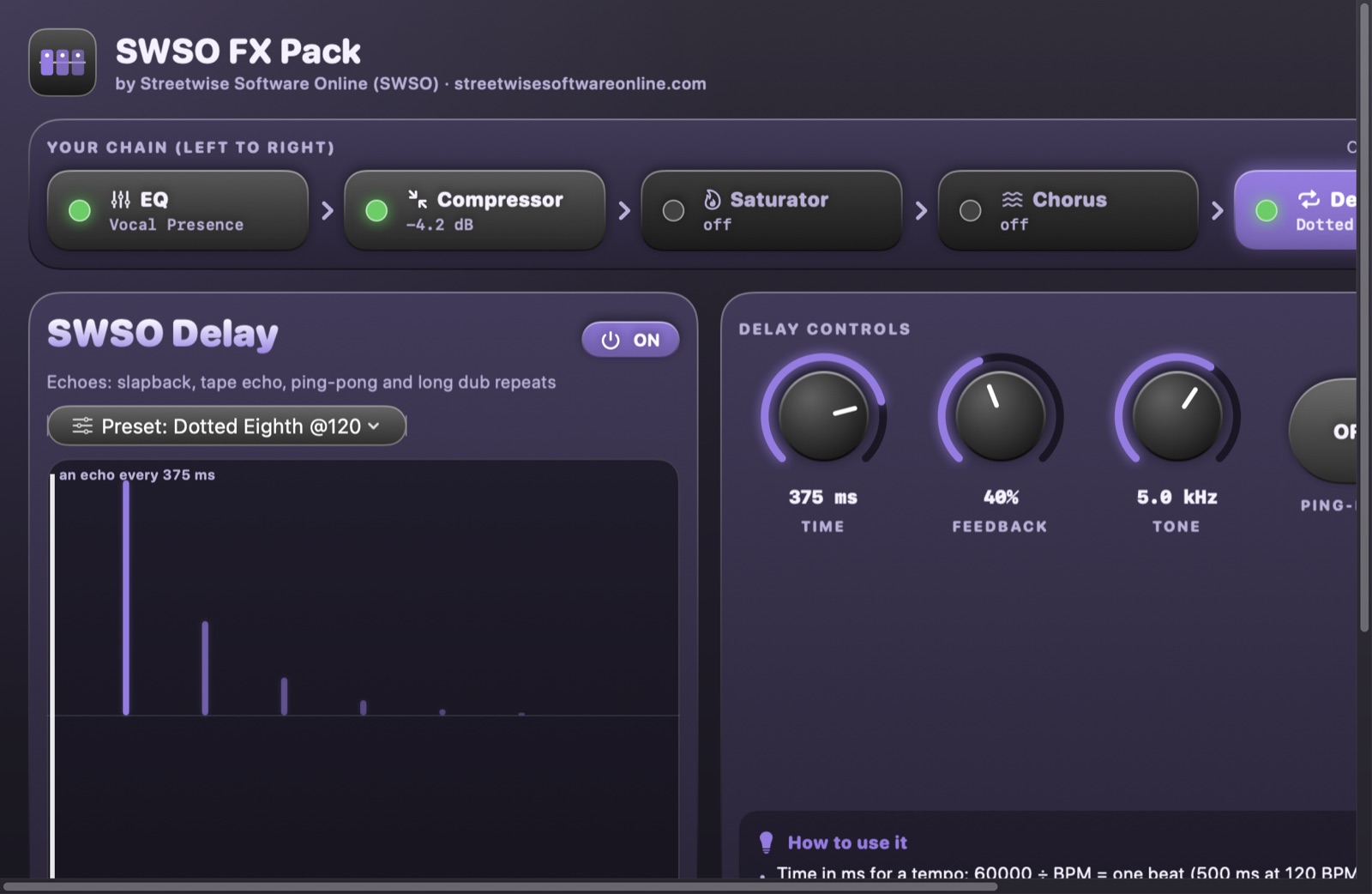
  • Delay: up to 2 seconds, Feedback, Tone and a Ping-Pong switch

The chain app

  • Click a module to edit it; click its light to switch it on or off
  • Each effect has presets, knobs, a live picture of what it is doing and how-to tips
  • “Hearing: WITH EFFECTS” flips to the untouched original and back (⌘B)
  • Export saves a processed copy. Your original file is never changed

Live and in your music apps

  • Live Microphone: play or sing and hear yourself through the effects. Nothing is recorded or saved
  • Six Audio Unit effects, installed with one click, for Logic Pro, GarageBand and SWSO Production Station
  • The Saturator and Limiter report their delay, so your tracks stay lined up
  • All six passed Apple’s own Audio Unit test with no warnings

What is in the box

The six effects and their main controls, as named in the app.

EQLow Cut · Low shelf · Mid 1 · Mid 2 · High shelf · Output
CompressorThreshold · Ratio · Attack · Release · Knee · Makeup · Mix
SaturatorDrive · Character · Tone · Mix · Output
Chorus / FlangerRate · Depth · Delay · Feedback · Spread · Mix · Output
DelayTime · Feedback · Tone · Ping-Pong · Mix · Output
LimiterInput Gain · Ceiling · Release
OpensWAV · AIFF · MP3 · M4A/AAC · FLAC · CAF, mono or stereo
SavesWAV 24-bit · AIFF 24-bit · M4A (AAC 256 kbps)

How it works

A fresh chain starts with the EQ, Compressor and Limiter switched on, and your chain is remembered between launches.

  1. Open a trackClick Open… and choose a vocal, an instrument or a song, or pick Live Microphone. Press Play.
  2. Shape itClick a module, pick a preset or turn the knobs. Use “Hearing” to compare with the original.
  3. ExportClick Export… to save a processed copy as WAV, AIFF or M4A. “Keep tail” lets echoes ring out.

Who it’s for

Anyone who wants a finished, polished sound without a rack of separate plug-ins.

Singers and podcasters

Clean up a vocal with EQ, even it out with the Compressor and bring it up to level with the Limiter, then save a copy.

Home producers

Use the six effects as Audio Units right inside Logic Pro, GarageBand or SWSO Production Station.

Live players

Plug in, pick Live Microphone and hear your guitar or voice through the chain, with headphones on.

Try it free for 7 days

  • Every feature works for 7 days from the first launch, no key and no sign-up needed
  • After the trial, a license key keeps it working. Your key arrives by email after you buy
  • One-time purchase, no subscription
  • Privacy: the microphone is used only in Live mode. Nothing is recorded or saved, and nothing leaves your Mac

Specifications

System
macOS 14.2 Sonoma or later, Intel and Apple silicon (universal)
Version
1.0
Effects
EQ, Compressor, Saturator, Chorus/Flanger, Delay, Limiter (35 presets)
Opens
WAV, AIFF, MP3, M4A/AAC, FLAC and CAF, mono or stereo
Saves
WAV 24-bit, AIFF 24-bit, M4A (AAC 256 kbps, up to 48 kHz)
Plug-ins
Six Audio Unit effects for Logic Pro, GarageBand, SWSO Production Station and other music apps
Microphone
Live mode only
Look
6 themes (Cobalt Gunmetal, Candy Red Titanium, Rose Gold, Lavender Pearl, Midnight Black and Brushed Gray), zoom from 85% to 200%
Questions

Can I change the order of the effects?

  • No. The chain always runs EQ, Compressor, Saturator, Chorus, Delay, Limiter, one of each. Switch off the ones you don’t need.

Will it change my original file?

  • Never. Export saves a new processed copy.

Does Live mode record?

  • No. It lets you hear yourself through the effects. Wear headphones so the speakers don’t feed back.

Does the Delay follow my song’s tempo?

  • Delay time is set in milliseconds. The display tells you how often the echo comes.

Price

SWSO FX Pack by Streetwise Software Online

Download the free trial now. One-time purchase, no subscription.

$19.99 one-time

See all SWSO software

Having a problem? Tell us and we’ll fix it.

Every Mac is a little different, and we fix issues as they come in. If something doesn’t work the way it should, use our contact form and tell us the app, its version, your Mac and macOS version, and what happened. Your report helps us fix it fast, for you and for everyone who uses our software.

Contact us

Product updates & bug reports

Found a bug or an issue? Report it to Streetwise Software Online with the app name, version and steps to reproduce it. We review reports and address confirmed bugs through product updates.

Read product updates and published fixes · Free trial and refund policy