Internet Rampage app icon

New · connection merging for your Mac

Wi-Fi, Ethernet and your phone. All at the same time.

Internet Rampage by Streetwise Software Online · SWSO

Internet Rampage uses all your internet connections together. Apps that open many connections at once, like downloads, browsers, Steam and cloud uploads, get the speed of all of them added together. Live gauges show every connection, and the downloader fetches big files in pieces over all of them.

$31.99 one-time · 7-day free trial

Mac • macOS 14 or later • Intel and Apple silicon • 3.7 MB

macOSavailableWindowscomingMobilecoming soon
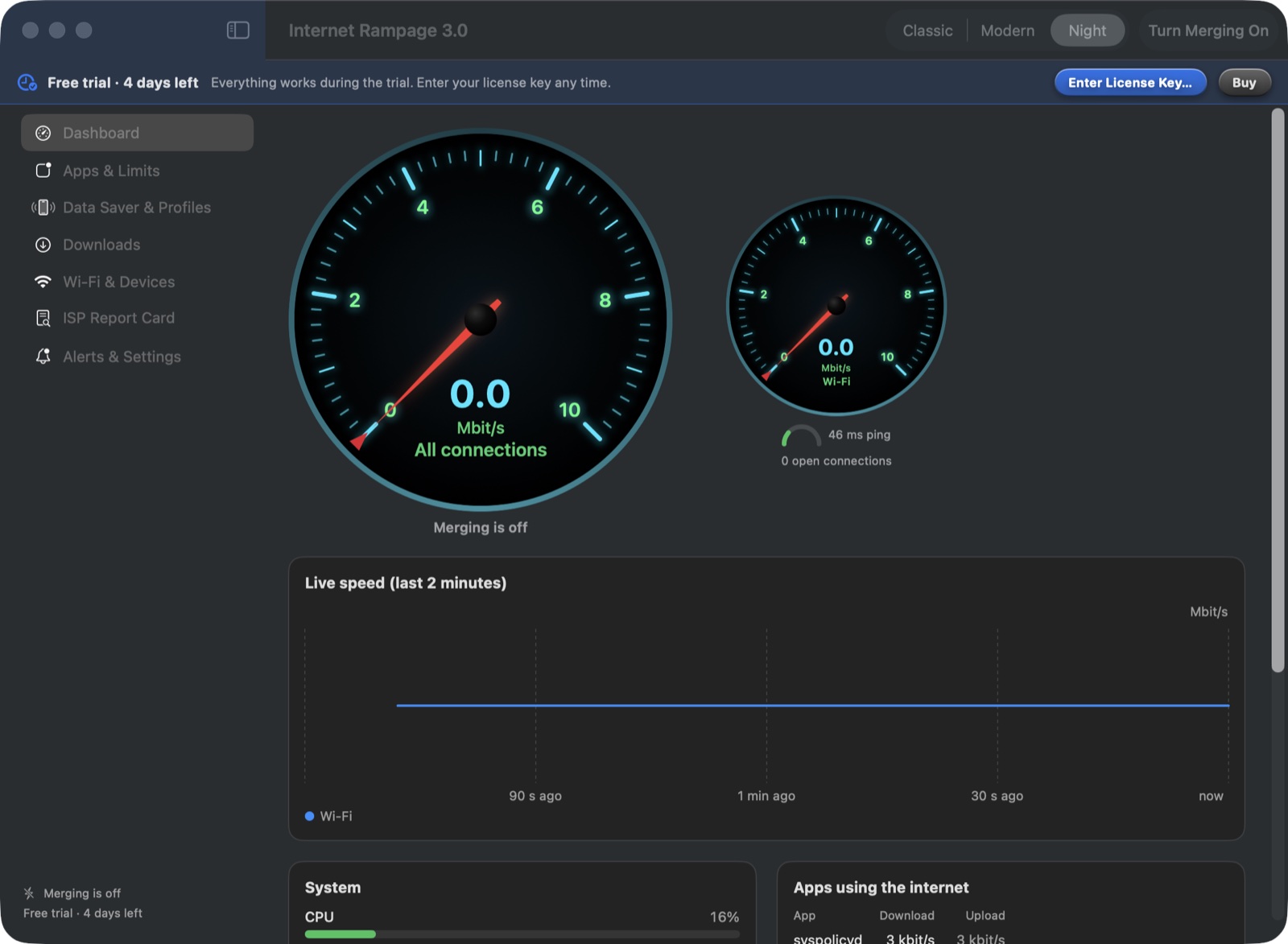
Internet Rampage 3.0 Dashboard with the big all-connections gauge, a gauge for each connection, the live speed chart, System card and Apps using the internet
All connectionsWi-Fi, Ethernet and phone tethering together
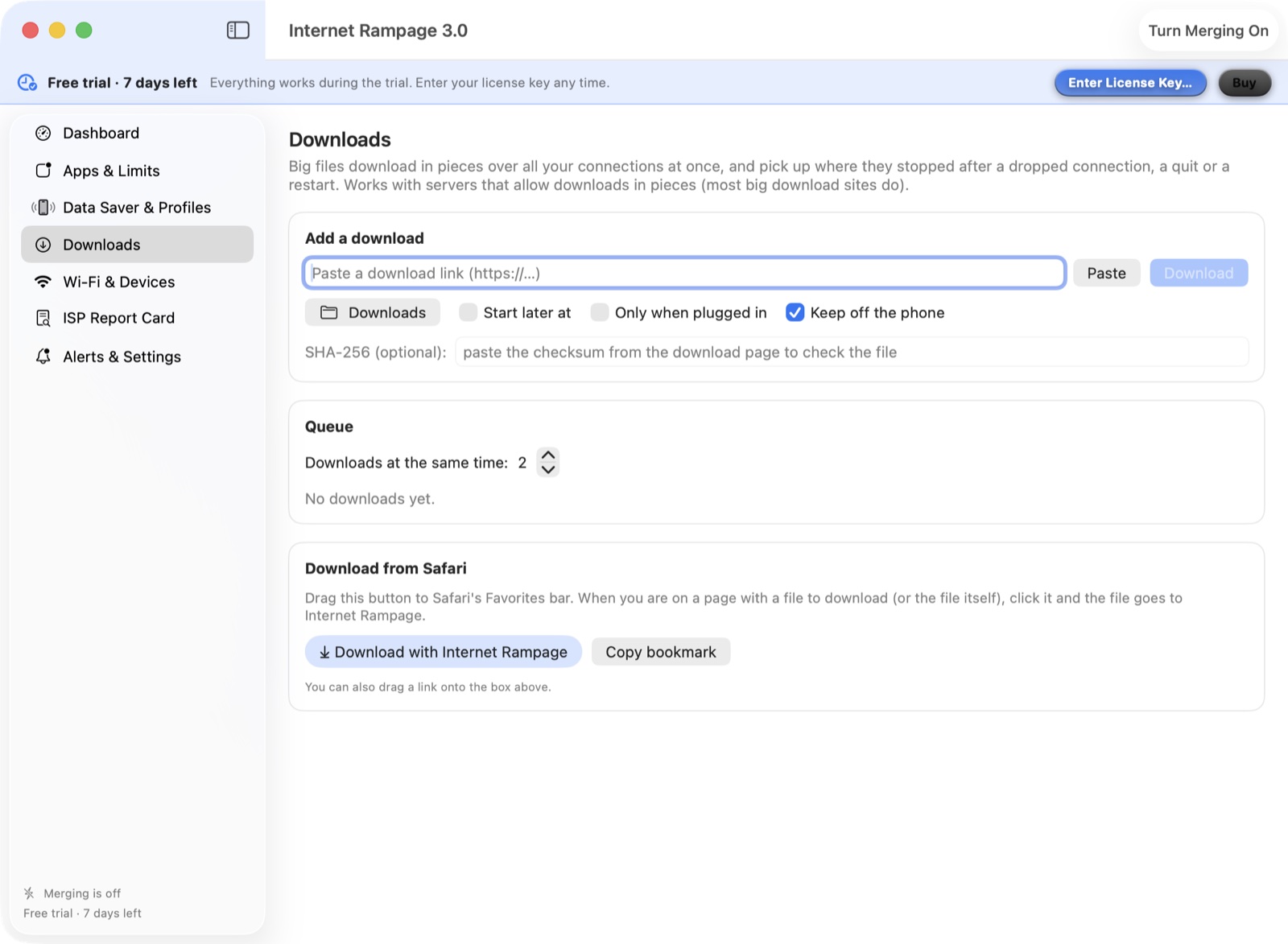
Downloadsfetched in pieces over every connection, with resume
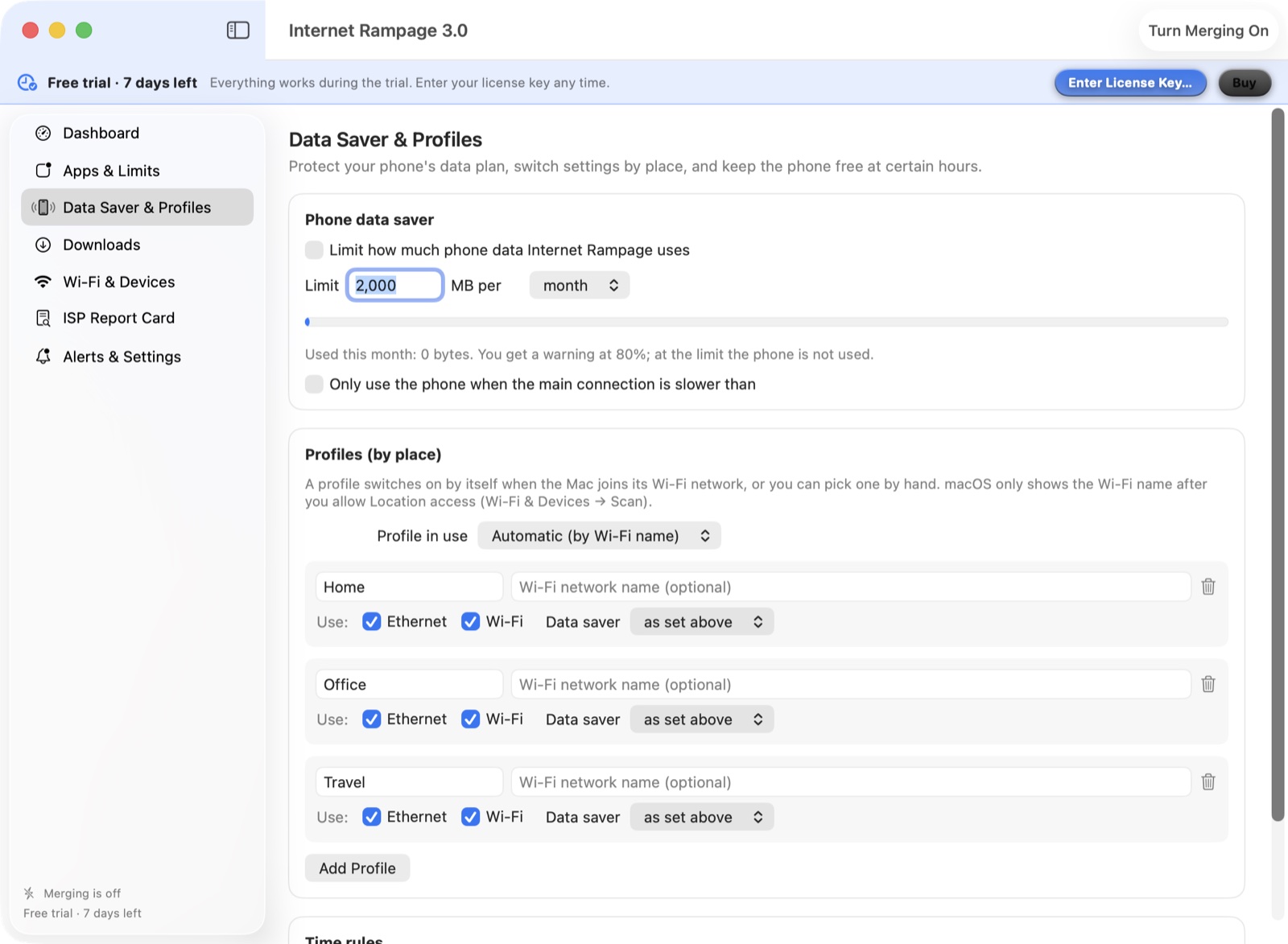
Data Saverdaily or monthly limits for phone data

What you get

Merge and watch

  • Turn Merging On; Turn Merging Off puts your network settings back exactly
  • A big gauge for all connections and one for each, with ping
  • The last 2 minutes on a live chart; Run Speed Test per connection and together
  • Classic, Modern and Night gauge looks

Rules and limits

  • Per-app rules: all connections, one only, or one with the others as backup
  • Limit download or upload speed for an app
  • Gaming mode sends an app over the lowest-ping connection
  • Data Saver, profiles (Home, Office, Travel) and time rules

Downloads and tools

  • Downloads in pieces over all connections, with resume, queue and start-later
  • Scan Wi-Fi: signal, noise, channel and nearby networks
  • Scan Network lists the devices on your home network
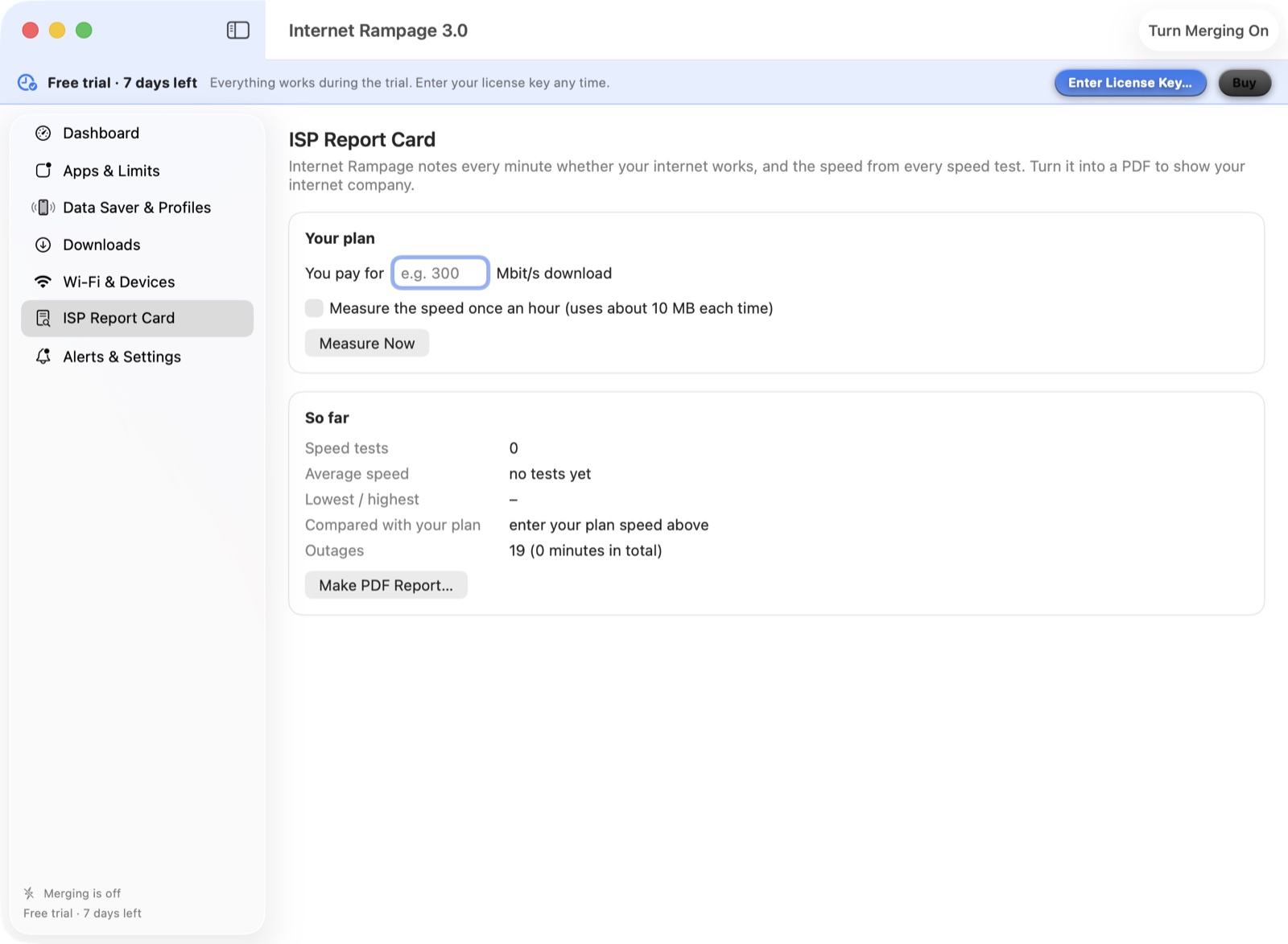
  • ISP report card with outages and speeds, as a PDF

How it works

Connect a second internet line, such as your phone’s hotspot or USB tethering.

  1. Connect a second linePlug in your phone with Personal Hotspot or USB tethering on, or Ethernet from a different line.
  2. Turn Merging OnmacOS asks for your password once, because the app changes your network settings.
  3. Watch the gaugesThe big gauge is everything together; the small ones are each connection.

Who it’s for

For anyone with more than one way to get online.

Slow home internet

Add your phone’s connection for big downloads and uploads.

Gamers and streamers

Gaming mode, per-app limits and live gauges.

Checking your ISP

A PDF report card of speeds and outages to compare with your plan.

Try it free for 7 days

  • Every feature works for 7 days from the first launch, no key and no sign-up needed
  • After the trial, a license key keeps it working; you can still open, view and export
  • Your key arrives by email after you buy. Enter it with Internet Rampage → Enter License Key…
  • One-time purchase, no subscription

Specifications

System
macOS 14 Sonoma or later, Intel and Apple silicon (universal)
Version
3.0.0
Download
3.7 MB disk image (.dmg), Developer ID signed and notarized by Apple
Connections
Wi-Fi, Ethernet, phone USB tethering or hotspot
Works with
Apps that follow the Mac’s proxy settings, such as Safari and Chrome
Exports
Usage spreadsheet (CSV), ISP report (PDF)
Privacy
No account, no server; checks 1.1.1.1 and 8.8.8.8 and uses Cloudflare for speed tests
License
One-time purchase, $31.99. 7-day free trial. Key entered with Internet Rampage → Enter License Key…

Questions

Will one download from one server be faster?

  • Not through merging alone, since one connection uses one link. The Downloads screen fixes this by fetching the file in pieces.

Do Wi-Fi and Ethernet from the same router add up?

  • No. Extra speed only comes from separate internet lines, like your phone plus your home internet.

Does it work with a VPN app?

  • No. Internet Rampage cannot run next to another VPN app on the same Mac.

Price

Internet Rampage by Streetwise Software Online

Download the free trial now. One-time purchase, no subscription.

$31.99 one-time

See all SWSO software

Having a problem? Tell us and we’ll fix it.

Every Mac is a little different, and we fix issues as they come in. If something doesn’t work the way it should, use our contact form and tell us the app, its version, your Mac and macOS version, and what happened. Your report helps us fix it fast, for you and for everyone who uses our software.

Contact us

Product updates & bug reports

Found a bug or an issue? Report it to Streetwise Software Online with the app name, version and steps to reproduce it. We review reports and address confirmed bugs through product updates.

Read product updates and published fixes · Free trial and refund policy