SWSO Media Workshop app icon

New · video and audio converter for your Mac

Make an MP4 or M4A copy. No codec settings.

SWSO Media Workshop by Streetwise Software Online · SWSO

Add your videos or recordings to the queue, pick a preset and convert. Make 720p, 1080p or highest-quality MP4 movies, or an M4A audio copy, and trim to just the part you need. Your originals are never changed.

$25.99 one-time · 7-day free trial

Mac • macOS 15 or later • built for Intel Macs • 6.3 MB

macOSavailableWindowscomingMobilecoming soon
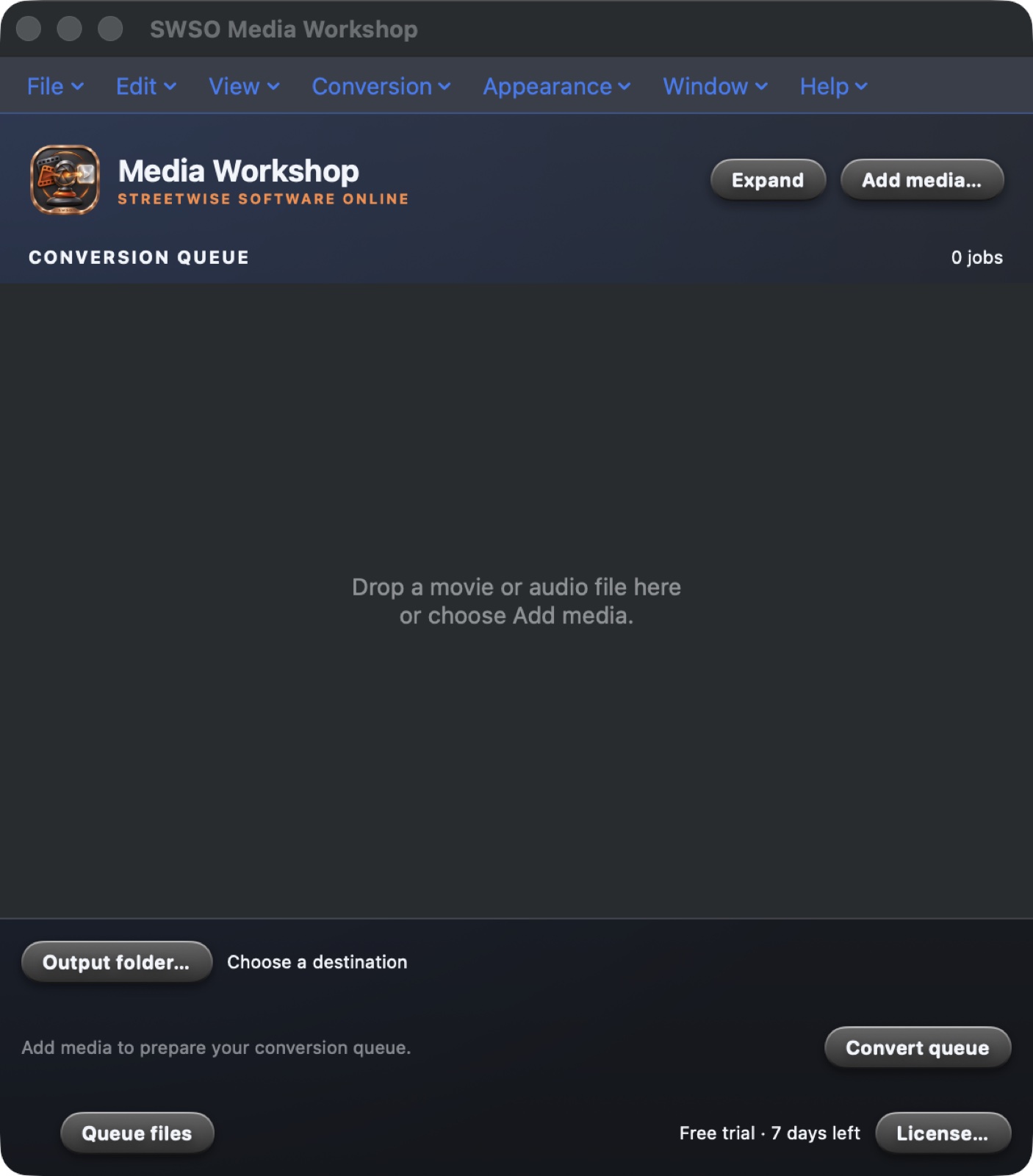
SWSO Media Workshop with an empty conversion queue, Output folder, Convert queue and Queue files buttons
4 presets720p MP4, 1080p MP4, highest-quality MP4, M4A audio
Trimstart and end in seconds
Batcha queue converted one file at a time

What you get

Simple presets

  • 720p MP4, 1080p MP4 or highest-quality MP4
  • Audio M4A for audio-only copies
  • Start and End trim (End 0 = the end)
  • Apply settings to each job in the queue
A safe queue

  • Jobs run one at a time; each shows success or the reason it failed
  • Cancel stops the current job and skips the rest; finished files are kept
  • A numbered name is used instead of replacing an existing output
  • Source files are never changed

Come back later

  • Save Queue keeps paths and settings (JSON)
  • Open Queue reloads them after you confirm
  • Choose any output folder you like

How it works

Start with a short file that already plays on your Mac.

  1. Add and configureClick Add media…, select a job, choose a preset, set Start/End, click Apply settings.
  2. Choose an output folderPick a folder you can find easily.
  3. Convert and checkClick Convert queue, then open the result and check picture, sound and length.

Who it’s for

For people who need a playable MP4 or an M4A copy without learning codec settings.

Sharing a video

Make a smaller 720p MP4 from a big camera file.

Keeping the sound

Make an M4A audio copy of a recording that has an audio track.

Quick excerpts

Trim to just the part you need before you convert.

Try it free for 7 days

  • Every feature works for 7 days from the first launch, no key and no sign-up needed
  • After the trial, adding, editing and converting need a license; queue export stays available
  • Your key arrives by email after you buy. Enter it with SWSO Media Workshop → Enter License Key…
  • One-time purchase, no subscription

Specifications

System
macOS 15 Sequoia or later. Built for Intel Macs; on Apple silicon Macs macOS runs it through Rosetta 2
Version
0.2.2
Download
6.0 MB disk image (.dmg), Developer ID signed and notarized by Apple
Outputs
MP4 movie or M4A audio
Inputs
Video and audio your version of macOS can decode
Queue files
JSON (paths and settings)
Look
6 SWSO themes (Cobalt Gunmetal, Candy Red Titanium, Rose Gold, Lavender Pearl, Midnight Black, Brushed Gray), interface zoom 85% to 200%
License
One-time purchase, $25.99. 7-day free trial. Key entered with SWSO Media Workshop → Enter License Key…

Questions

Will it convert MKV files?

  • Only if macOS itself can decode them. This version has no extra codec engines, no subtitle burn-in, no DVD ripping and no advanced bitrate settings.

Is my original changed?

  • No. Every conversion makes a separate new file.

Can it make audio from a silent video?

  • No. An audio copy needs a file that really has an audio track.

Price

SWSO Media Workshop by Streetwise Software Online

Download the free trial now. One-time purchase, no subscription.

$25.99 one-time

See all SWSO software

Having a problem? Tell us and we’ll fix it.

Every Mac is a little different, and we fix issues as they come in. If something doesn’t work the way it should, use our contact form and tell us the app, its version, your Mac and macOS version, and what happened. Your report helps us fix it fast, for you and for everyone who uses our software.

Contact us

Product updates & bug reports

Found a bug or an issue? Report it to Streetwise Software Online with the app name, version and steps to reproduce it. We review reports and address confirmed bugs through product updates.

Read product updates and published fixes · Free trial and refund policy