SWSO Motion Workshop app icon

New · simple motion graphics for your Mac

Titles that move and fade. Made in minutes.

SWSO Motion Workshop by Streetwise Software Online · SWSO

Make a title card, a moving graphic or a short bumper. Add text, rectangles and circles, set where each one starts and ends and how visible it is, then preview and export a PNG still or a silent MP4 movie.

$25.99 one-time · 7-day free trial
Mac • macOS 15 or later • built for Intel Macs • 5.1 MB

macOSavailableWindowscomingMobilecoming soon
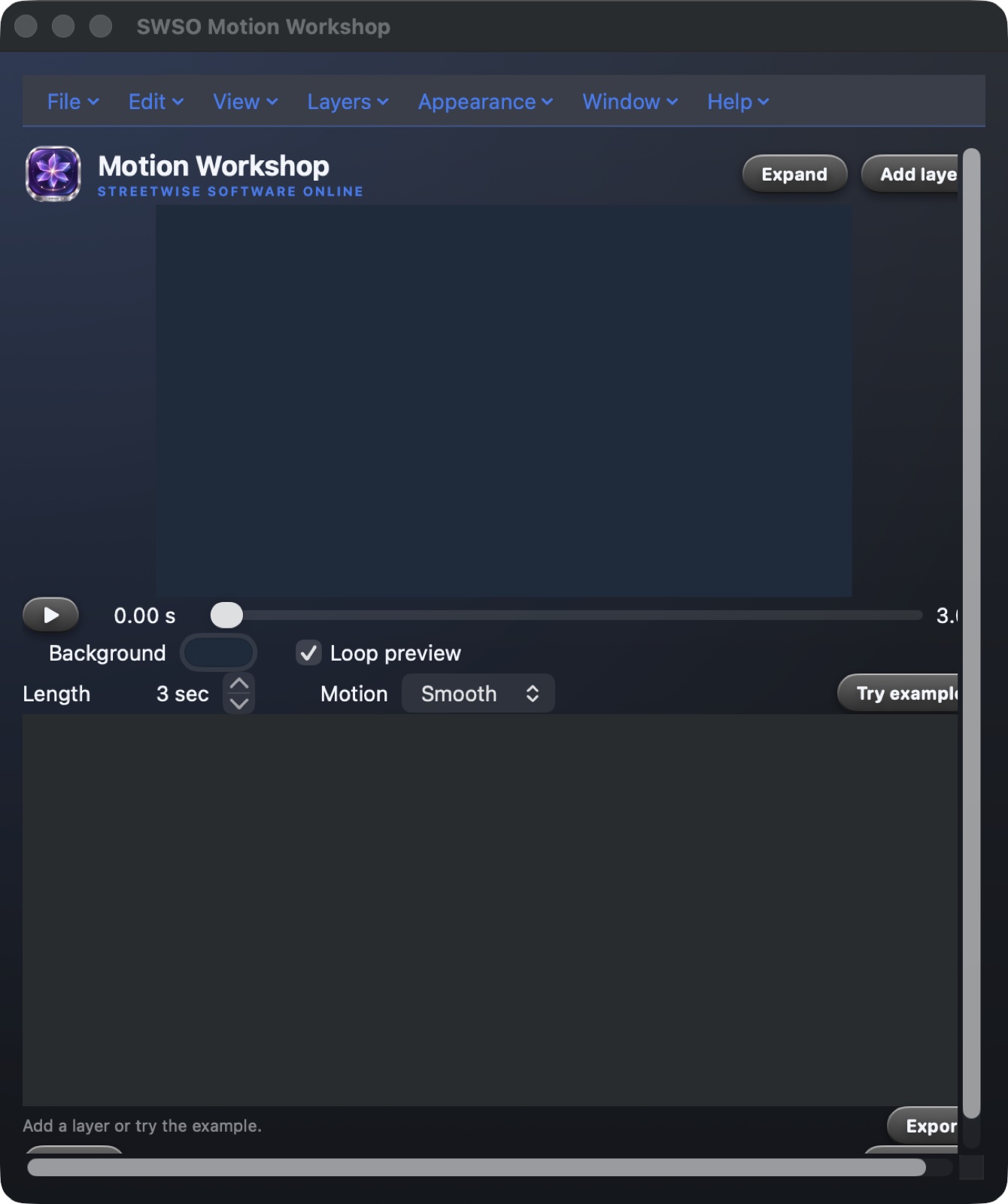
SWSO Motion Workshop with its canvas, time slider, Play, Loop preview, Background, Length and Motion controls and the Try example button
Text + shapesText, Rectangle and Circle layers
1–30 secproject length, Smooth or Linear motion
PNG + MP41280 × 720, movie at 30 fps

What you get

Layers

  • Text, Rectangle and Circle (width and height make ovals)
  • Layer color, text size, width and height
  • Back and Forward change which layer is in front
  • Up to 50 layers

Simple animation

  • Start and End position for each layer
  • Start and End opacity for fades
  • Length from 1 to 30 seconds, Smooth or Linear motion
  • Play, Pause, Loop preview and a time slider

Save and export

  • Project → Save keeps everything editable (JSON)
  • Export → Current frame PNG at 1280 × 720
  • Export → Movie MP4, H.264, 30 fps, no sound
  • Try example loads an original practice scene

How it works

Click Try example to see a moving shape and a fading title, then make your own.

  1. Add text and shapesAdd a layer, then Edit layer… to set words, size and color.
  2. Set start and endChoose the start and end position and opacity, and the project Length.
  3. ExportSave the project, then export a PNG still or an MP4 movie.

Who it’s for

For people who want a focused tool for simple moving graphics.

Video makers

A quick intro title or end card for your videos.

Small businesses

A short animated bumper with your name.

Beginners

Two endpoints per layer and the app fills in the movement.

Try it free for 7 days

  • Every feature works for 7 days from the first launch, no key and no sign-up needed
  • After the trial, editing is locked; saved projects stay viewable and exportable
  • Your key arrives by email after you buy. Enter it with SWSO Motion Workshop → Enter License Key…
  • One-time purchase, no subscription

Specifications

System
macOS 15 Sequoia or later. Built for Intel Macs; on Apple silicon Macs macOS runs it through Rosetta 2
Version
0.2.2
Download
4.9 MB disk image (.dmg), Developer ID signed and notarized by Apple
Exports
PNG still and MP4 (H.264) movie, 1280 × 720, 30 fps, silent
Projects
JSON
Limits
50 layers, 1–30 seconds, single-line text up to 200 characters
Look
6 SWSO themes (Cobalt Gunmetal, Candy Red Titanium, Rose Gold, Lavender Pearl, Midnight Black, Brushed Gray), interface zoom 85% to 200%
License
One-time purchase, $25.99. 7-day free trial. Key entered with SWSO Motion Workshop → Enter License Key…

Questions

Can I add sound or video?

  • No. This version makes silent graphics. There is no image, video or audio import.

Can text wrap onto two lines?

  • No. Text is a single line of Helvetica Bold. Shorten it or make it smaller if it runs off the edge.

Can layers rotate or grow?

  • Not in this version. Each layer moves and fades between a start and an end.

Price

SWSO Motion Workshop by Streetwise Software Online

Download the free trial now. One-time purchase, no subscription.

$25.99 one-time

See all SWSO software

Having a problem? Tell us and we’ll fix it.

Every Mac is a little different, and we fix issues as they come in. If something doesn’t work the way it should, use our contact form and tell us the app, its version, your Mac and macOS version, and what happened. Your report helps us fix it fast, for you and for everyone who uses our software.

Contact us

Product updates & bug reports

Found a bug or an issue? Report it to Streetwise Software Online with the app name, version and steps to reproduce it. We review reports and address confirmed bugs through product updates.

Read product updates and published fixes · Free trial and refund policy