SWSO Office app icon

New · writing, numbers & slides

Three programs. One app, one purchase.

SWSO Office by Streetwise Software Online · SWSO

SWSO Write for letters and reports, SWSO Sheets for numbers and budgets, SWSO Slides for a talk, a lesson or a pitch. It opens the Word and Excel files people send you and saves them straight back, so nobody has to know what you used. No account, no subscription, and nothing leaves your Mac. Opens in the Ink Blue theme, with 11 more to choose from.

$19.99 one-time purchase · 7-day free trial

Mac • macOS 14 or later • Intel and Apple silicon • 7-day free trial

macOSavailableWindowscomingMobilecoming soon
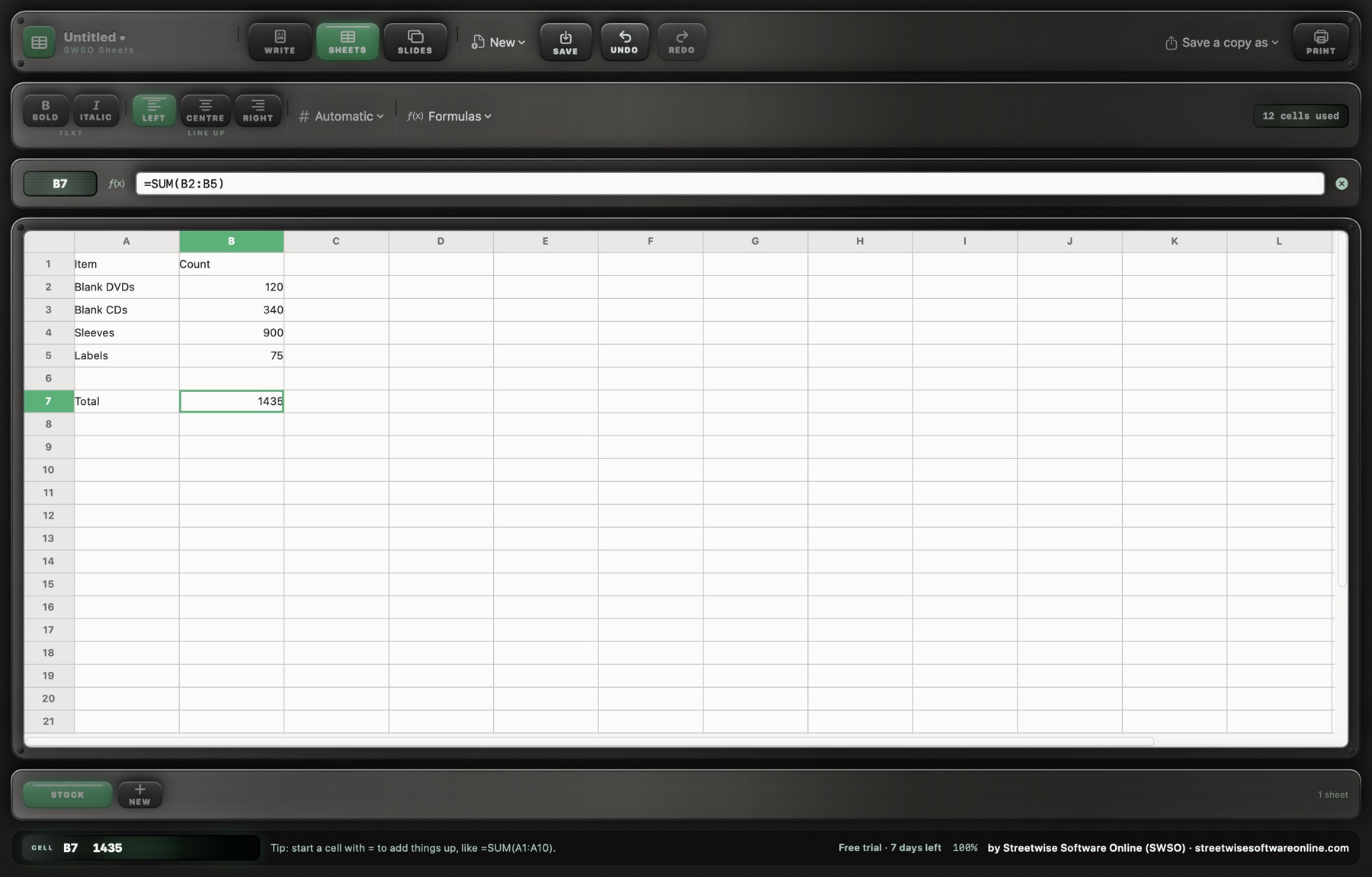
SWSO Sheets showing a 2026 budget: months down the left, income, costs and a left-over column, with a live total row
3 programs in 1SWSO Write, SWSO Sheets and SWSO Slides — one app, one purchase
60+ functionsSWSO’s own formula engine: SUM, IF, VLOOKUP, TEXT, dates and more
Word, Excel, PDFopens and saves .docx and .xlsx, writes .pptx, exports PDF from all three

The three programs

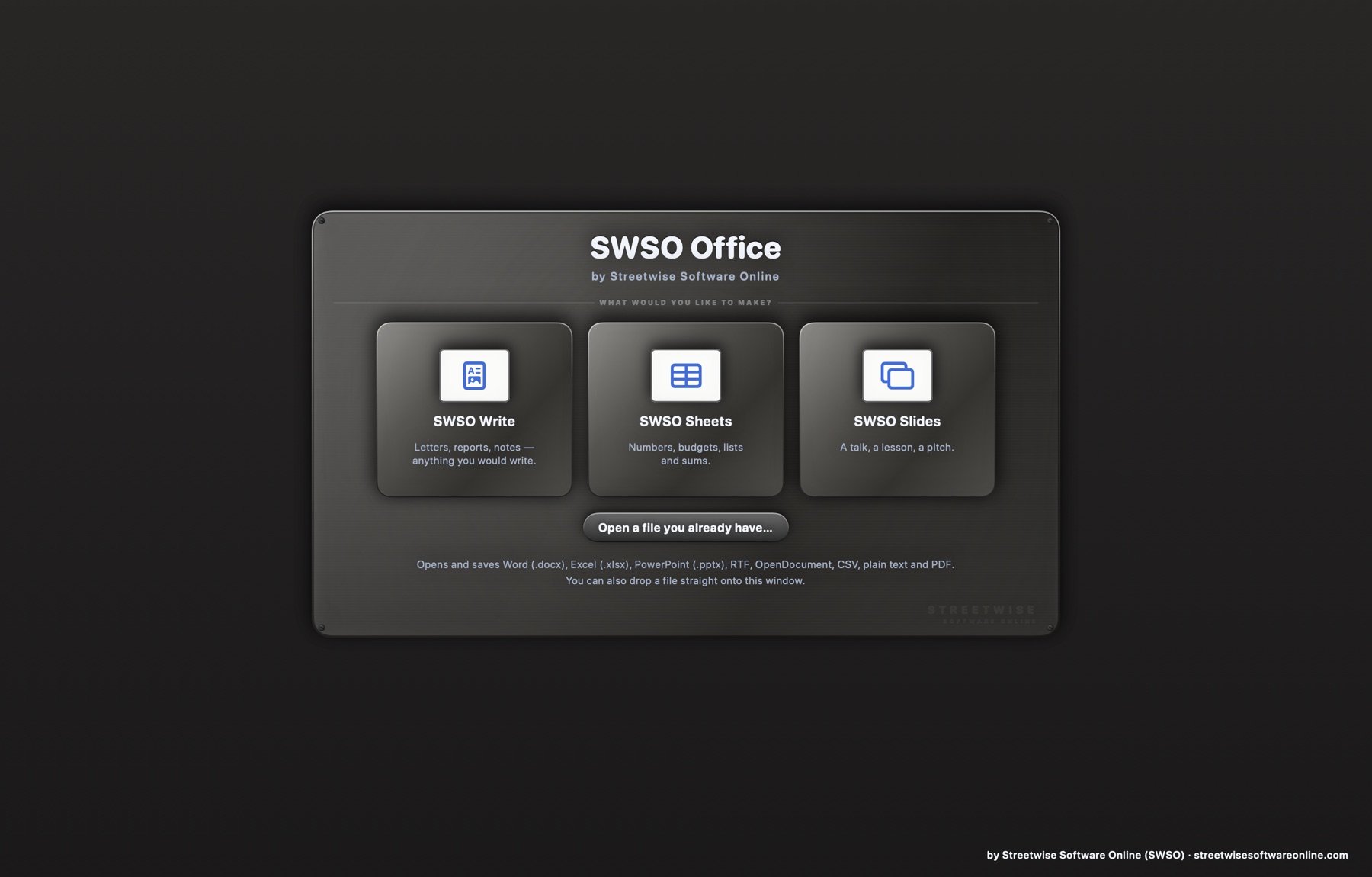
Open SWSO Office and it asks what you would like to make — or you open a file you already have and it picks the right program for you.

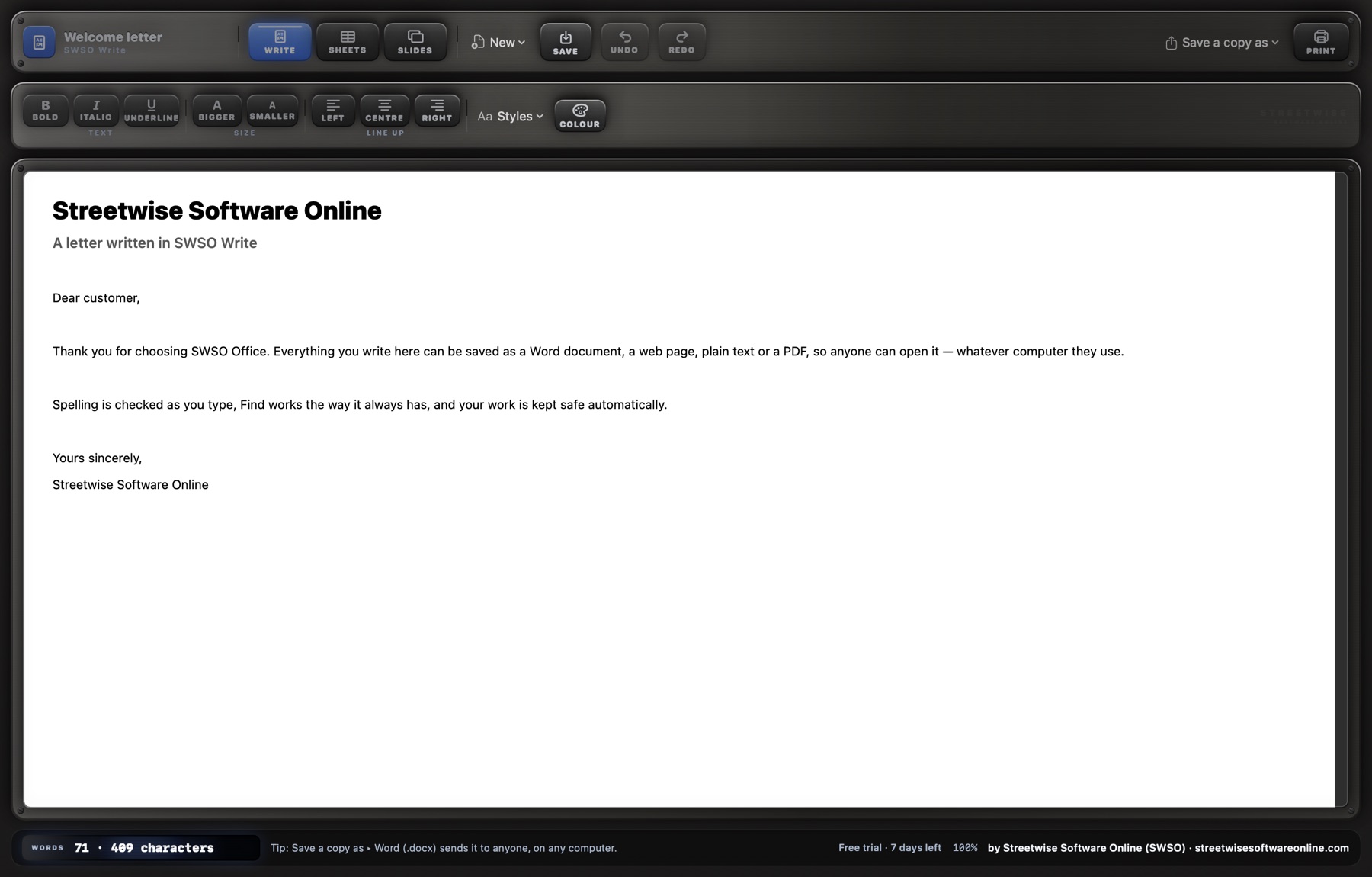
SWSO Write with a letter on the page, the formatting toolbar above it and a live word and character count

SWSO Write

A full writing page built on the Mac’s own text system: spell check as you type, dictation and Find. Bold, italic, underline, bigger and smaller, left, centre and right, Title / Heading / Sub-heading / Normal styles, bulleted lists, colour, and a picture you drag straight in. The word and character count sits on the toolbar.

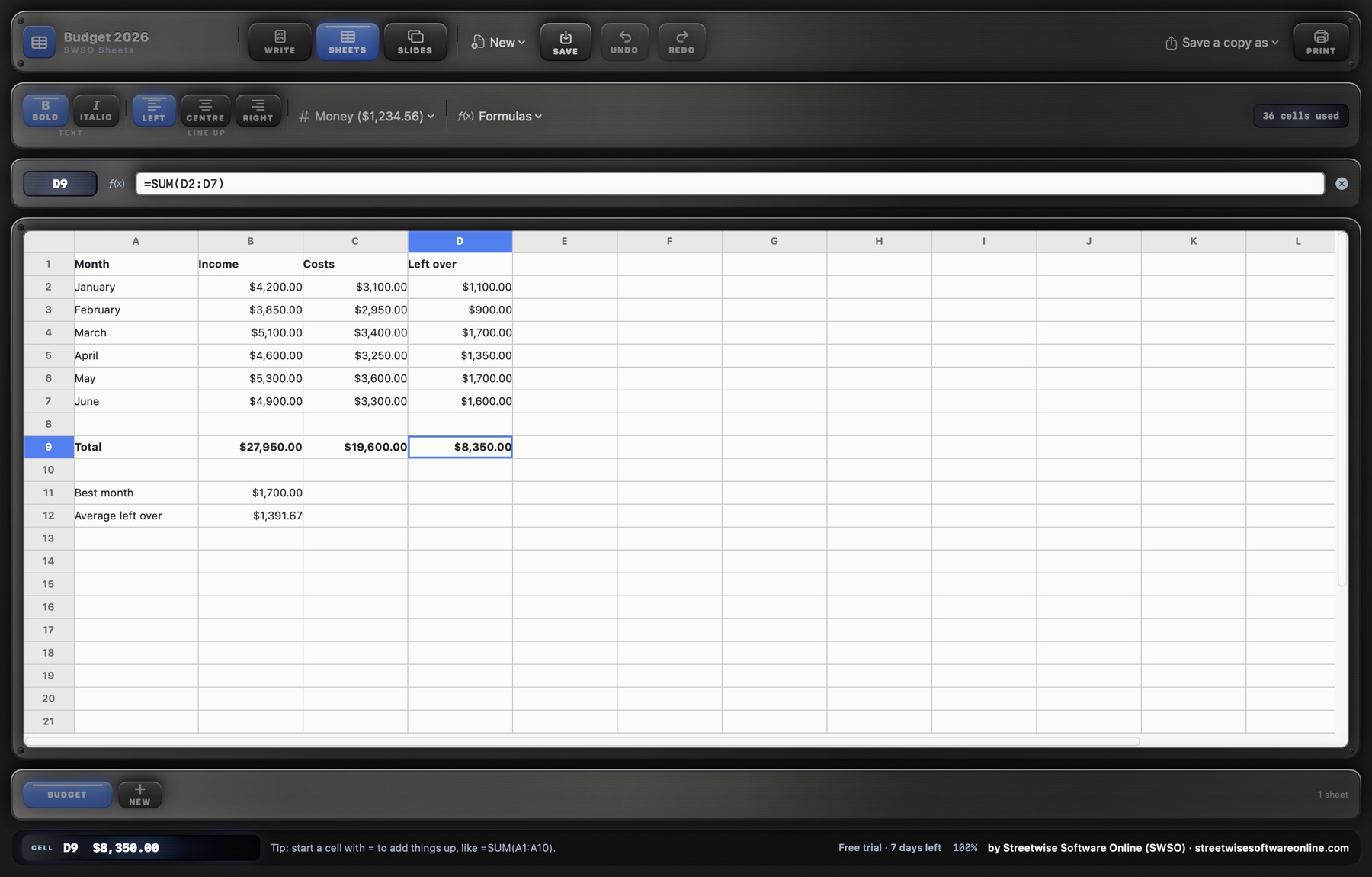
SWSO Sheets with a budget, the formula bar showing =SUM(D2:D7) and a Money cell format selected

SWSO Sheets

A real spreadsheet with SWSO’s own formula engine — more than 60 functions, the usual arithmetic, brackets, & to join words and the comparisons. Cell formats for automatic, number, money, percent, date and text; bold, italic and alignment; several sheets with tabs; column widths you set yourself.

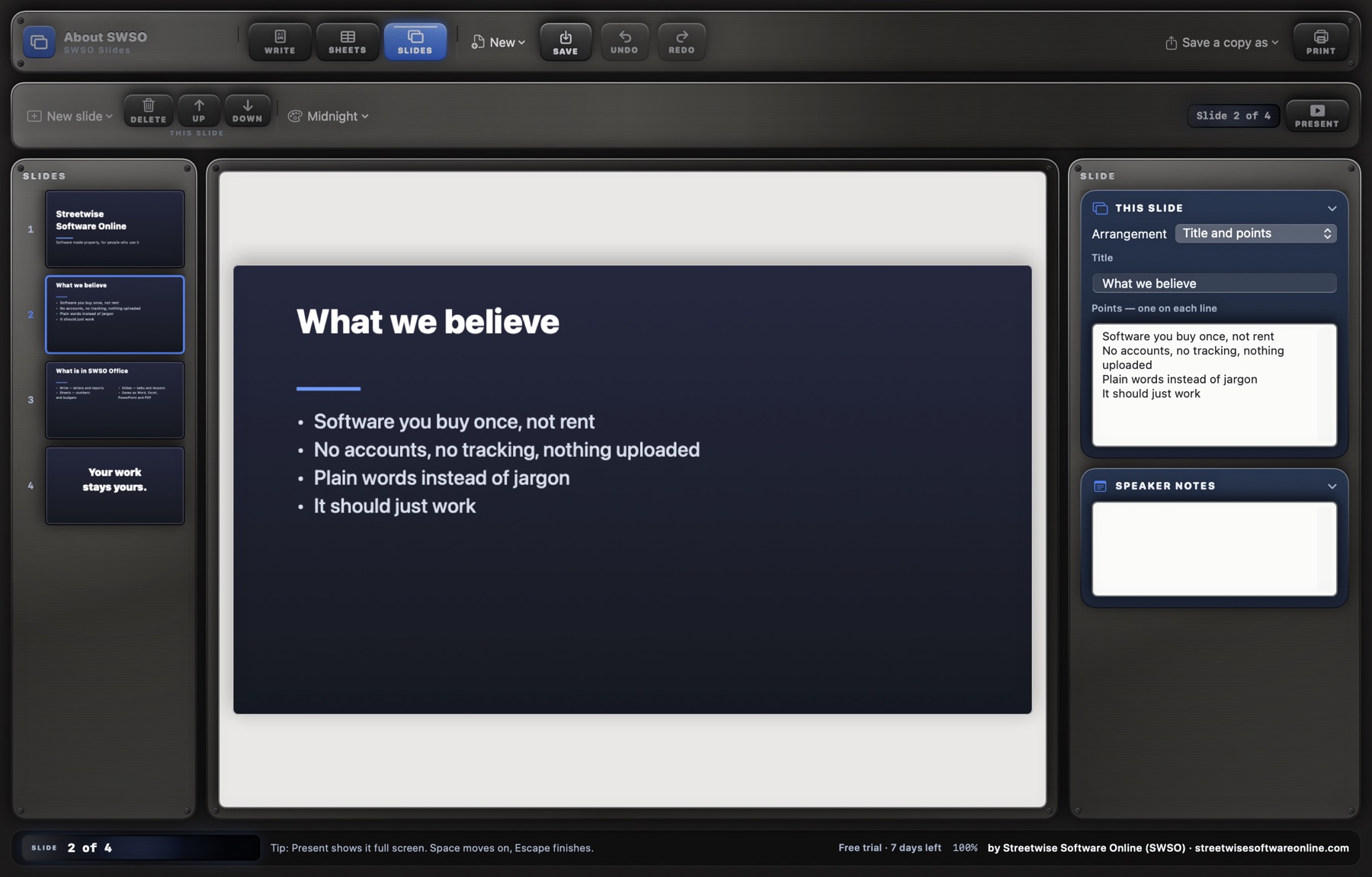
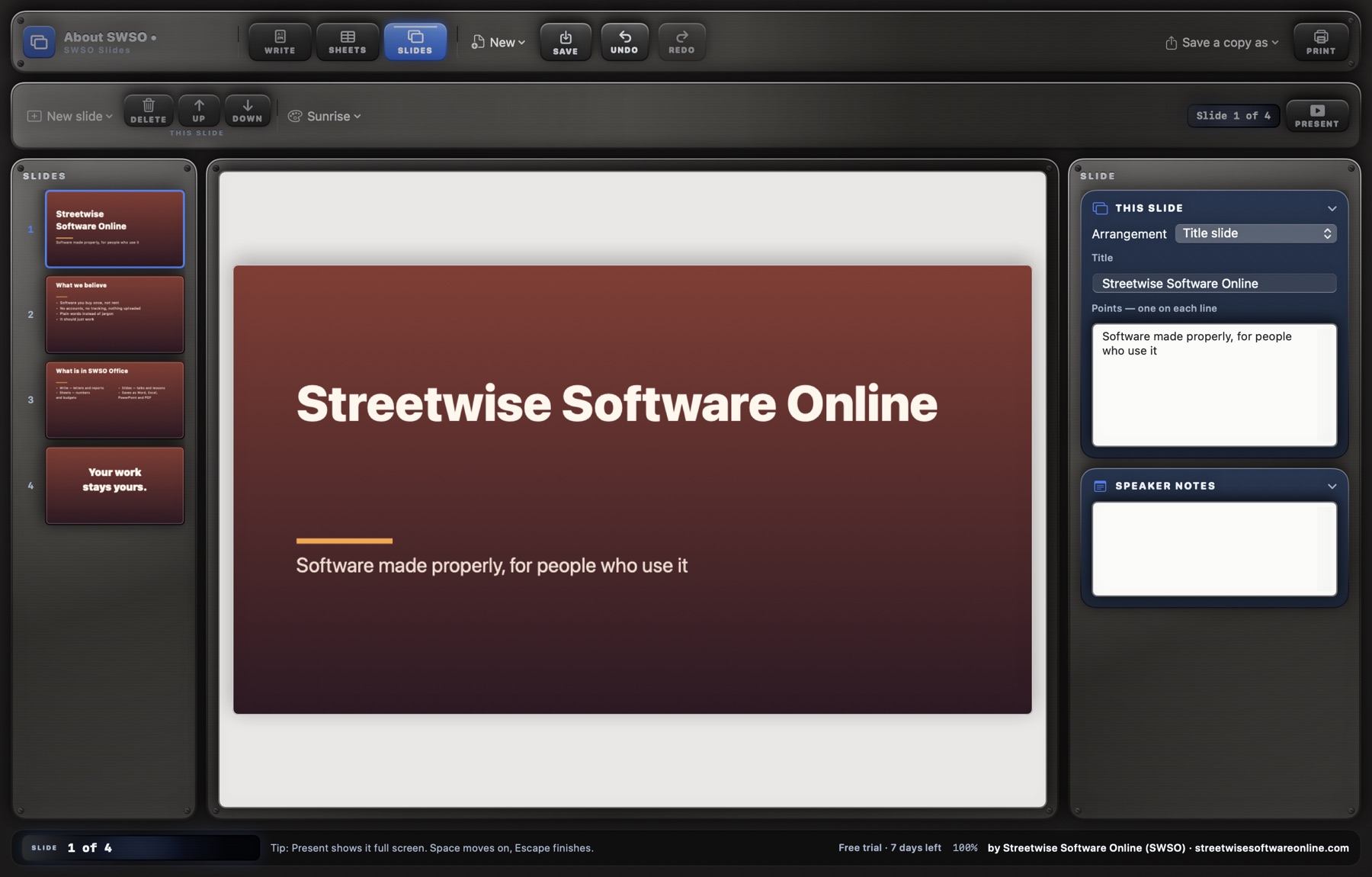
SWSO Slides with a four-slide deck, the slide list on the left and the arrangement, title, points and speaker notes on the right

SWSO Slides

Six arrangements — title slide, title and points, one big statement, two columns, picture and words, blank — and five slide themes. Speaker notes only you ever see, and Present (⌥⌘P) puts it full screen: Space or → moves on, ← goes back, Escape finishes.

What you get

Files everyone else can open

  • Write opens and saves Word (.docx), rich text (.rtf, .rtfd), OpenDocument (.odt), web pages (.html), plain text (.txt, .md) and its own .swwrite
  • Sheets opens and saves Excel (.xlsx), comma separated (.csv), tab separated (.tsv) and its own .swsheet
  • Slides saves PowerPoint (.pptx) and its own .swslides
  • All three export PDF, and Print sends the document to Preview so ⌘P reaches any printer your Mac can see

A spreadsheet that works things out

  • Start a cell with = and it adds up: + − × ÷ ^ and brackets, & to join words, and = < > <= >= <> to compare
  • More than 60 functions, from SUM and AVERAGE to IF, SUMIF, VLOOKUP, INDEX, MATCH, TEXT and WEEKDAY
  • “Sum the column above” puts a total under a column of numbers in one click
  • If a cell ends up pointing at itself it says #CIRCULAR! instead of spinning for ever

Made by SWSO, end to end

  • The spreadsheet engine, the file readers and writers and the slide designer were all written by SWSO
  • The .xlsx, .pptx and .zip reading and writing is SWSO’s own code — the app contains no third-party code
  • The writing page is built on the text system inside macOS, which is also what reads and writes Word and OpenDocument files
  • Signed and notarized by Apple, Intel and Apple silicon in one universal app

Yours, and only yours

  • Everything happens on your Mac. Your documents are never uploaded and nothing about you is collected
  • No account to make and no subscription — buy it once
  • Your work is kept automatically every few seconds and comes back next time you open it, even if the Mac restarts unexpectedly
  • “Save a copy as” never changes the file you are working on; it writes a second, separate file

The formulas SWSO Sheets knows

Grouped the way they are in the app’s own Help, in plain words rather than jargon.

Adding upSUM · AVERAGE · COUNT · COUNTA · COUNTBLANK · MIN · MAX · MEDIAN · PRODUCT · STDEV
NumbersROUND · ROUNDUP · ROUNDDOWN · INT · TRUNC · ABS · SIGN · SQRT · POWER · MOD · EXP · LN · LOG · LOG10 · PI · RAND · RANDBETWEEN · CEILING · FLOOR
Yes and noIF · IFERROR · AND · OR · NOT
Only what matchesSUMIF · COUNTIF · AVERAGEIF
WordsCONCAT · LEFT · RIGHT · MID · LEN · UPPER · LOWER · PROPER · TRIM · FIND · SUBSTITUTE · REPT · TEXT · VALUE
DatesTODAY · NOW · DATE · YEAR · MONTH · DAY · WEEKDAY
Looking things upVLOOKUP · HLOOKUP · INDEX · MATCH · CHOOSE
Cell formatsAutomatic · Number · Money · Percent · Date · Text

How it works

Nothing to install alongside it and nothing to sign up for. Pick what you want to make, do the work, and save a copy in whatever file type the other person needs.

  1. Pick what to makeThe start screen asks: SWSO Write, SWSO Sheets or SWSO Slides. Or click “Open a file you already have” and it works out which program the file belongs to.
  2. Do the workType the letter, build the budget or lay out the slides. ⌘S saves; a dot by the file’s name means there is something not saved yet, and your work is kept automatically as you go.
  3. Send it on“Save a copy as” writes a Word, Excel or PowerPoint file, or a PDF for anything that must look exactly right. The file you were working on is left untouched.

Who it’s for

Anyone who writes a letter, keeps a few numbers straight, or has to stand up and explain something.

A mother at the kitchen table with a laptop and paperwork, a child doing homework beside her

Home and family

A letter, a form, a list, a school project. Save it as a Word file or a PDF and it opens on anyone’s computer, with no account to make and nothing to pay every month.

A shopkeeper behind the counter of a small hardware shop, laptop open beside the till

Small businesses

Quotes, a stock list and a budget that adds itself up. Open the Excel file the accountant sent, change it and send it straight back as .xlsx.

A woman at a lectern in a small meeting room, laptop in front of her, speaking to a few people

Teachers and speakers

Build the talk, write the notes only you can see, and Present full screen. Save a copy as PowerPoint for the school’s computer, or a PDF to hand round.

Try it free for 7 days

  • Every feature works for 7 days from the first launch, no key and no sign-up needed
  • After the trial you keep your files; add a license key to carry on. One-time purchase — no subscription
  • Family Edition: one Family key unlocks the app and every add-on, plug-in and extra pack — no second keys
  • Privacy: everything happens on your Mac. Your documents are never uploaded and nothing about you is collected

System requirements

Mac
macOS 14 Sonoma or later, Intel and Apple silicon (universal). Mac only — there is no Windows version
Programs
SWSO Write, SWSO Sheets and SWSO Slides, in one app and one purchase
Write opens & saves
Word (.docx), rich text (.rtf, .rtfd), OpenDocument (.odt), web pages (.html), plain text (.txt, .md), .swwrite · exports PDF
Sheets opens & saves
Excel (.xlsx), comma separated (.csv), tab separated (.tsv), .swsheet · exports PDF
Slides saves
PowerPoint (.pptx), PDF and .swslides. It writes .pptx but does not read it yet — that is coming in the next version
Formulas
SWSO’s own engine, more than 60 functions · cell formats: automatic, number, money, percent, date, text · several sheets with tabs · says #CIRCULAR! rather than hanging
Slide design
Six arrangements · five slide themes (Midnight, Paper, Forest, Sunrise, SWSO Chrome) · speaker notes · full-screen Present
Interface
12 coloured themes (opens in Ink Blue) · Liquid Glass or SWSO Chrome look · interface zoom 85–200% · automatic recovery of your work
Your data
Everything happens on your Mac. No accounts, no subscription, nothing uploaded
Signed
Signed and notarized by Apple
Questions

Can it open a PowerPoint file?

  • Not yet. SWSO Slides writes PowerPoint (.pptx) files, but it does not read them yet — that is coming in the next version. For now, build the deck in SWSO Slides and save a copy as .pptx or PDF to send it on.

Will the Word and Excel files I send actually open?

  • Yes. Write saves real .docx files and Sheets saves real .xlsx files. Very fancy layouts can shift a little when they travel between programs, as they do between any two office apps — for anything that must look exactly right, send a PDF.

Is there a Windows version?

  • No. SWSO Office is a Mac app: macOS 14 Sonoma or later, Intel and Apple silicon in one universal app, signed and notarized by Apple.

What happens if the Mac restarts while I am working?

  • Your work is kept automatically every few seconds and comes back the next time you open SWSO Office — even after an unexpected restart. ⌘S still saves the file itself wherever you asked for it.

Price

SWSO Office by Streetwise Software Online

Download the free trial now. One-time purchase, no subscription.

$19.99 one-time

See all SWSO software

Having a problem? Tell us and we’ll fix it.

Every computer is a little different: the macOS or Windows version, the hardware and how it’s set up can all change how an app behaves. We understand that, and we fix issues as they come in. If something doesn’t work the way it should, please don’t stay silent. Use our contact form and tell us the app, its version, your computer and system version, and what happened. Your report helps us fix it fast, for you and for everyone who uses our software.

Contact us

Product updates & bug reports

Found a bug or an issue? Report it to Streetwise Software Online with the app name, version and steps to reproduce it. We review reports and address confirmed bugs through product updates.

Read product updates and published fixes · Free trial and refund policy