SWSO Password Locker app icon

New · encrypted password vault for your Mac

Your passwords, locked in a vault. On your Mac only.

SWSO Password Locker by Streetwise Software Online · SWSO

Create a vault file protected by a master passphrase and keep your logins in it: title, username, password, website, folder and notes. Generate strong passwords, copy them with one click (the copy clears itself), and save encrypted backups. Nothing is uploaded.

$25.99 one-time · 7-day free trial
Mac • macOS 15 or later • built for Intel Macs • 5.6 MB

macOSavailableWindowscomingMobilecoming soon
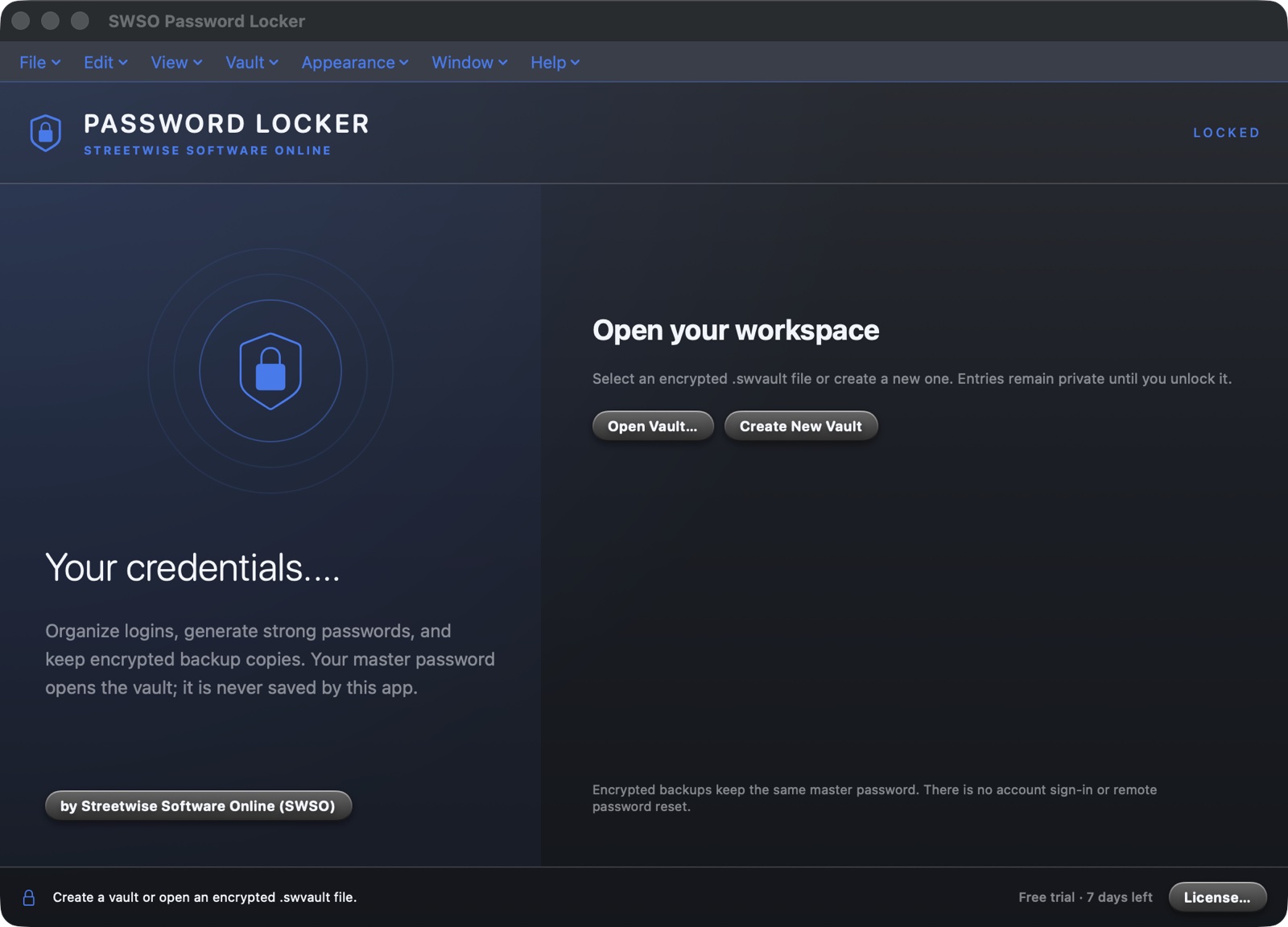
SWSO Password Locker locked, ready to open an encrypted vault or create a new one
AES-256-GCMencryption with Apple CryptoKit
600,000PBKDF2 rounds to protect your passphrase
No cloudthe vault is a file on your Mac

What you get

Your vault

  • File → Create New Vault with a passphrase of 12 or more characters
  • Entries: title, username, password, website, folder and notes
  • Favorites, folders and a Trash you can restore from
  • Search titles, usernames and websites

Everyday use

  • Generate makes a random 24-character password
  • Copy buttons clear the clipboard after 30 seconds
  • Auto-lock after 1–60 minutes (default 5), and on sleep
  • Undo and Redo for up to 50 saved changes

Backups and moving in

  • Save Encrypted Backup
  • Change Master Password
  • Import CSV (up to 10,000 entries)
  • Plaintext CSV export, only when you choose it, for moving to another app

How it works

Practice first with a fictional vault and a passphrase used only for the practice.

  1. Create a vaultFile → Create New Vault, then choose a strong master passphrase.
  2. Add entriesClick New Entry, fill it in or Generate a password, then Save Entry.
  3. Back it upFile → Save Encrypted Backup, then Lock Vault.

Who it’s for

For people who want their passwords in one encrypted place they control.

Households

One vault file, backed up where you choose.

Privacy-minded users

No account, no sync service, no upload.

Moving from another app

Bring logins in from a CSV file.

Try it free for 7 days

  • Every feature works for 7 days from the first launch, no key and no sign-up needed
  • After the trial, unlocking, viewing, copying and export stay available; creating, editing, importing and changing the master password need a license
  • Your key arrives by email after you buy. Enter it with Help → Enter License Key…
  • One-time purchase, no subscription

Specifications

System
macOS 15 Sequoia or later. Built for Intel Macs; on Apple silicon Macs macOS runs it through Rosetta 2
Version
0.1.2
Download
5.3 MB disk image (.dmg), Developer ID signed and notarized by Apple
Encryption
AES-256-GCM (Apple CryptoKit), PBKDF2-HMAC-SHA256 with 600,000 rounds
Files
.swvault vault and encrypted backups; CSV import and export
Limits
10,000 entries, 32 MB vault file
Look
6 SWSO themes (Cobalt Gunmetal, Candy Red Titanium, Rose Gold, Lavender Pearl, Midnight Black, Brushed Gray), interface zoom 85% to 200%
License
One-time purchase, $25.99. 7-day free trial. Key entered with Help → Enter License Key…

Questions

What if I forget my master passphrase?

  • There is no reset and no recovery key. Keep an encrypted backup and a reliable way to remember its passphrase.

Does it fill in passwords in my browser?

  • No. There is no browser autofill or extension, no passkeys, one-time codes, attachments, sync or phone app.

Has it had an outside security audit?

  • No. It has been tested by Streetwise Software Online, but not independently audited.

Price

SWSO Password Locker by Streetwise Software Online

Download the free trial now. One-time purchase, no subscription.

$25.99 one-time

See all SWSO software

Having a problem? Tell us and we’ll fix it.

Every Mac is a little different, and we fix issues as they come in. If something doesn’t work the way it should, use our contact form and tell us the app, its version, your Mac and macOS version, and what happened. Your report helps us fix it fast, for you and for everyone who uses our software.

Contact us

Product updates & bug reports

Found a bug or an issue? Report it to Streetwise Software Online with the app name, version and steps to reproduce it. We review reports and address confirmed bugs through product updates.

Read product updates and published fixes · Free trial and refund policy