SWSO Photo Workshop app icon

New · simple photo adjustments for your Mac

Brighter, warmer, straighter. Your original stays untouched.

SWSO Photo Workshop by Streetwise Software Online · SWSO

Open a photo and make the everyday fixes: exposure, contrast, saturation, warmth and sharpness, crop the edges and turn it a quarter turn. Compare with Show original, then export a new PNG, JPEG or TIFF. No catalog to manage.

$25.99 one-time · 7-day free trial

Mac • macOS 15 or later • built for Intel Macs • 6.0 MB

macOSavailableWindowscomingMobilecoming soon
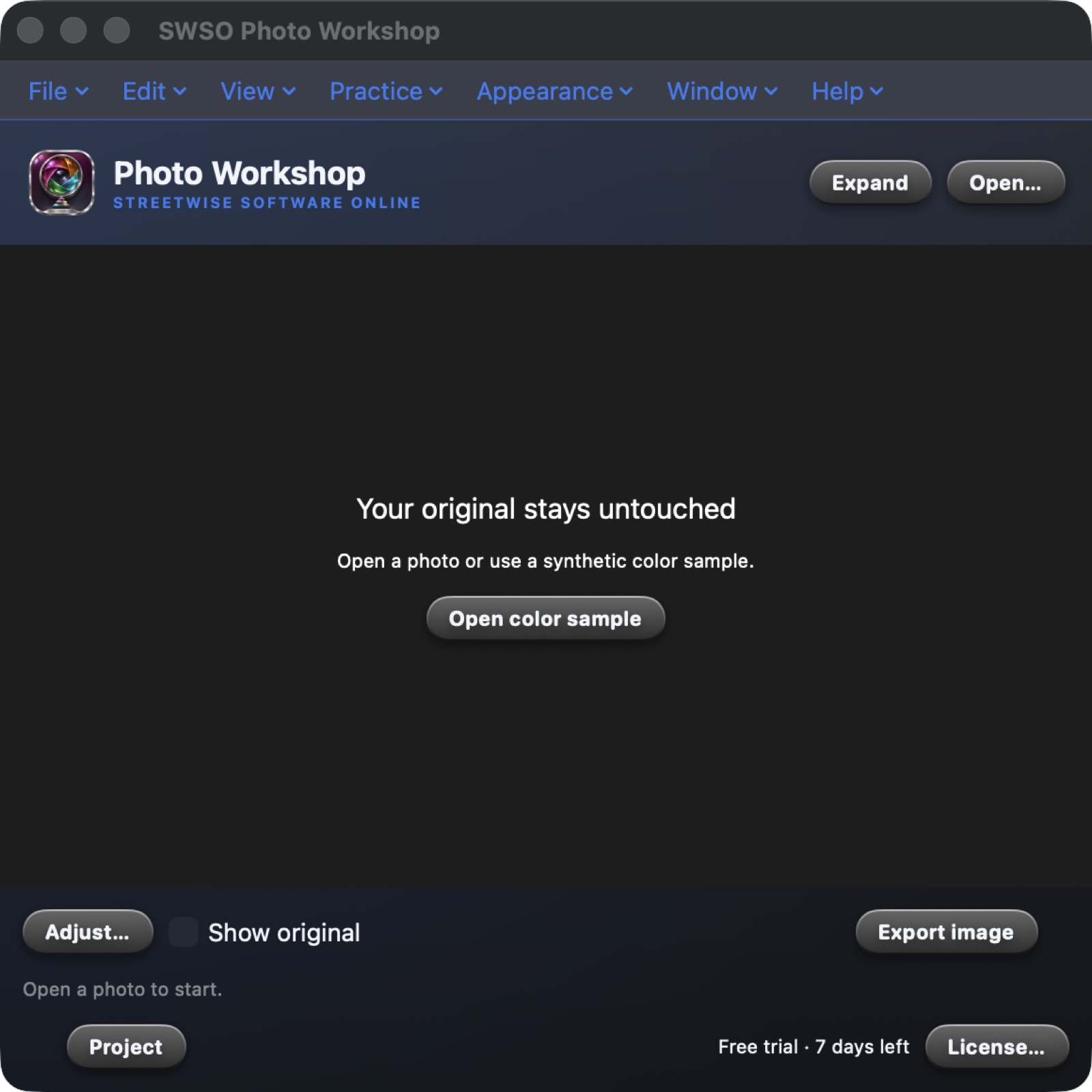
SWSO Photo Workshop ready to open a photo, with the Open color sample button, Adjust, Show original and Export image
5 adjustmentsexposure, contrast, saturation, warmth, sharpness
Crop + rotatetrim each edge, turn in quarter turns
PNG, JPEG, TIFFexported as a new copy

What you get

Adjust

  • Exposure, Contrast, Saturation, Warmth and Sharpness
  • Show original to compare
  • Reset back to the defaults
  • A synthetic color sample to practice on
Crop and rotate

  • Crop each edge by a fraction
  • Rotate 90 degrees at a time
  • Export at the full cropped size

Safe by design

  • Your original is never overwritten
  • Save Project keeps the settings and points to your photo
  • Export makes 8-bit sRGB PNG, JPEG or TIFF
  • Export does not copy EXIF or GPS details

How it works

Try the synthetic color sample first, or open one of your own photos.

  1. OpenClick Open… or Open color sample.
  2. Adjust and compareMake small changes one at a time and check with Show original.
  3. Save or exportSave Project to come back later, or Export image for a new file.

Who it’s for

For people who want quick global fixes without a big photo library.

Everyday photos

Brighten a dark shot or warm up a cold one.

Sharing

Crop and rotate, then export a JPEG ready to send.

Privacy-minded

Exports leave out the EXIF and GPS details.

Try it free for 7 days

  • Every feature works for 7 days from the first launch, no key and no sign-up needed
  • After the trial, adjustments are locked; loaded images and saved projects stay viewable and exportable
  • Your key arrives by email after you buy. Enter it with SWSO Photo Workshop → Enter License Key…
  • One-time purchase, no subscription

Specifications

System
macOS 15 Sequoia or later. Built for Intel Macs; on Apple silicon Macs macOS runs it through Rosetta 2
Version
0.2.3
Download
5.7 MB disk image (.dmg), Developer ID signed and notarized by Apple
Exports
PNG, JPEG, TIFF (8-bit sRGB)
Opens
Images your version of macOS supports, up to 50 megapixels
Look
6 SWSO themes (Cobalt Gunmetal, Candy Red Titanium, Rose Gold, Lavender Pearl, Midnight Black, Brushed Gray), interface zoom 85% to 200%
License
One-time purchase, $25.99. 7-day free trial. Key entered with SWSO Photo Workshop → Enter License Key…

Questions

Does it open RAW files?

  • Only camera RAW formats your version of macOS supports. Coverage across camera models has not been fully tested.

Does it have layers, masks or curves?

  • No. It makes global adjustments only: no catalog, masks, lens profiles, curves, batch editing or printing.

Will it overwrite my photo?

  • No. Saving over the original is blocked; export always makes a new file.

Price

SWSO Photo Workshop by Streetwise Software Online

Download the free trial now. One-time purchase, no subscription.

$25.99 one-time

See all SWSO software

Having a problem? Tell us and we’ll fix it.

Every Mac is a little different, and we fix issues as they come in. If something doesn’t work the way it should, use our contact form and tell us the app, its version, your Mac and macOS version, and what happened. Your report helps us fix it fast, for you and for everyone who uses our software.

Contact us

Product updates & bug reports

Found a bug or an issue? Report it to Streetwise Software Online with the app name, version and steps to reproduce it. We review reports and address confirmed bugs through product updates.

Read product updates and published fixes · Free trial and refund policy