Streetwise Pro Suite · available now
Draw it to the millimetre, or the 1/16 inch.
PrecisionCAD Pro is 2D drafting that snaps to exact points as you draw. Draw with the mouse or type exact coordinates in the command bar, keep work on layers, and swap drawings with other CAD programs as DXF.
$19.99 one-time · 7-day free trial
A first look
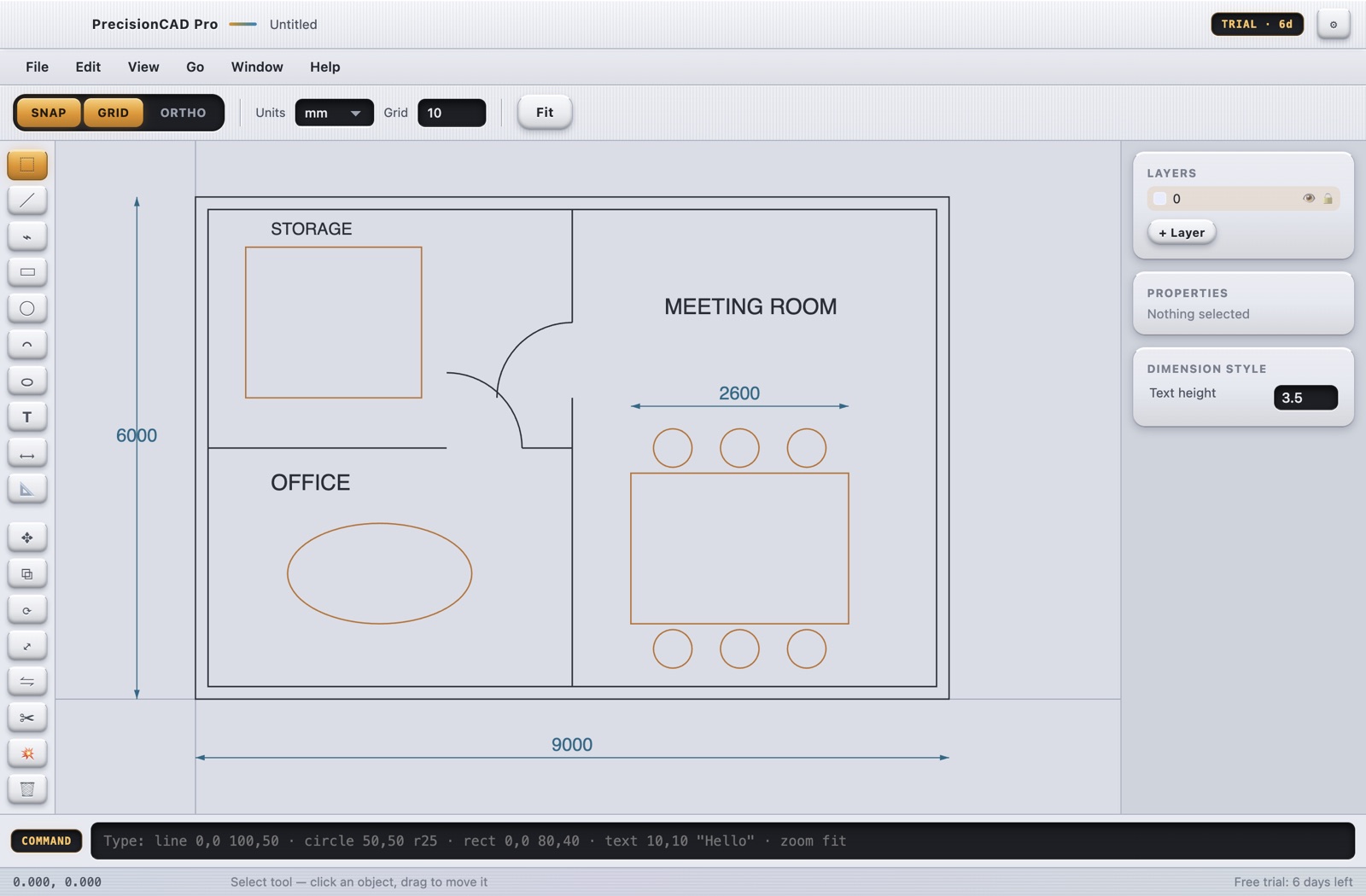
Tools on the left, layers on the right, commands along the bottom
Pick a tool, or just type what you want in the command bar. Snap points light up as you draw, so lines meet exactly where they should.
Precision
The command bar does exactly what you type
When a drawing has to be right, type it. The command bar understands plain commands, and snapping takes care of the rest.
- line 0,0 100,50 draws a line between two exact points.
- circle 50,50 r25 draws a circle by center and radius.
- rect 0,0 80,40 draws a rectangle from corner to corner.
- text 10,10 "Hello" places a label.
- zoom fit brings the whole drawing into view.
- Units: millimetres, centimetres, inches with fractions, or feet.
Who it helps
Made for real work at home and in small businesses
Woodworkers and makers
Draw a part from your cut list or a cabinet front with exact dimensions before you touch the saw.
Home renovators
Lay out a room, a deck or a shed in feet and inches and print it for the job.
Students and hobbyists
Learn real CAD habits (snaps, layers and typed coordinates) on your Mac.
Straight talk
What it can and cannot do
It can
- Draw lines, polylines, rectangles, circles, arcs, ellipses, text and dimensions
- Snap to endpoints, midpoints, centers, quadrants and intersections
- Move, copy, rotate, scale, mirror, trim and explode
- Use layers with show, hide, lock and colors
- Open and save ASCII DXF, save its own .swdt drawings
- Export PDF and print
It does not
- Open or save DWG (a closed format; use DXF)
- Keep ellipses as true ellipses in DXF (they export as fine polylines)
- Keep dimensions live in DXF (they export as their lines and text)
Easy to live with
Everything in one window
The menu bar (File, Edit, View, Go, Window, Help) lives inside the window, so everything is in one place. It opens in the bright Pearl White look, and the whole window zooms from 85% to 200% for easier reading. It works offline: no account, no sign-in, no subscription.
Questions
How much does it cost?
$19.99, one time, no subscription, with a 7-day free trial first, like every Streetwise app.
Which computers does it run on?
Mac with macOS 12 Monterey or later, on Intel or Apple silicon. A Windows 10/11 version is available too.
Can I open AutoCAD files?
Yes, if they are saved as DXF. DWG is a closed format and is not supported.
Does it do inches and fractions?
Yes: millimetres, centimetres, inches (with fractions like 1 1/2") and feet.
Can I type exact coordinates?
Yes. The command bar takes commands like line 0,0 100,50 and circle 50,50 r25.
Is it 3D?
No. PrecisionCAD Pro is a 2D drafting program.
Is it part of a suite?
Yes. PrecisionCAD Pro is one of six apps in the Streetwise Pro Suite: TrackFusion Pro, PrecisionCAD Pro, GridMatrix Pro, ScriptForge Pro, Material Nexus Pro and CodeScope Pro.
PrecisionCAD Pro by Streetwise Software Online
$19.99, a one-time purchase with no subscription. Download the 7-day free trial first; your license key arrives by email right after you buy.
$19.99 one-time
Specifications
Having a problem? Tell us and we’ll fix it.
Every computer is a little different. If something doesn’t work the way it should, tell us what happened and we’ll look into it.