SWSO Reverb Studio app icon

New · reverb for your Mac

Put your sound in a space.

SWSO Reverb Studio by Streetwise Software Online · SWSO

A small room, a studio, a plate, a concert hall, a cathedral. Open a vocal, an instrument or a song, click a space, fine-tune it with thirteen knobs and save a copy with the reverb, its tail and all. It also comes as an Audio Unit plug-in for your music apps.

$19.99 one-time · 7-day free trial

Mac • macOS 14.2 or later • Intel and Apple silicon • 4.0 MB

macOSavailableWindowscomingMobilecoming soon
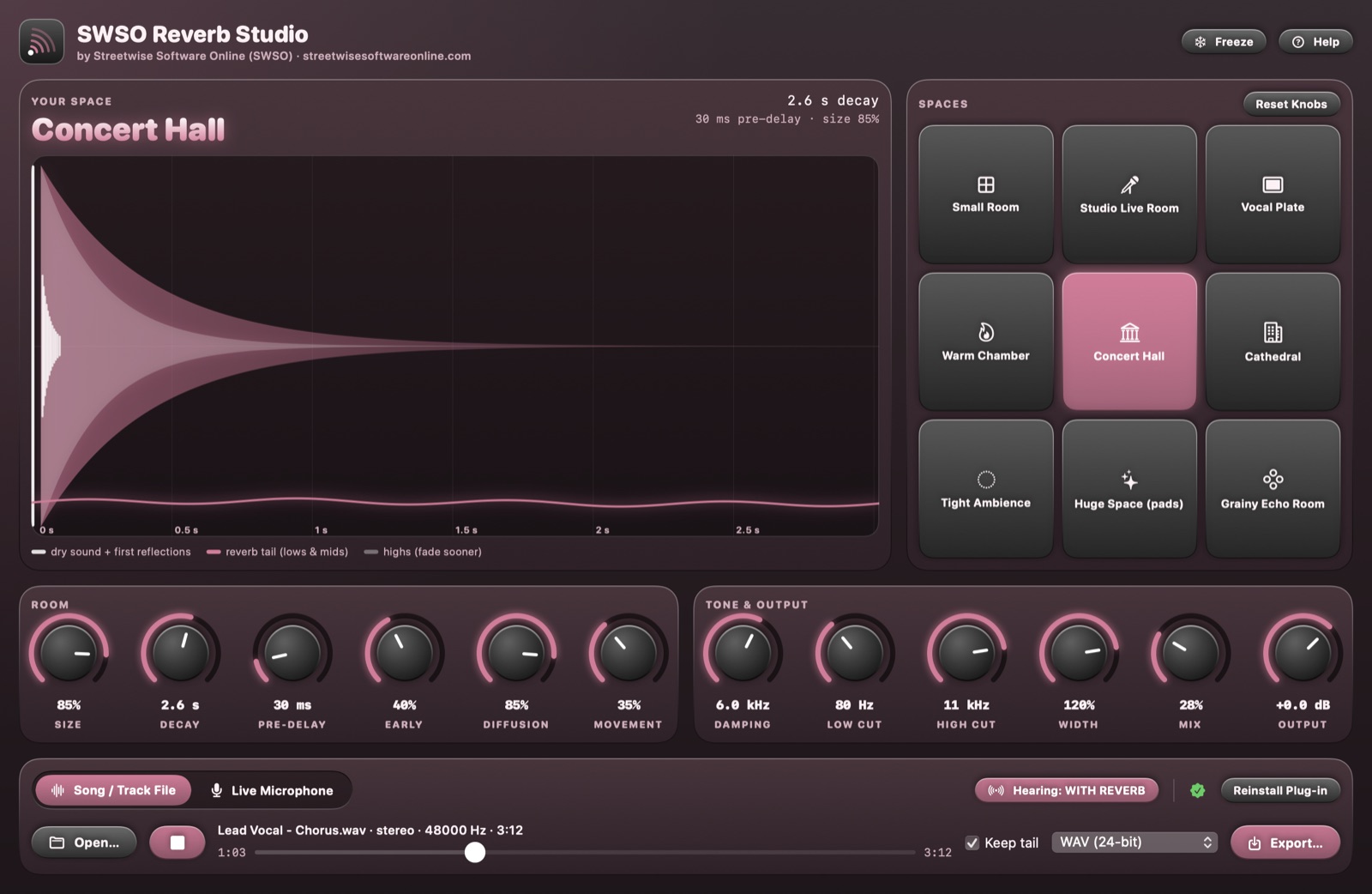
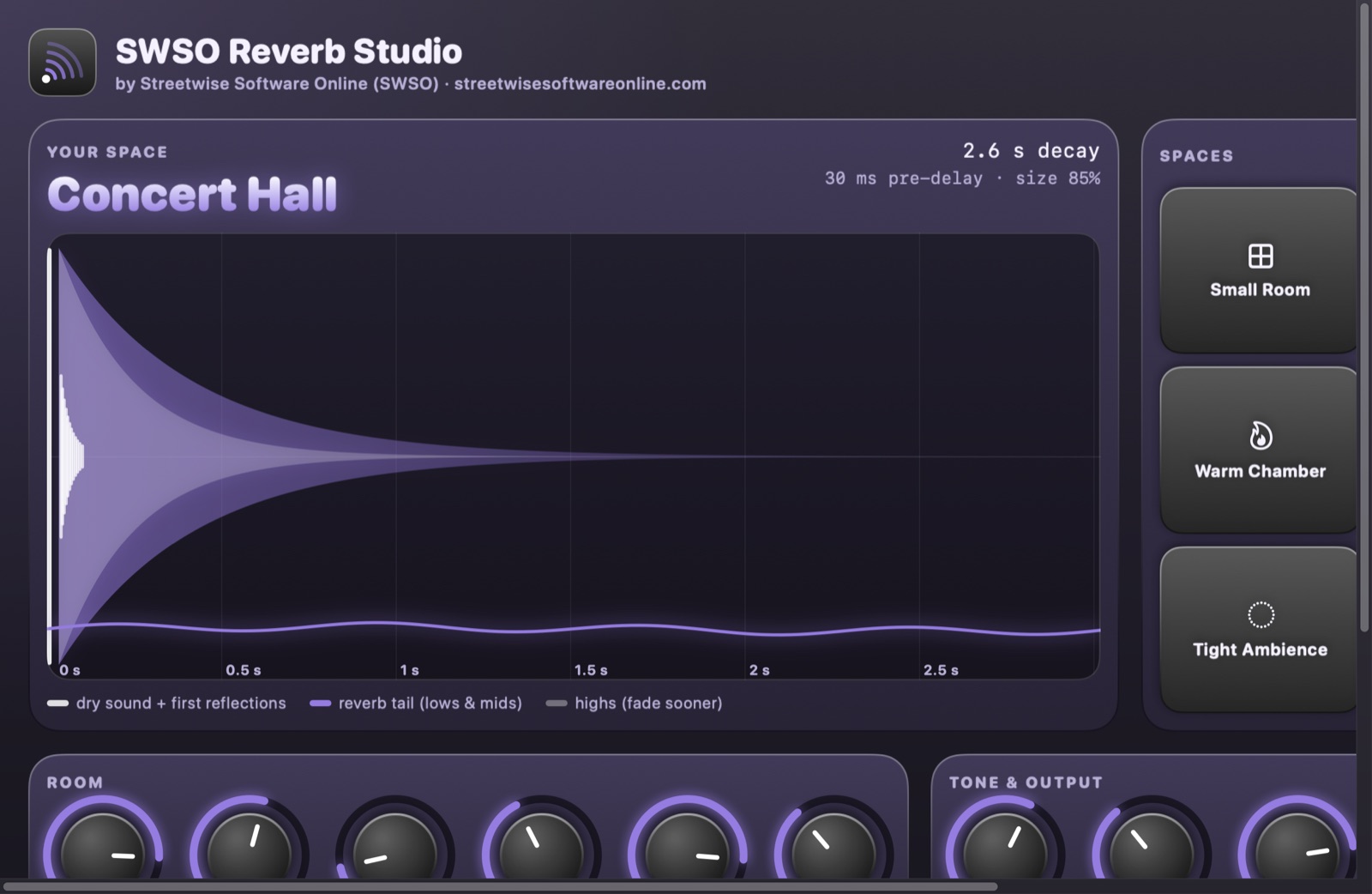
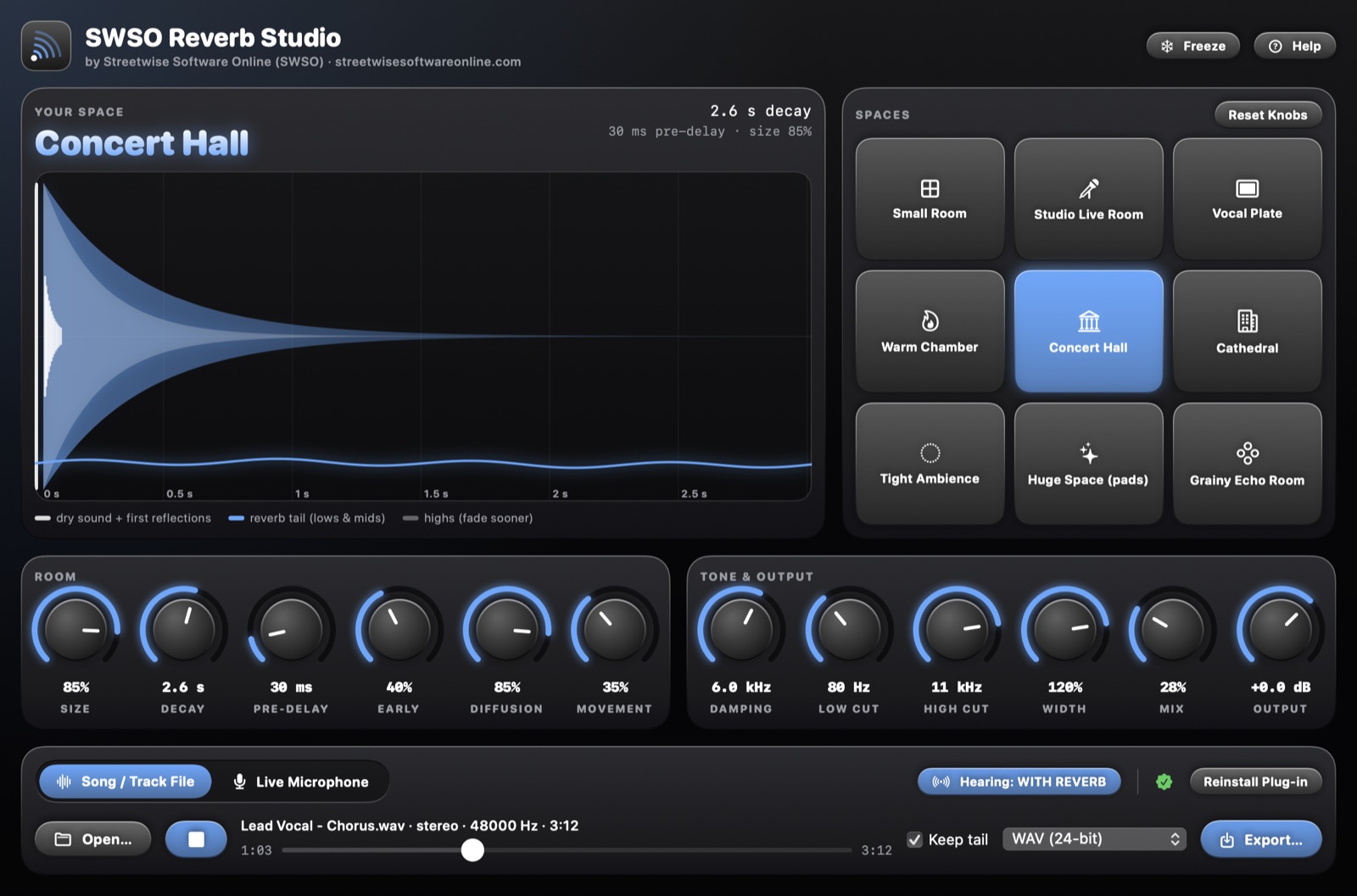
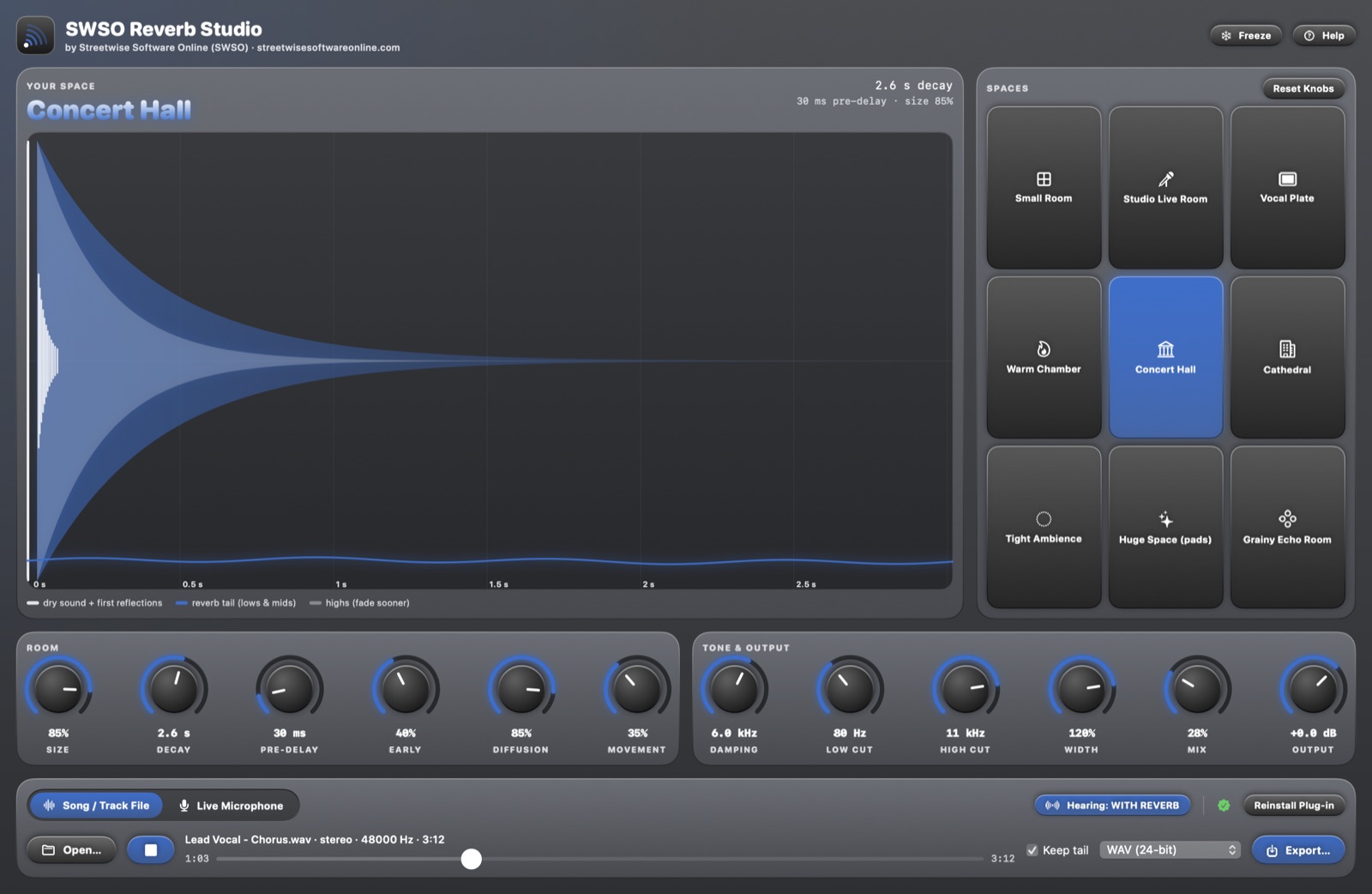
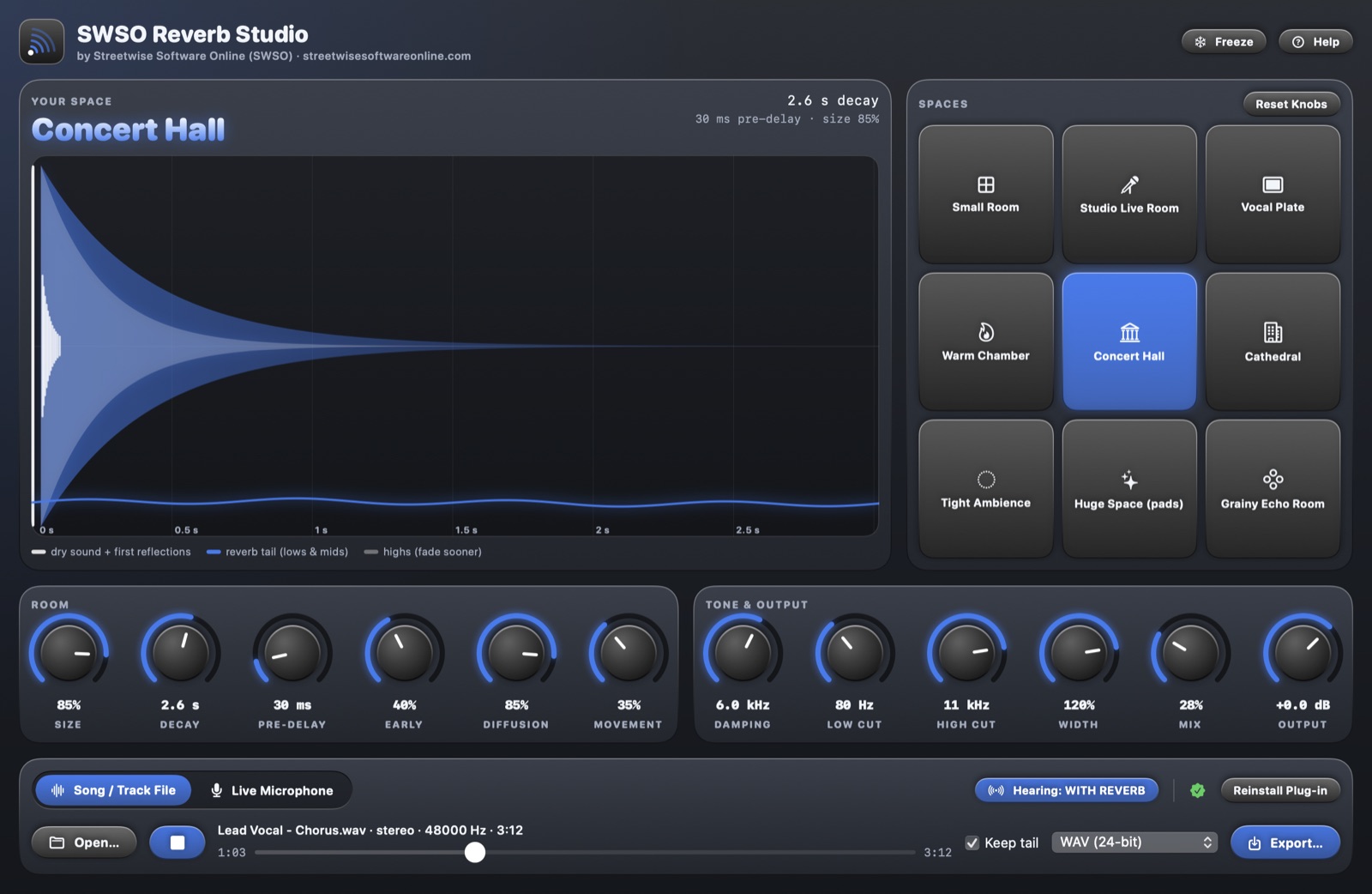
SWSO Reverb Studio in the Cobalt Gunmetal theme with Concert Hall selected: a picture of the dry sound, early reflections and tail, nine space buttons and twelve knobs, playing a lead vocal
300 spacesin 12 families, Small Room to Cathedral
13 knobsincl. the new Spring knob, plus Freeze
App + plug-inan Audio Unit for Logic Pro, GarageBand and other music apps

What you get

300 spaces

  • 12 families: rooms, halls, plates, springs, chambers, vocal spaces, drum spaces, churches and cathedrals, small spaces, ambient and pads, cinematic and huge, creative and special
  • Nine quick buttons for the favorites (Small Room to Cathedral); all 300 in the Spaces menu
  • Click a space, then fine-tune it with the knobs
  • A picture shows the dry sound, the first reflections and the tail as it fades
  • Reset Knobs puts everything back

Thirteen knobs

  • Room: Size, Decay (0.2 to 20 seconds), Pre-delay, Early, Diffusion and Movement
  • Tone and output: Damping, Low Cut, High Cut, Width, Mix and Output
  • New Spring knob: a spring-tank reverb with the classic “drip”, blended 0–100%
  • Low Cut takes the boom out of the reverb only; your dry sound keeps its bass
  • Drag a knob up or down; double-click it to set it back

Freeze, compare, export

  • Loop button repeats the file while you dial in the sound (⌘⇧L)
  • Freeze holds the current tail forever, for pads and transitions
  • “Hearing: WITH REVERB” flips to the dry original and back
  • Export saves a copy with the reverb. Your original file is never changed
  • “Keep tail” makes the file a little longer so the reverb rings out, and the start lines up exactly with the original

Live and in your music apps

  • Live Microphone: hear yourself with the reverb. Nothing is recorded or saved
  • Install the Audio Unit with one button; it has the same 300 spaces as presets
  • It tells your music app how long its tail rings, so exports from your music app don’t cut the reverb off
  • Passed Apple’s own Audio Unit test

What is in the box

Every knob, with its range where it has one, as named in the app.

RoomSize 5–100% · Decay 0.2–20 s · Pre-delay 0–250 ms · Early · Diffusion · Movement
Tone and outputDamping 1–20 kHz · Low Cut 20–1000 Hz · High Cut 1–20 kHz · Width 0–150% · Mix · Output
OpensWAV · AIFF · MP3 · M4A/AAC · FLAC · CAF, mono or stereo
SavesWAV 24-bit · AIFF 24-bit · M4A (AAC 256 kbps)

How it works

Tip: with Mix at 50% or less, your original sound stays at full level. At 100% you hear only the reverb, for use on an effects bus in your music app.

  1. Open a soundClick Open… and choose a vocal, instrument or song, or pick Live Microphone. Press Play.
  2. Pick a spaceClick one of the nine quick space buttons or pick any of the 300 from the Spaces menu, then fine-tune it with the knobs.
  3. Compare and exportFlip “Hearing” to compare, then click Export… to save a copy with the reverb.

Who it’s for

Anyone whose recordings sound too dry or too close.

Singers

Vocal Plate or Concert Hall turns a dry home recording into a finished vocal, with the tail kept on export.

Producers

Load it as an Audio Unit in Logic Pro, GarageBand or SWSO Production Station, or put it on an effects bus at 100% Mix.

Sound designers

Huge Space, Grainy Echo Room and Freeze make pads and transitions out of any sound.

Try it free for 7 days

  • Every feature works for 7 days from the first launch, no key and no sign-up needed
  • After the trial, a license key keeps it working. Your key arrives by email after you buy
  • One-time purchase, no subscription
  • Privacy: the microphone is used only in Live mode. Nothing is recorded or saved, and nothing leaves your Mac

Specifications

System
macOS 14.2 Sonoma or later, Intel and Apple silicon (universal)
Version
1.1
Spaces
300 in 12 families, also as presets in the plug-in
Opens
WAV, AIFF, MP3, M4A/AAC, FLAC and CAF, mono or stereo
Saves
WAV 24-bit, AIFF 24-bit, M4A (AAC 256 kbps, up to 48 kHz)
Plug-in
Audio Unit effect for Logic Pro, GarageBand, SWSO Production Station and other music apps
Microphone
Live mode only
Look
6 themes (Cobalt Gunmetal, Candy Red Titanium, Rose Gold, Lavender Pearl, Midnight Black and Brushed Gray), zoom from 85% to 200%
Questions

Will the reverb be cut off at the end of my file?

  • Not with “Keep tail” on: the exported file gets a little longer so the reverb rings out.

Does it change my original file?

  • Never. Export saves a new copy.

Can I use it on a whole song?

  • Yes. It opens vocals, instruments and full songs, mono or stereo.

Does Live mode record?

  • No. You hear yourself with the reverb; wear headphones. Nothing is recorded or saved.

Price

SWSO Reverb Studio by Streetwise Software Online

Download the free trial now. One-time purchase, no subscription.

$19.99 one-time

See all SWSO software

Having a problem? Tell us and we’ll fix it.

Every Mac is a little different, and we fix issues as they come in. If something doesn’t work the way it should, use our contact form and tell us the app, its version, your Mac and macOS version, and what happened. Your report helps us fix it fast, for you and for everyone who uses our software.

Contact us

Product updates & bug reports

Found a bug or an issue? Report it to Streetwise Software Online with the app name, version and steps to reproduce it. We review reports and address confirmed bugs through product updates.

Read product updates and published fixes · Free trial and refund policy