A smiling woman in white headphones listens to music with her eyes closed at a bright desk with a laptop, a cup of tea and plants
SWSO Sound Desk app icon

New · equalizer for your whole Mac

Make everything on your Mac sound better.

SWSO Sound Desk by Streetwise Software Online · SWSO

One equalizer for your whole Mac: music, YouTube, movies, games and calls. Boost quiet videos, tame harsh sound, set each app’s volume on its own, and make your headphones sound the way they should.

$39.99 one-time · 15-day free trial

Mac • macOS 14.2 or later • 15-day free trial • 2 MB

macOSavailableWindowscomingMobilecoming soon
3 EQsBasic, 10-Band and Parametric, for every app at once
+12 dBVolume Booster with a built-in safety limiter
15ready-made presets, plus your own

What you get

An equalizer for everything

  • Works on all the sound your Mac plays, not just one app
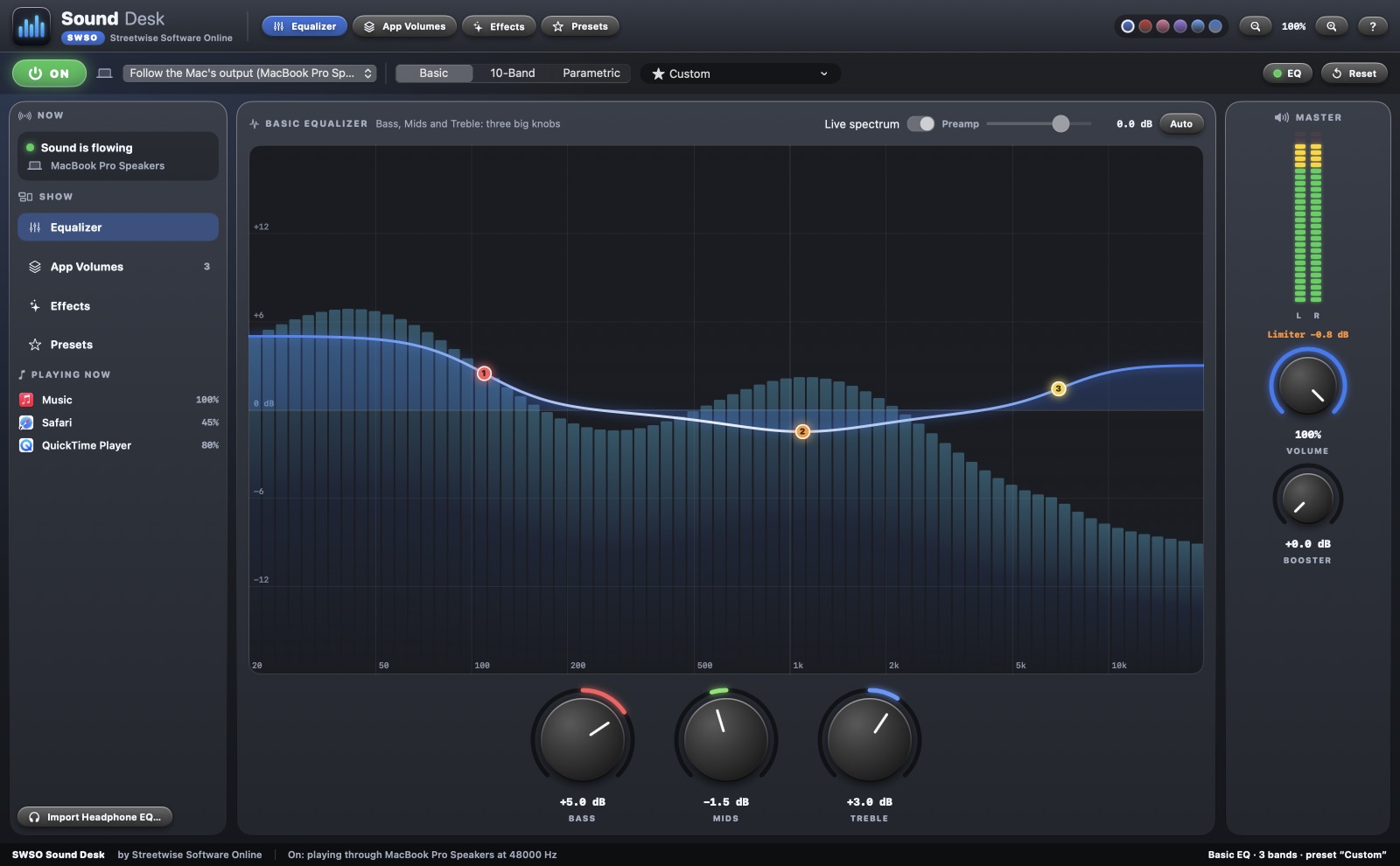
  • Basic: three big knobs for bass, mids and treble
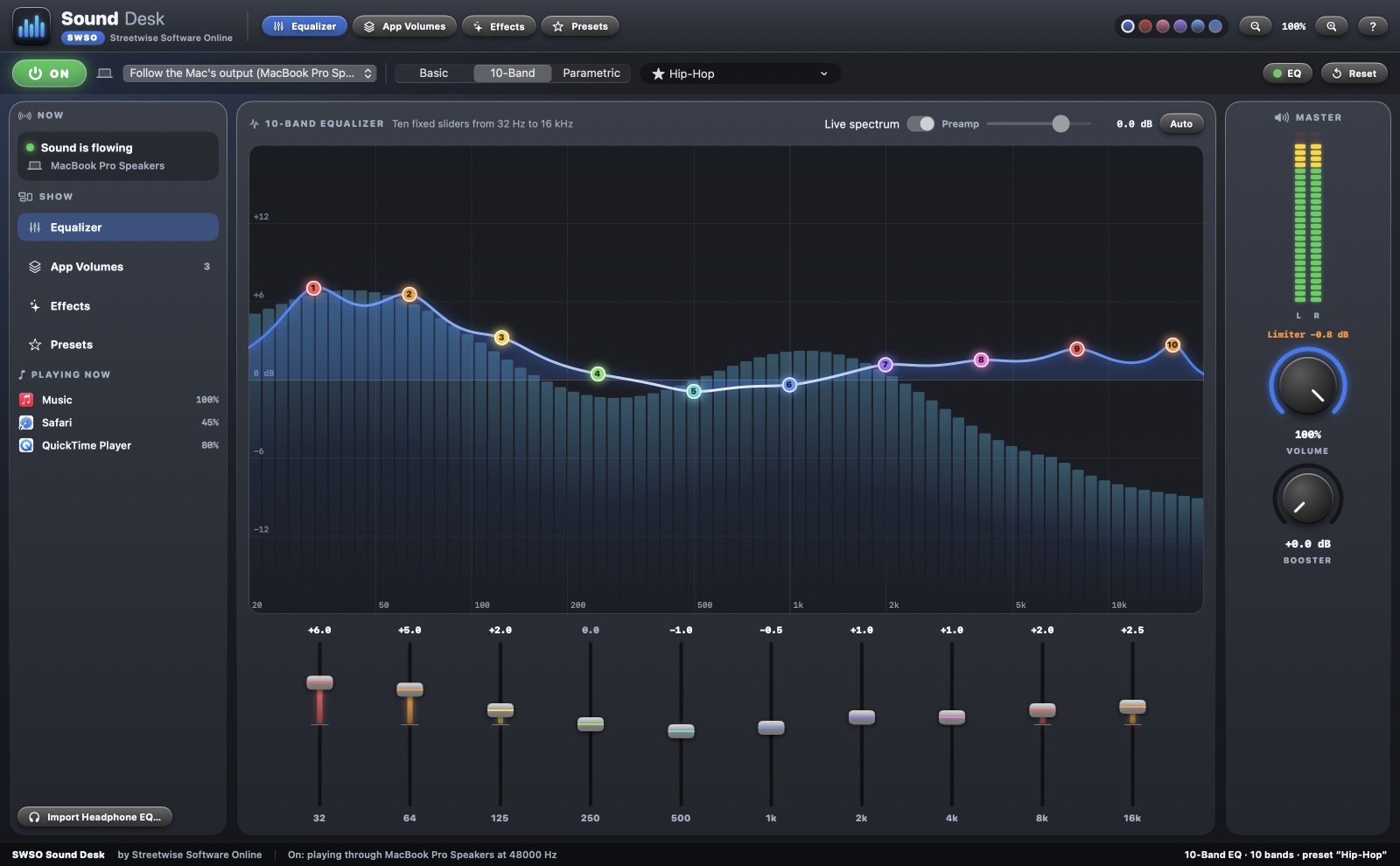
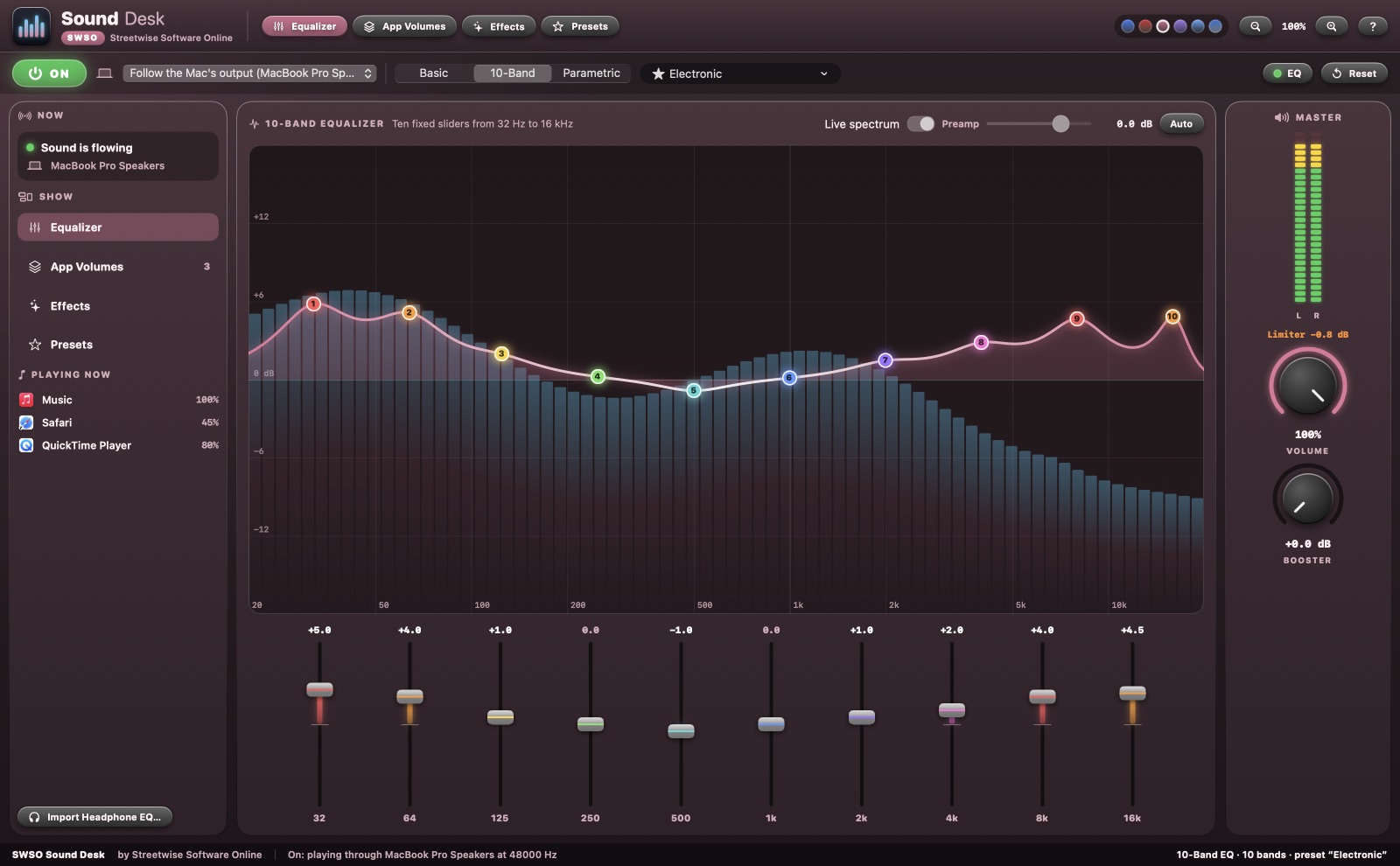
  • 10-Band: ten sliders from 32 Hz to 16 kHz
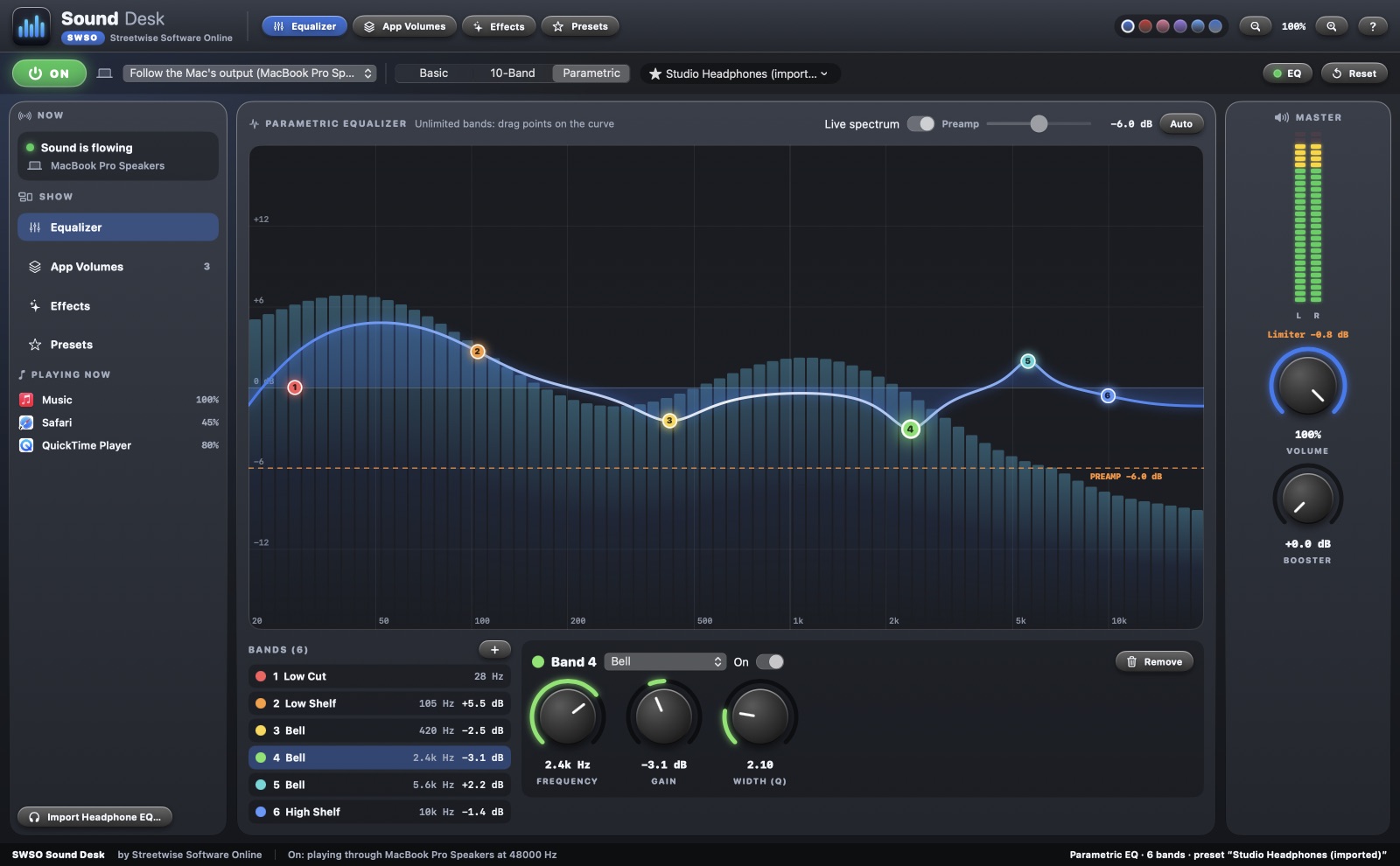
  • Parametric: drag the bands right on the curve, double-click to add one (up to 32)
  • Live spectrum shows your sound as it plays

Louder, and still clean

  • Volume Booster: up to +12 dB louder than your Mac allows
  • A safety limiter keeps it from crackling
  • Great for quiet videos, soft-spoken podcasts and small laptop speakers

App Volumes

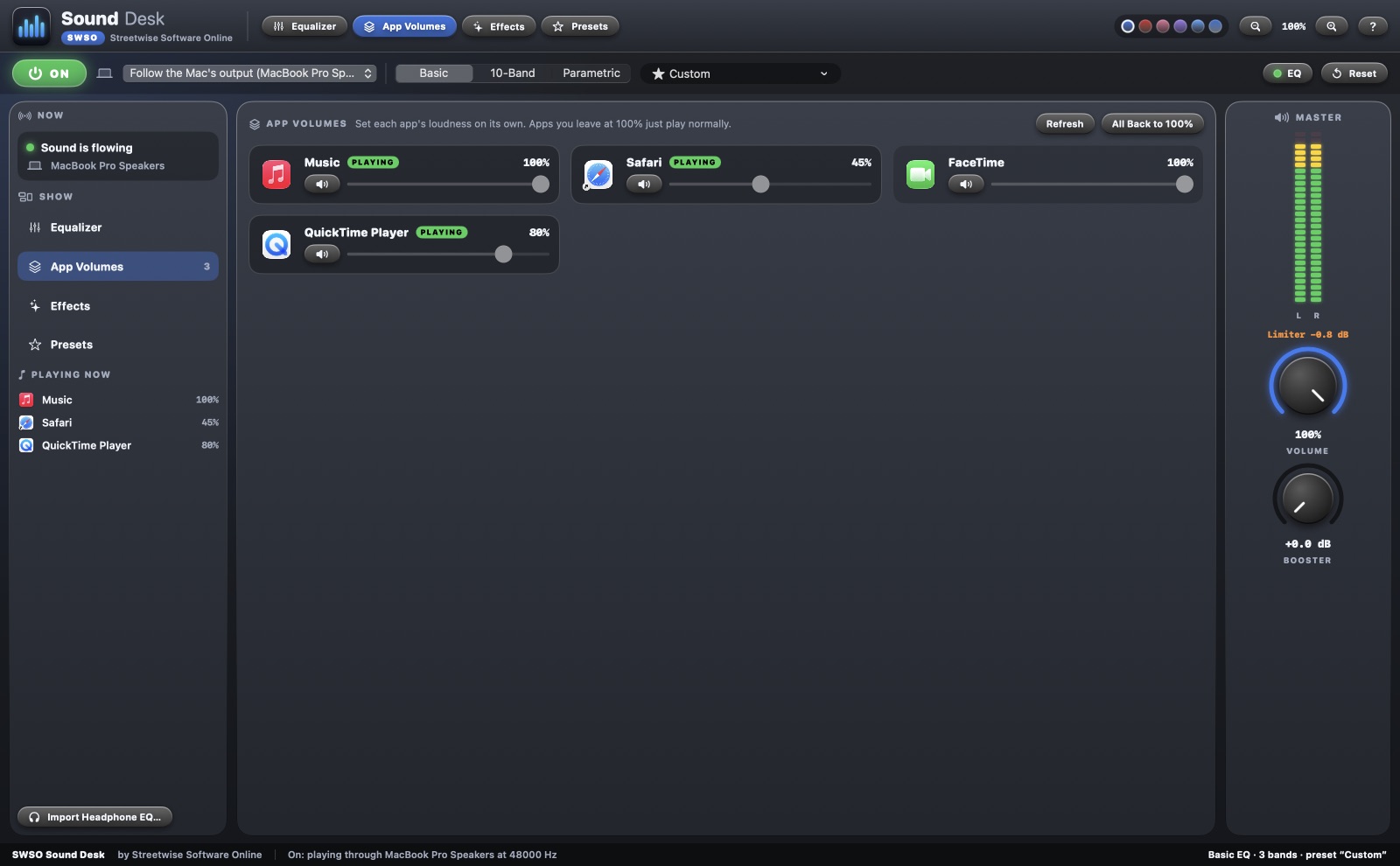
  • Turn the browser down without touching your music
  • Mute any app with one click
  • Apps you leave at 100% just play normally

Effects, presets and headphones

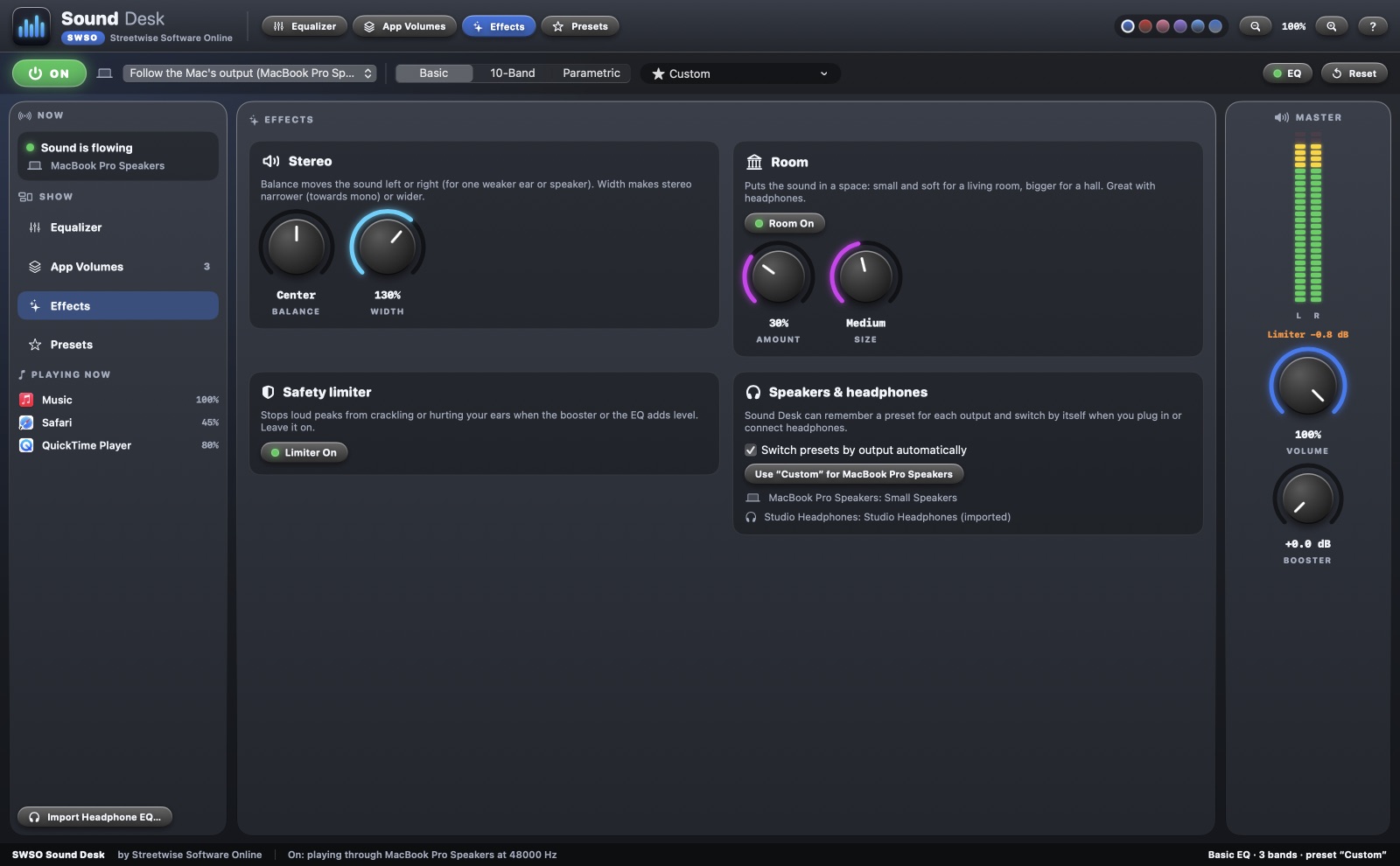
  • Balance (for one weaker ear or speaker), stereo Width and a gentle Room effect for headphones
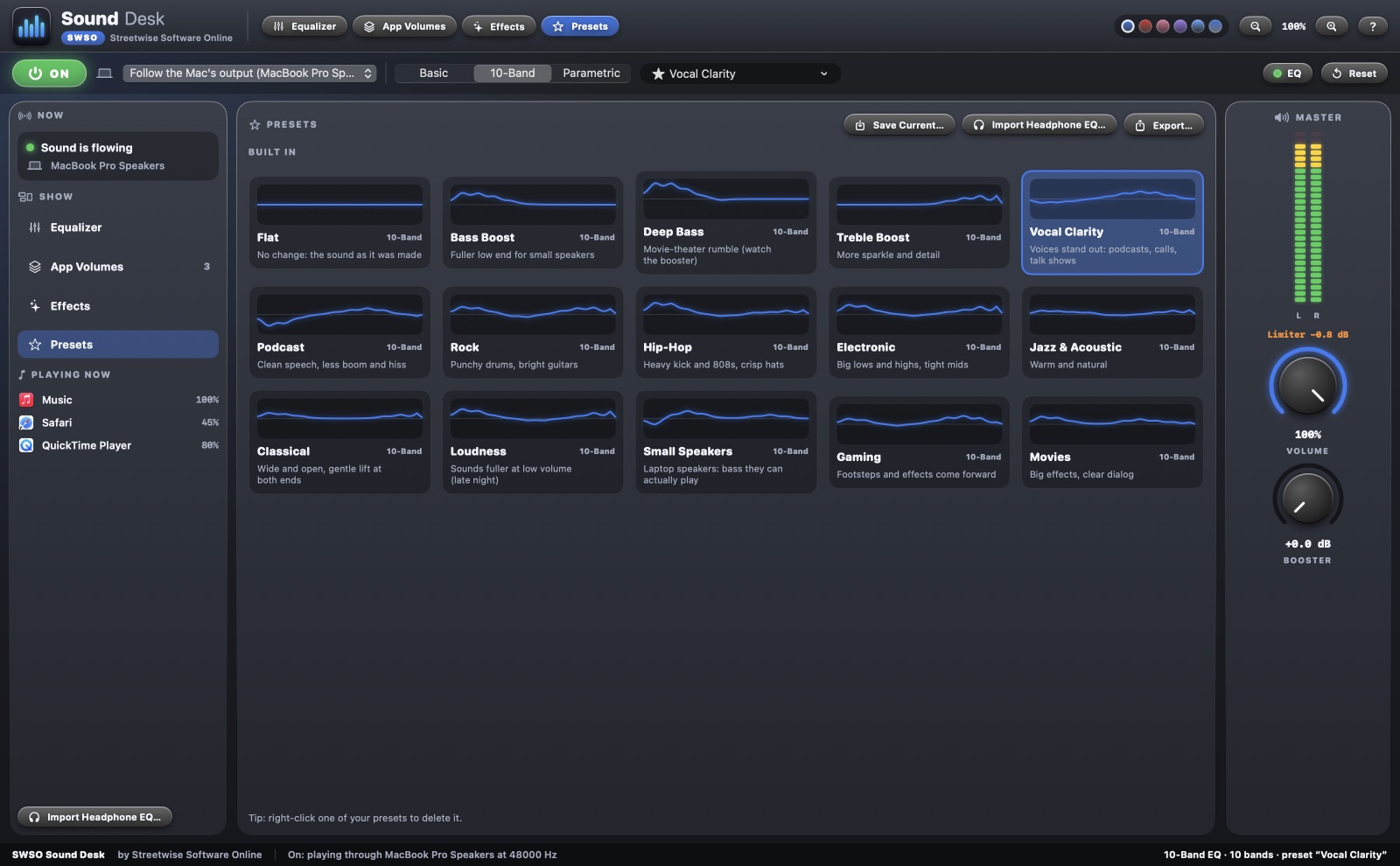
  • 15 presets: Bass Boost, Vocal Clarity, Podcast, Movies, Gaming, Loudness, Small Speakers and more
  • Remembers a preset for each speaker and headphone and switches by itself when you plug in
  • Import free headphone correction files (ParametricEQ.txt) for your headphone model

How it works

No driver to install and nothing to set up in System Settings. Sound Desk sits between your apps and your speakers, changes the sound right on your Mac, and steps out of the way when you turn it off.

  1. Click ONThe first time, macOS asks to let Sound Desk hear your Mac’s sound. Click Allow. It only listens to change the sound.
  2. Pick a preset or shape itChoose Bass Boost, Vocal Clarity or Movies, or turn the knobs and drag the curve. The EQ switch compares before and after.
  3. Close the windowSound Desk keeps working. The controls live in the menu bar: on/off, presets, booster and volume.

Who it’s for

Anyone who listens on a Mac: through laptop speakers, desk speakers, earbuds or good headphones.

A woman in headphones smiling as she listens to music at her desk

Music and headphone listeners

Add warmth or sparkle, load a correction file for your headphone model, and let Sound Desk switch presets when you plug in.

A couple laughing while they watch a movie on a laptop

Movies, shows and quiet videos

Make dialog clearer, boost a video that was recorded too quietly, and use Loudness for late-night watching.

A young man in a gaming headset smiling at his computer

Gamers and video calls

The Gaming preset brings footsteps and effects forward. Turn a noisy browser tab down while you are on a call.

Try it free for 15 days

  • Every feature works for 15 days from the first launch, no key and no sign-up needed
  • After the trial, a license key keeps it working. Your key arrives by email after you buy
  • Privacy: Sound Desk listens to your Mac’s sound only to change it, right on your Mac. Nothing is recorded, saved or sent anywhere
  • Turn it off and your Mac sounds exactly as before

System requirements

System
macOS 14.2 Sonoma or later, Intel and Apple silicon (universal)
Sound
Any Mac output: built-in speakers, USB or Bluetooth speakers and headphones
Install
No driver or system extension. macOS asks once for permission to hear the Mac’s sound
Your data
Settings and presets stay on your Mac. Nothing is uploaded
Signed
Signed and notarized by Apple

Questions

Does it work with every app?

  • Yes. It changes all the sound your Mac plays: music apps, web browsers, video players, games and calls.

Will it make my speakers crackle?

  • The booster runs through a safety limiter, so louder sound stays clean instead of clipping.

Why does macOS ask about audio recording?

  • That is how macOS lets an app hear the Mac’s sound in order to change it. Sound Desk does not record, save or send anything.

What if I turn it off?

  • Sound goes straight to your speakers again, exactly as before. Nothing in your system is changed.

Price

SWSO Sound Desk by Streetwise Software Online

Download the free trial now. One-time purchase, no subscription.

$39.99 one-time

See all SWSO software

Having a problem? Tell us and we’ll fix it.

Every Mac is a little different: the macOS version, the hardware and how it’s set up can all change how an app behaves. We understand that, and we fix issues as they come in. If something doesn’t work the way it should, please don’t stay silent. Use our contact form and tell us the app, its version, your Mac and macOS version, and what happened. Your report helps us fix it fast, for you and for everyone who uses our software.

Contact us

Product updates & bug reports

Found a bug or an issue? Report it to Streetwise Software Online with the app name, version and steps to reproduce it. We review reports and address confirmed bugs through product updates.

Read product updates and published fixes · 15-day trial and refund policy