SWSO Startup Desk app icon

New · read-only startup inspector for your Mac

Know what is set to start. Change nothing.

SWSO Startup Desk by Streetwise Software Online · SWSO

Scan the launch agent and launch daemon settings on your Mac and see each entry: the file it came from, the program it runs, what triggers it and its code signature. Save a snapshot, then compare after you install something new. Nothing is disabled, removed or run.

$25.99 one-time · 7-day free trial

Mac • macOS 15 or later • built for Intel Macs • 6.2 MB

macOSavailableWindowscomingMobilecoming soon
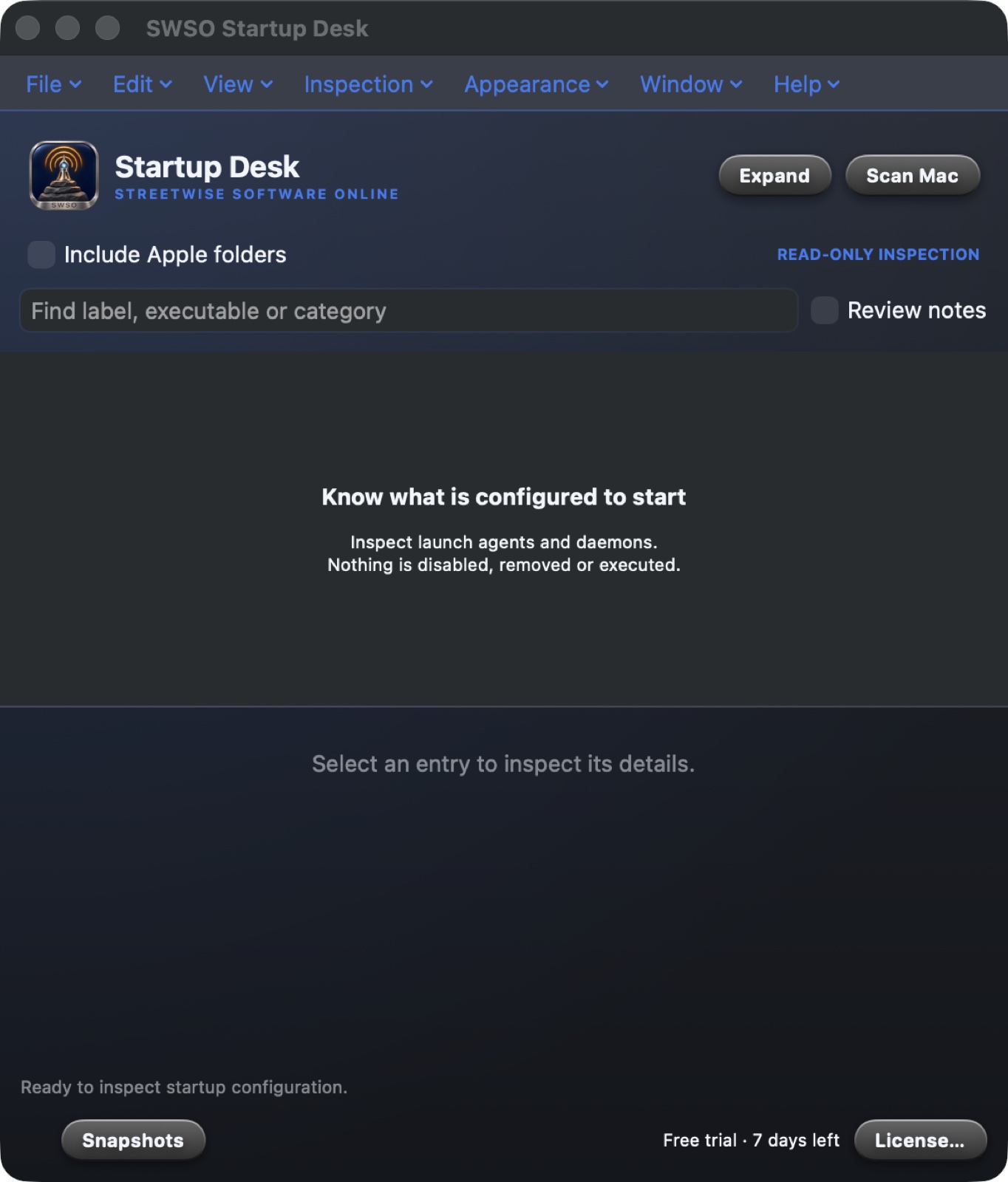
SWSO Startup Desk before a scan, with Scan Mac, Include Apple folders, search, Review notes and Snapshots
Read-onlynothing is disabled, removed or run
Signaturesa local code-signature check for each entry
Snapshotssave as JSON and compare

What you get

Scan

  • Reads your user LaunchAgents and the all-user LaunchAgents and LaunchDaemons folders
  • Include Apple folders adds the /System/Library ones
  • Scan notes list anything skipped or unreadable
  • Stop keeps your last completed snapshot
Inspect

  • Source file, configured program and trigger
  • SHA-256 fingerprint of the program (files up to 128 MB)
  • Local code-signature result
  • Argument and environment values are left out of the report

Compare

  • Save and Open snapshots (JSON)
  • Compare shows added, changed and removed entries
  • Useful before and after installing software

How it works

Click Scan Mac and read any scan notes first.

  1. ScanClick Scan Mac and wait for it to finish.
  2. Inspect an entrySelect one to see its source, program, trigger and signature.
  3. Save and compareSave a snapshot, then compare it with a later scan of the same scope.

Who it’s for

For Mac owners who want to understand what is set to start.

Curious Mac owners

See which background items your installed apps set up.

Before and after

Snapshot, install something, scan again and compare.

Helpers and techs

A readable JSON report to look over with someone you help.

Try it free for 7 days

  • Every feature works for 7 days from the first launch, no key and no sign-up needed
  • After the trial, new scans need a license; existing snapshots stay readable and exportable
  • Your key arrives by email after you buy. Enter it with SWSO Startup Desk → Enter License Key…
  • One-time purchase, no subscription

Specifications

System
macOS 15 Sequoia or later. Built for Intel Macs; on Apple silicon Macs macOS runs it through Rosetta 2
Version
0.2.2
Download
5.9 MB disk image (.dmg), Developer ID signed and notarized by Apple
Reports
JSON snapshots
Scope
Launch agents and daemons; optional Apple folders
Look
6 SWSO themes (Cobalt Gunmetal, Candy Red Titanium, Rose Gold, Lavender Pearl, Midnight Black, Brushed Gray), interface zoom 85% to 200%
License
One-time purchase, $25.99. 7-day free trial. Key entered with SWSO Startup Desk → Enter License Key…

Questions

Does it remove malware?

  • No. It is read-only. An unsigned or unfamiliar entry is something to look into, not proof of malware, and a signature is not a promise that software is safe.

Can I turn an entry off?

  • No. This version has no disable or remove command.

Does it check online?

  • No. The signature check is local; there is no malware lookup.

Price

SWSO Startup Desk by Streetwise Software Online

Download the free trial now. One-time purchase, no subscription.

$25.99 one-time

See all SWSO software

Having a problem? Tell us and we’ll fix it.

Every Mac is a little different, and we fix issues as they come in. If something doesn’t work the way it should, use our contact form and tell us the app, its version, your Mac and macOS version, and what happened. Your report helps us fix it fast, for you and for everyone who uses our software.

Contact us

Product updates & bug reports

Found a bug or an issue? Report it to Streetwise Software Online with the app name, version and steps to reproduce it. We review reports and address confirmed bugs through product updates.

Read product updates and published fixes · Free trial and refund policy