SWSO System Desk app icon

New · live system monitor for your Mac

CPU, memory and network. At a glance.

SWSO System Desk by Streetwise Software Online · SWSO

Keep a small live dashboard next to your work: processor activity, memory in use, network traffic coming in and going out, and the free space on your disk. Pause it to look closely, and export the readings to a spreadsheet.

$5.99 one-time · 7-day free trial
Mac • macOS 15 or later • built for Intel Macs • 5.7 MB

macOSavailableWindowscomingMobilecoming soon
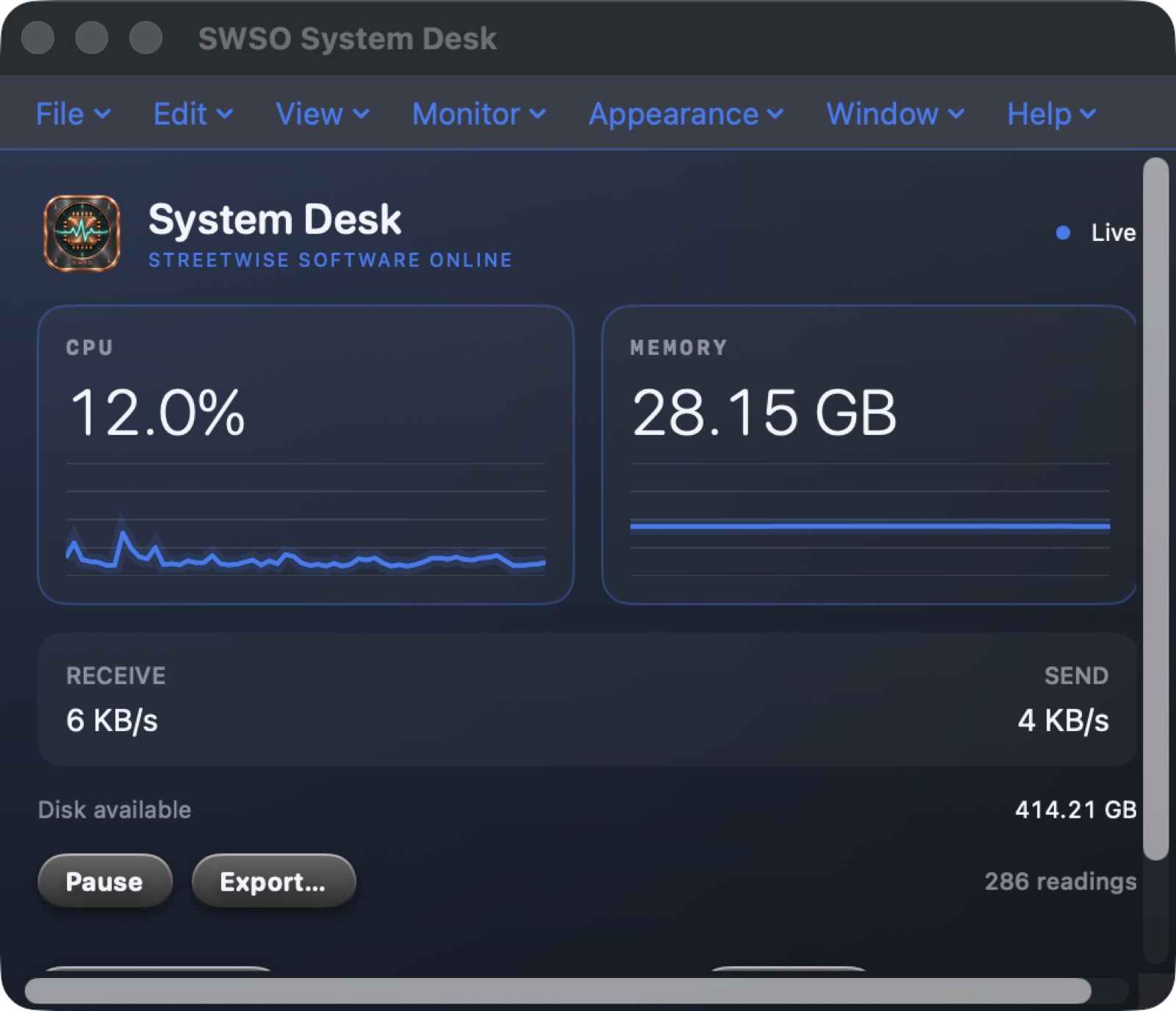
SWSO System Desk showing live CPU percentage, memory used, network receive and send rates, available disk space, Pause and Export
LiveCPU, memory, receive and send
Diskavailable space at a glance
CSVexport the session’s readings

What you get

Live readings

  • CPU activity as a percentage
  • Memory currently used
  • Network RECEIVE and SEND rates
  • Disk available

Look closer

  • Pause holds collection, Resume starts again
  • Compact view to keep beside your work
  • A larger view for more detail

Keep the numbers

  • Export… writes the readings to a CSV file
  • Open it in Numbers or Excel

How it works

Open the app and leave it running for a few seconds: rates need two samples.

  1. Watch live readingsCPU, memory, network and disk update as you work.
  2. Pause to inspectClick Pause, then Resume.
  3. Export a CSVClick Export… before you quit if you want to keep the session.

Who it’s for

For a quick view of what your Mac is doing.

Everyday users

See at a glance if your Mac is busy.

Creators

Keep an eye on memory and CPU during a big export.

Tinkerers

Export a session and compare before and after a task.

Try it free for 7 days

  • Every feature works for 7 days from the first launch, no key and no sign-up needed
  • After the trial, new measurements need a license; readings already collected stay exportable
  • Your key arrives by email after you buy. Enter it with SWSO System Desk → Enter License Key…
  • One-time purchase, no subscription

Specifications

System
macOS 15 Sequoia or later. Built for Intel Macs; on Apple silicon Macs macOS runs it through Rosetta 2
Version
0.2.2
Download
5.4 MB disk image (.dmg), Developer ID signed and notarized by Apple
Export
CSV
Measures
Whole-system CPU, memory, network rates and free disk space
Look
6 SWSO themes (Cobalt Gunmetal, Candy Red Titanium, Rose Gold, Lavender Pearl, Midnight Black, Brushed Gray), interface zoom 85% to 200%
License
One-time purchase, $5.99. 7-day free trial. Key entered with SWSO System Desk → Enter License Key…

Questions

Does it show which app uses the CPU?

  • No. It measures the whole system. There is no per-app list in this version.

Does it clean my disk or control fans?

  • No. No cleanup, temperature or fan controls and no automatic alerts.

Are readings saved?

  • Readings are for the current session. Export CSV before quitting to keep them.

Price

SWSO System Desk by Streetwise Software Online

Download the free trial now. One-time purchase, no subscription.

$5.99 one-time

See all SWSO software

Having a problem? Tell us and we’ll fix it.

Every Mac is a little different, and we fix issues as they come in. If something doesn’t work the way it should, use our contact form and tell us the app, its version, your Mac and macOS version, and what happened. Your report helps us fix it fast, for you and for everyone who uses our software.

Contact us

Product updates & bug reports

Found a bug or an issue? Report it to Streetwise Software Online with the app name, version and steps to reproduce it. We review reports and address confirmed bugs through product updates.

Read product updates and published fixes · Free trial and refund policy