SWSO Teleprompter Studio app icon

Teleprompter for your Mac

Look into the lens. Read every word.

SWSO Teleprompter Studio by Streetwise Software Online · SWSO

Write or import your script, set the speed and the look, then go live full screen on this Mac or on a second display under a teleprompter glass. Smooth scrolling you can speed up or slow down while you read.

$26.99 one-time · 15-day free trial

Mac • macOS 14 or later • 15-day free trial • 3 MB

macOSavailableWindowscomingMobilecoming soon
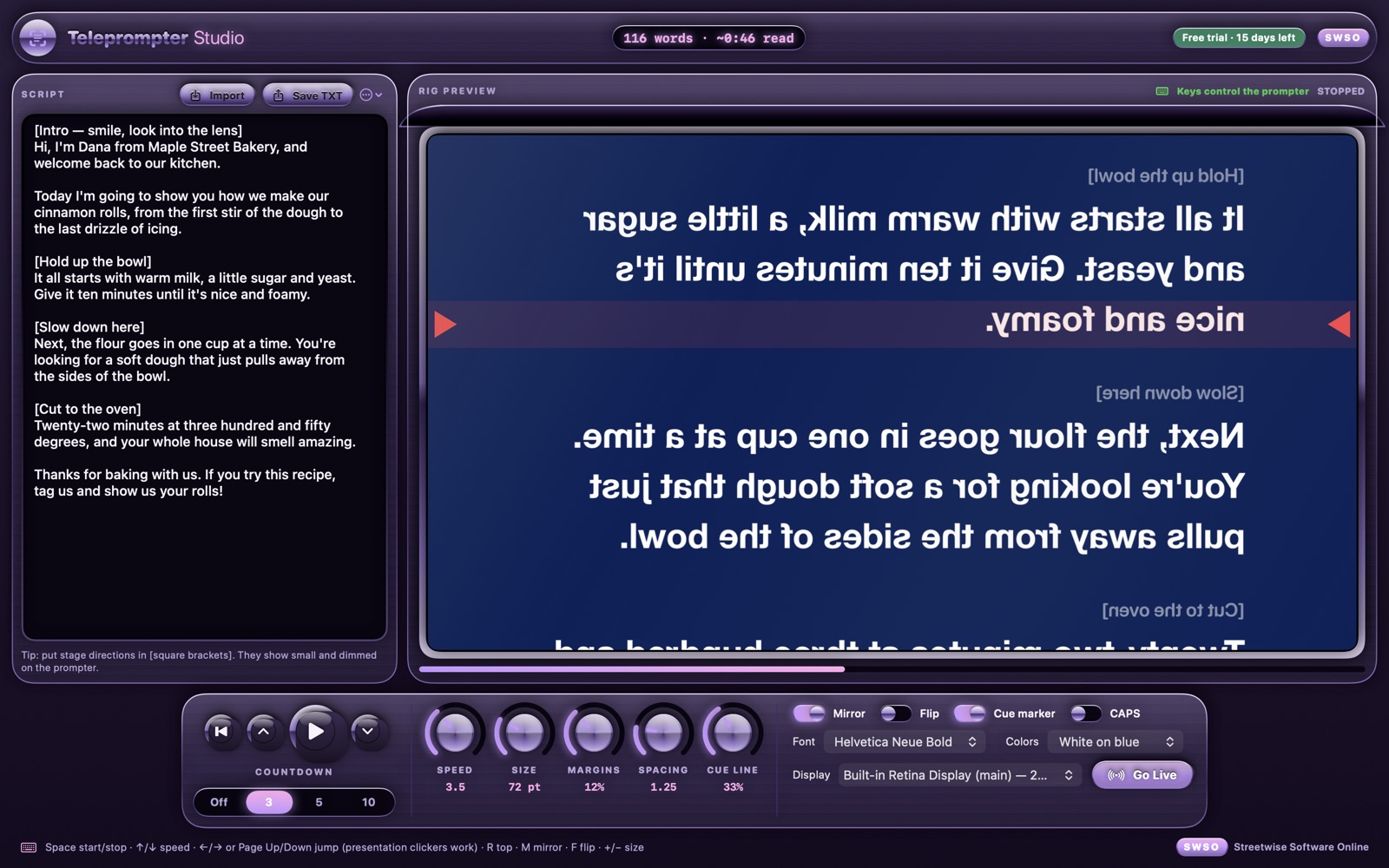
SWSO Teleprompter Studio in the Gunmetal Blue theme: a bakery video script on the left, the prompter rig preview with large white text and a red reading-line marker, and the control deck with speed, size, margins, spacing and cue line knobs
Any displayfull screen on this Mac or a second screen
Mirrorand flip for real beam-splitter glass
Remotekeyboard and presentation-clicker control

What you get

Your script, your way

  • Type or paste, or import TXT, RTF, RTFD, Markdown and Word (DOCX and DOC) files; drag and drop works too
  • Lines in [square brackets] are cues for you: shown small and dimmed, not read out
  • Word count and reading time at the top
  • Script and settings are saved automatically
Smooth, steady scrolling

  • Speed from 0 to 10, changed while you read without a jump
  • Countdown of 3, 5 or 10 seconds before it starts
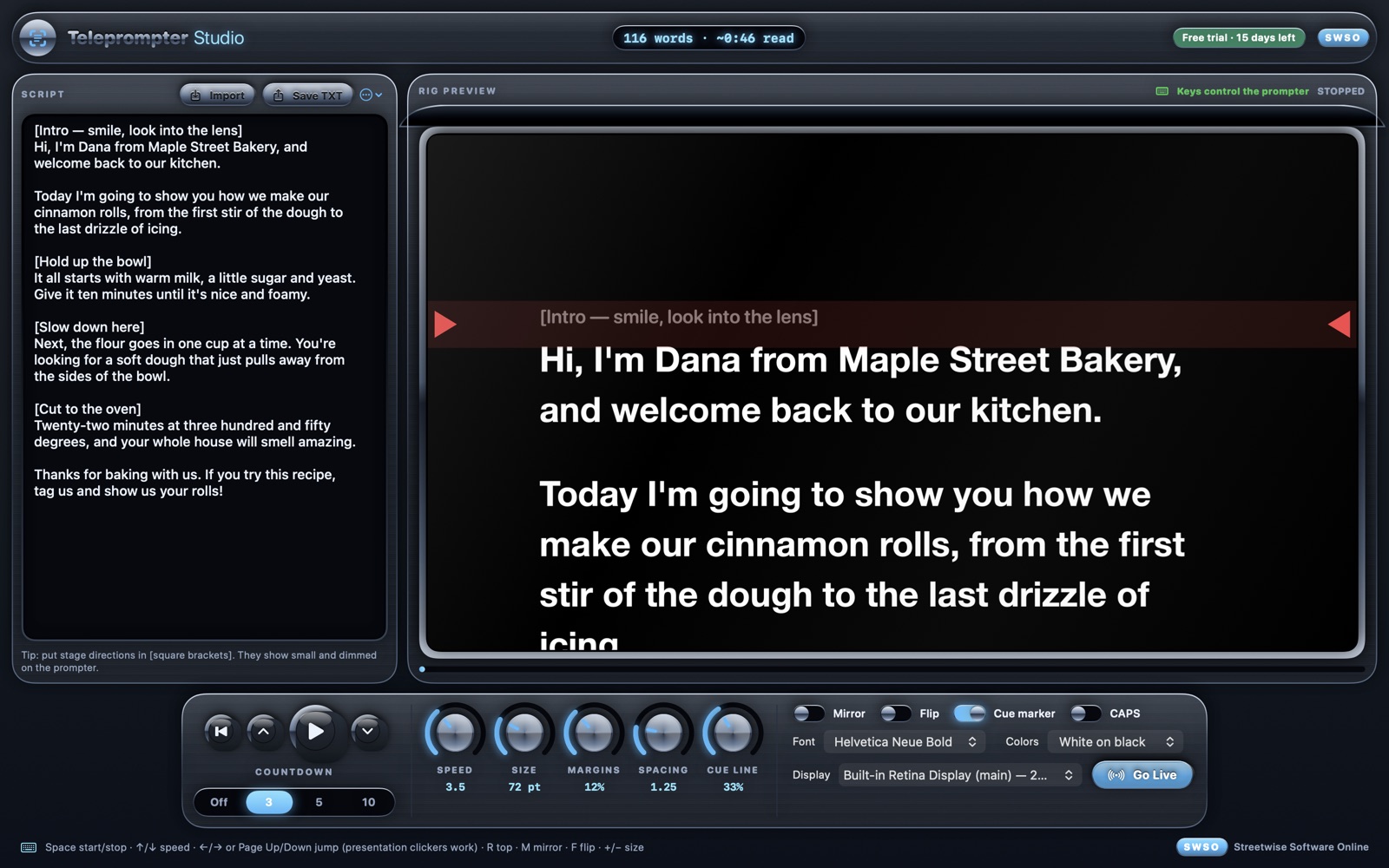
  • Red cue marker at a reading line you can move
  • Progress rail: drag it to jump anywhere in the script

The look you can read

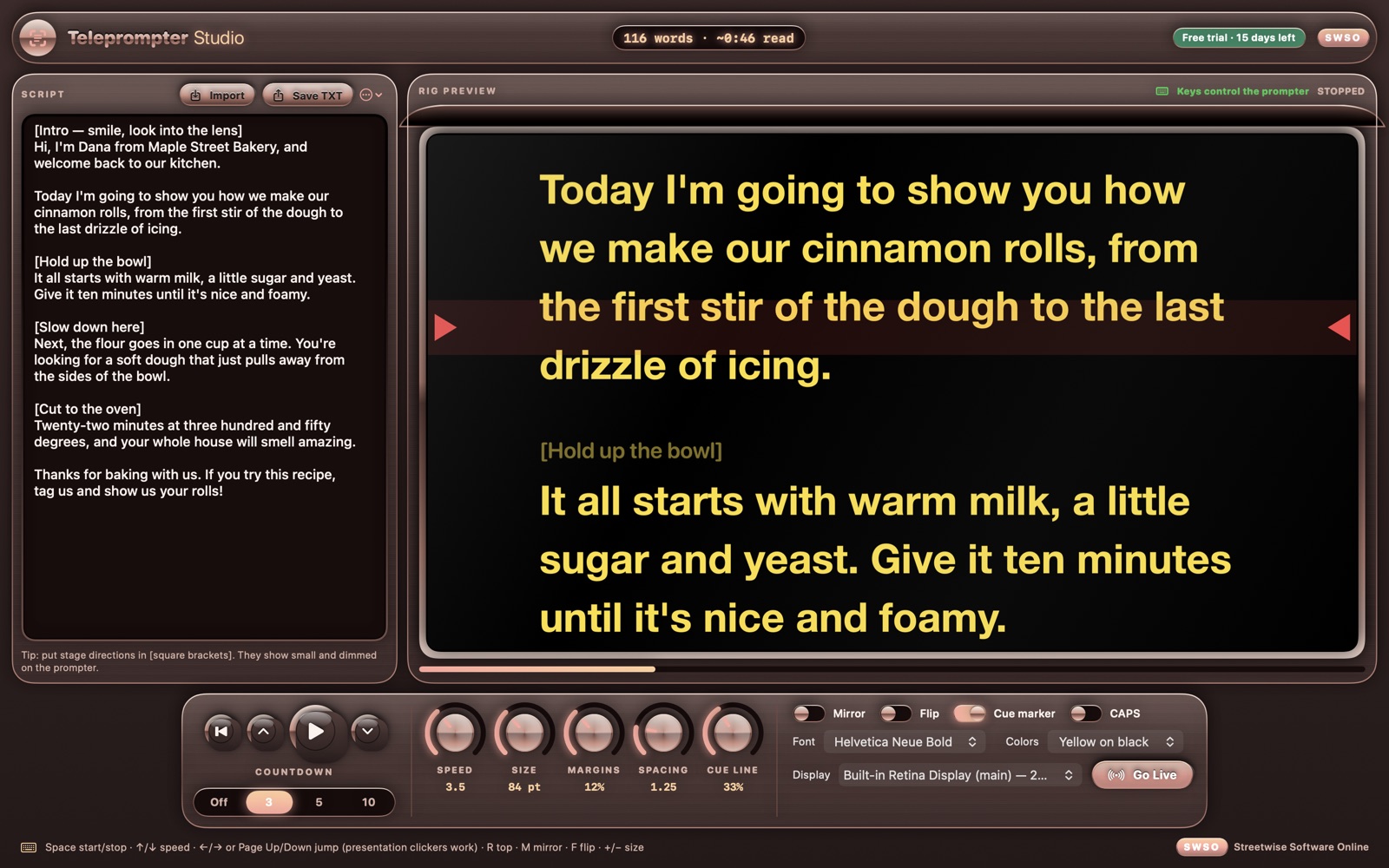
  • Text size from 24 to 200 points, margins and line spacing
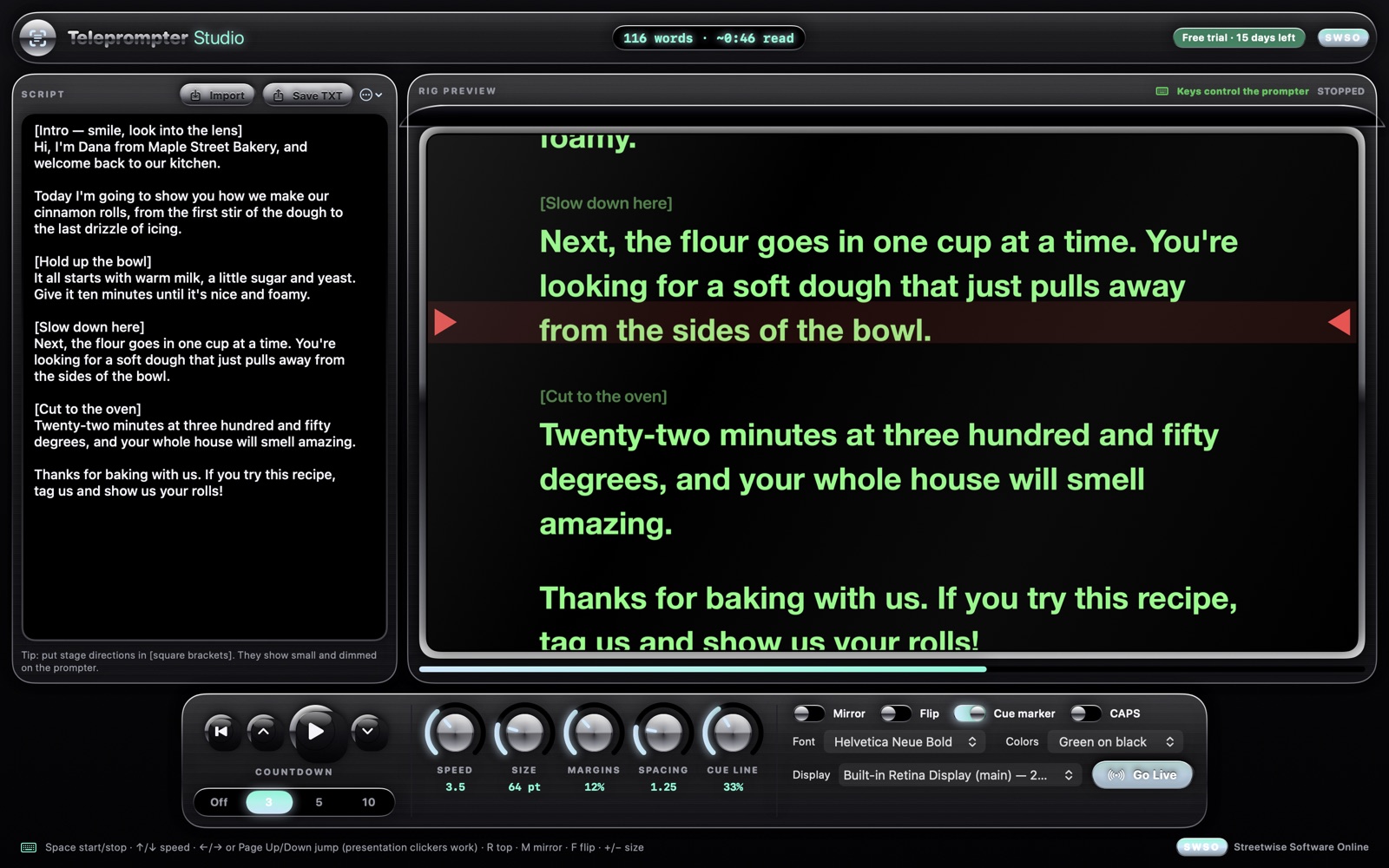
  • Seven fonts and five colour schemes: white, yellow or green on black, black on white, white on blue
  • Mirror for beam-splitter glass, flip for rigs where the monitor faces up, and ALL CAPS

Control it hands-free

  • Space starts and stops; up and down arrows change the speed
  • Page Up and Page Down jump, so presentation clickers that act as a keyboard work with no setup
  • Go Live on a second display (picked automatically when one is connected); Esc ends it

How it works

  1. Add your scriptType it in the Script desk or click Import. Put stage directions like [Pause] or [Hold up the bowl] in square brackets.
  2. Check the rig previewThe preview shows exactly what the prompter will show: size, colours, mirror and the reading line.
  3. Go live and readPick a display, click Go Live and press Space. After the countdown the text scrolls; arrows change the speed.

Who it’s for

Anyone who talks to a camera and wants to sound natural without memorising every line.

YouTubers and video creators

Read your intro, product review or tutorial while looking straight into the lens.

Small businesses and teachers

Record clear product videos, lessons and announcements in fewer takes.

Speakers and presenters

Rehearse a talk at your own pace and keep your place with the reading line and progress rail.

Try it free for 15 days

  • Every feature works for 15 days from the first launch, no key and no sign-up needed
  • After the trial, a license key unlocks the app again. Your key arrives by email after you buy and is checked on your Mac
  • Built-in Help with Quick Start, every control explained and keyboard shortcuts

System requirements

System
macOS 14 Sonoma or later, Intel and Apple silicon (universal)
Scripts
TXT, RTF, RTFD, Markdown, Word DOCX and DOC; saves as TXT
Displays
This Mac or any second display; works with beam-splitter teleprompter glass
Your data
Your script stays on your Mac. Nothing is uploaded
Signed
Signed and notarized by Apple

Questions

Do I need teleprompter hardware?

  • No. You can read from your Mac’s own screen. If you have a beam-splitter glass rig, turn on Mirror.

Will my presentation clicker work?

  • Clickers that act as a keyboard (arrow or Page Up/Down keys, and the B or . blank-screen key) work with no setup.

Can I change the speed while reading?

  • Yes. Use the up and down arrows or the Speed knob. The text keeps its place, with no jump.

Is there a subscription?

  • No. It is a one-time purchase after the 15-day free trial.

Price

SWSO Teleprompter Studio by Streetwise Software Online

Download the free trial now. One-time purchase, no subscription.

$26.99 one-time

See all SWSO software

Having a problem? Tell us and we’ll fix it.

Every Mac is a little different: the macOS version, the hardware and how it’s set up can all change how an app behaves. We understand that, and we fix issues as they come in. If something doesn’t work the way it should, please don’t stay silent. Use our contact form and tell us the app, its version, your Mac and macOS version, and what happened. Your report helps us fix it fast, for you and for everyone who uses our software.

Contact us

Product updates & bug reports

Found a bug or an issue? Report it to Streetwise Software Online with the app name, version and steps to reproduce it. We review reports and address confirmed bugs through product updates.

Read product updates and published fixes · 15-day trial and refund policy