
Streetwise Pro Suite · available now
Record it. Mix it. Hear it exactly.
TrackFusion Pro is a multitrack recorder with a real mixing desk: long-throw faders, stereo meters and seven built-in effects on every track and on the master bus. Your exported mix uses exactly the same effects as playback, so the file sounds just like what you heard.
$19.99 one-time · 7-day free trial
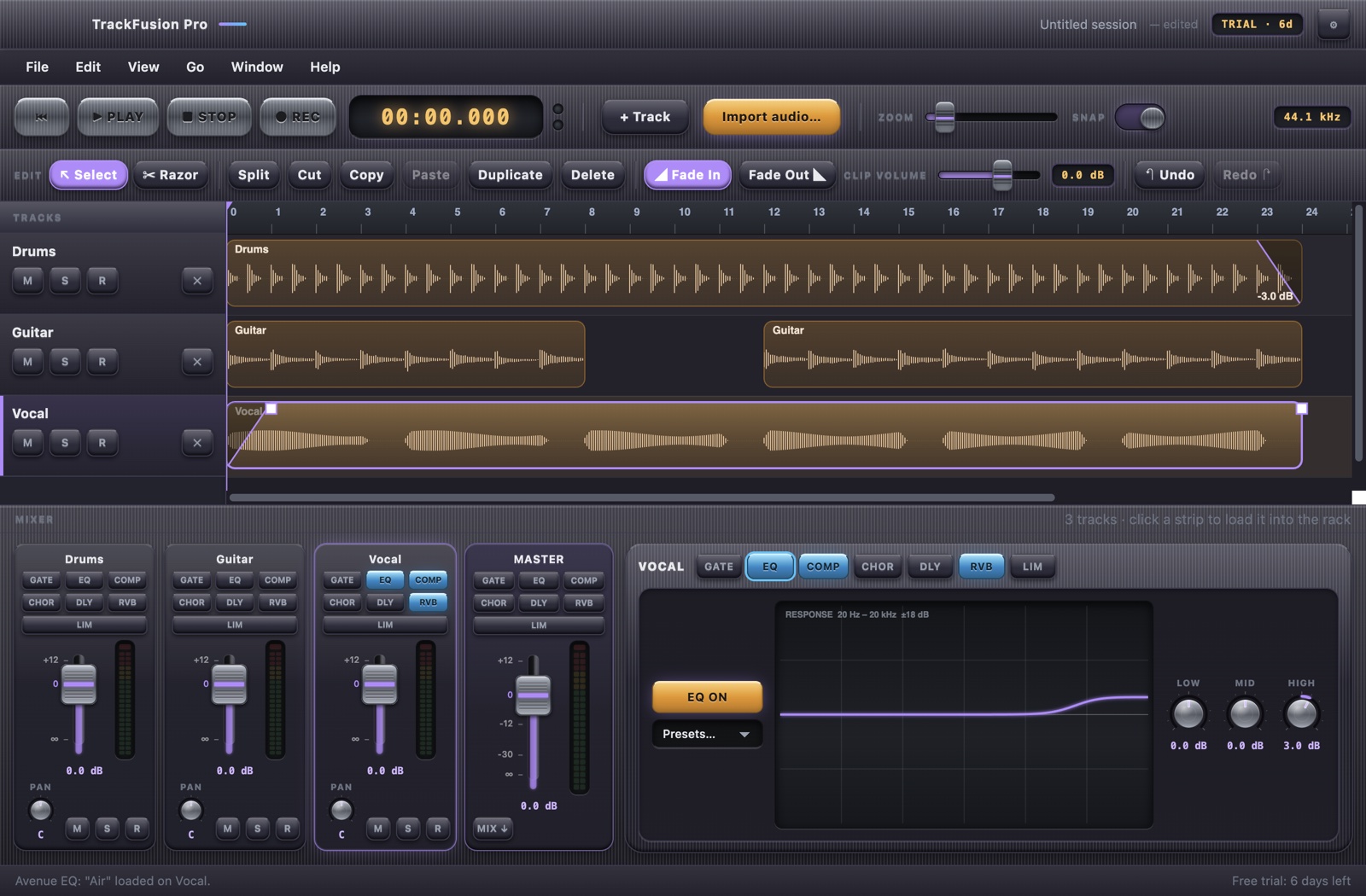
A first look
One window: tracks on top, the desk below
Arm a track and record, or import audio and drop it right where you want it. Click any channel strip and its effects rack opens beside the mixer, with a live picture of what each effect is doing.
The effects
Seven effects, built in, on every track
Each one has an on/off switch and named presets, and every preset is gentle: switching one on should flatter the sound, not wreck it.
- Block Gate shuts out the hiss between phrases.
- Avenue EQ: low shelf, mid bell and high shelf.
- Curb Compressor: threshold, ratio, attack, release, makeup and mix.
- Boulevard Chorus widens and thickens.
- Crosswalk Delay: time, repeats, tone, mix and ping-pong.
- Overpass Reverb: size, damping, pre-delay, width and mix.
- Streetlight Limiter: a look-ahead ceiling so nothing clips.
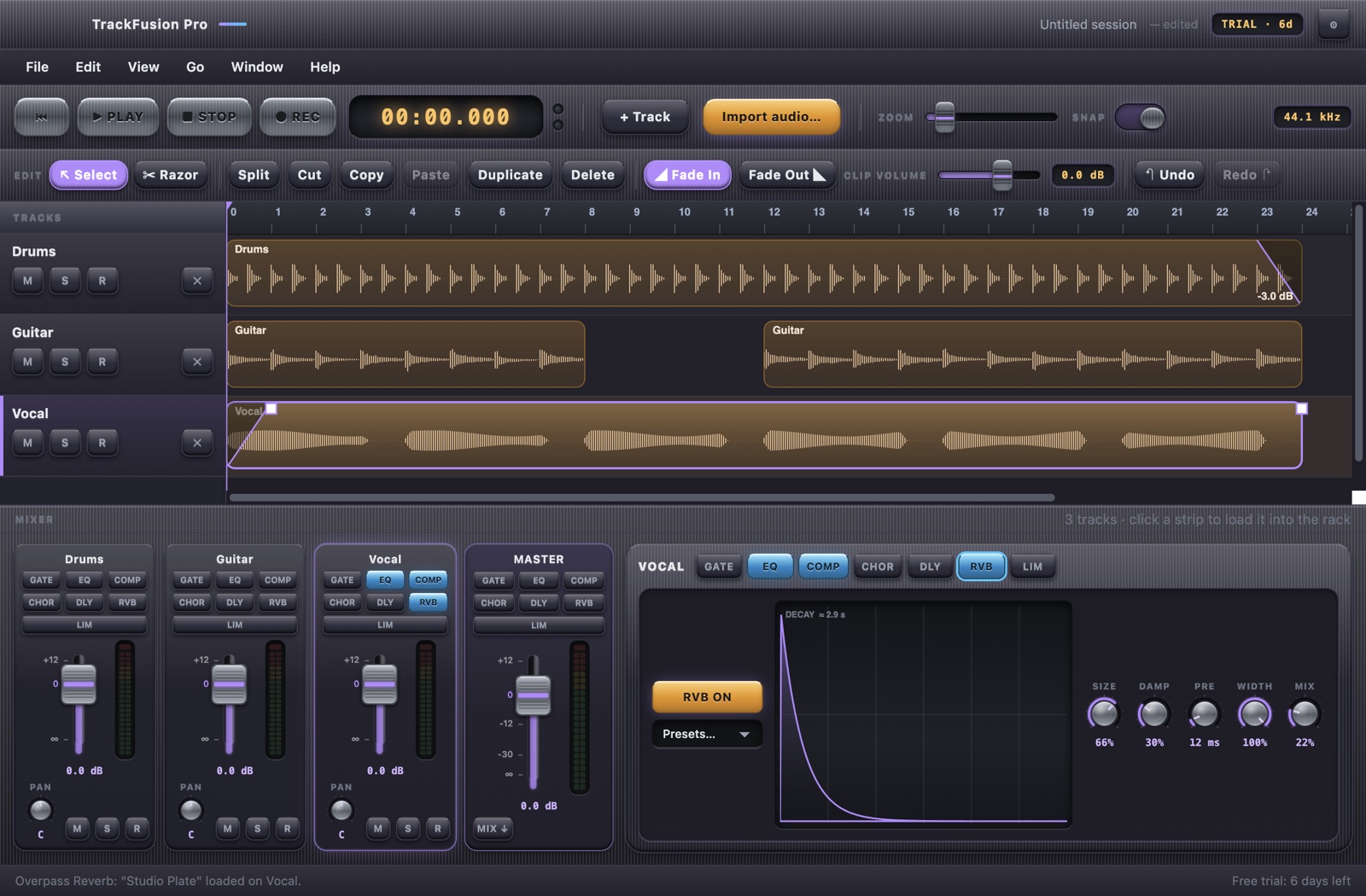
The effects rack with the Overpass Reverb open: size, damping, pre-delay, width and mix, and the decay drawn as you turn the knobs.
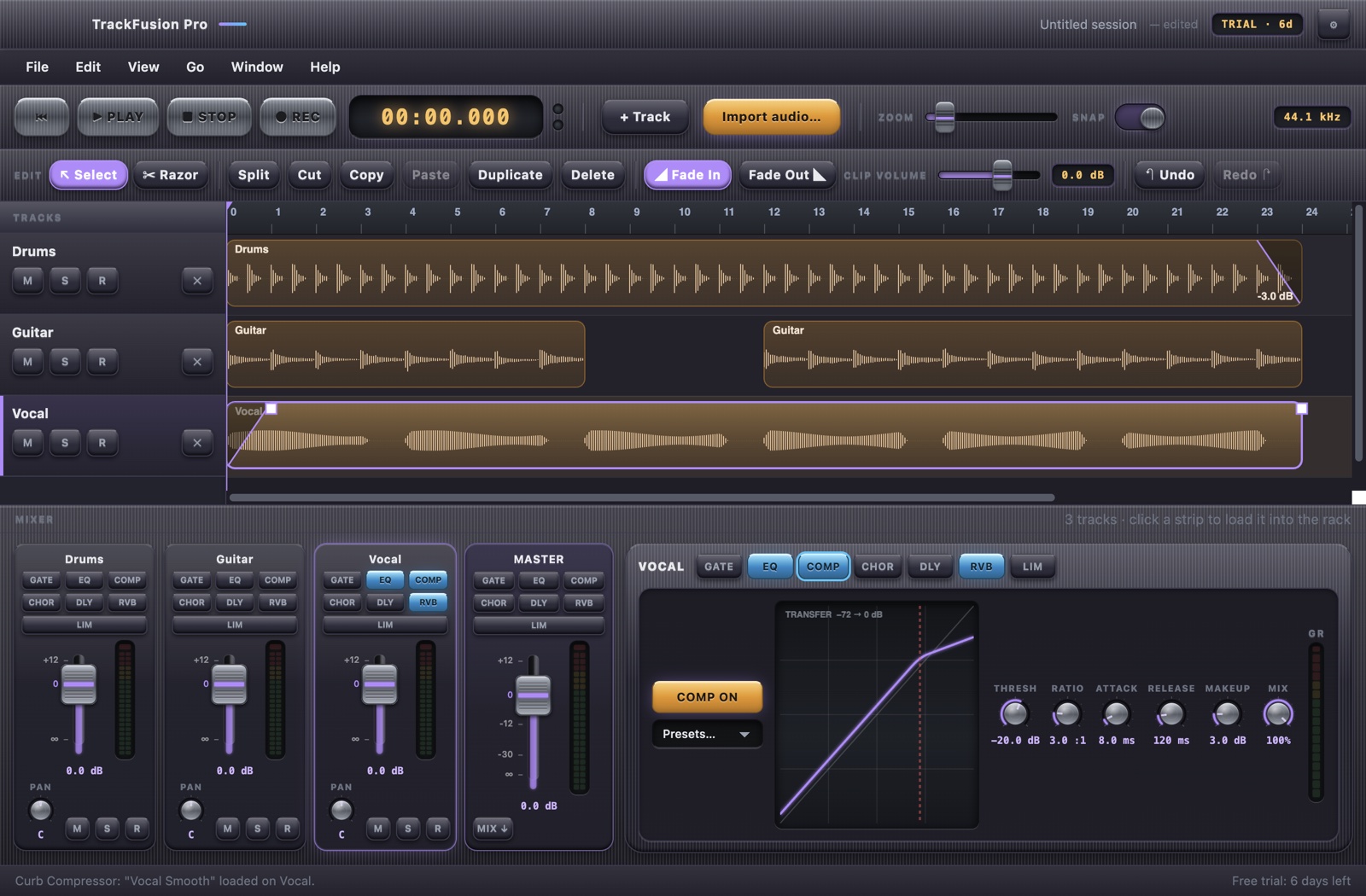
The Curb Compressor: threshold, ratio, attack, release, makeup and mix, with the curve showing exactly what it does to the level.
Who it helps
Made for real work at home and in small businesses
Songwriters
Lay down a guitar part, add a vocal on top and mix it in one evening, without learning a giant studio program.
Podcasters and voice work
Record a voice, gate out the room noise, add a touch of compression and export a clean WAV.
Home studios and bands
Import the stems from a session in MP3, M4A, WAV, AIFF or FLAC and mix them on a real desk.
Straight talk
What it can and cannot do
It can
- Record from the microphone or input you allow, uncompressed
- Import MP3, M4A/AAC, WAV, AIFF and FLAC files
- Cut clips with the Razor, split, trim, move, copy, paste and duplicate them on real waveforms
- Fade clips in and out and set each clip's own volume
- Undo and redo up to 200 edits
- Mix with faders, meters, pan, mute, solo and seven effects per track
- Export a 16-bit WAV mixdown that matches playback
- Save the whole session, audio included, as one .swts file
It does not
- Export MP3 (WAV plays everywhere)
- Load VST or AU plug-ins in this version (the seven effects are built in)
- Promise no recording delay on every setup: that depends on your audio hardware
Easy to live with
Everything in one window
The menu bar (File, Edit, View, Go, Window, Help) lives inside the window, so everything is in one place. It opens in the purple Violet Stage look, with more color themes in Settings, and the whole window zooms from 85% to 200% for easier reading. It works offline: no account, no sign-in, no subscription.
Questions
How much does it cost?
$19.99, one time, no subscription, with a 7-day free trial first, like every Streetwise app.
Which computers does it run on?
Mac with macOS 12 Monterey or later, on Intel or Apple silicon. A Windows 10/11 version is available too.
Does the exported mix sound the same as playback?
Yes. The export uses exactly the same effects as playback, and we test that it matches.
Which audio files can I bring in?
MP3, M4A/AAC, WAV, AIFF and FLAC. Drag them onto the timeline, or drop one on a track lane to place it at that moment.
Can I use my own plug-ins?
Not in this version. Gate, EQ, compressor, chorus, delay, reverb and limiter are built in, on every track and the master.
Can I cut and fix parts of a song?
Yes. Pick the Razor and click where you want the cut, then move, delete or copy the pieces. Drag a clip's edges to trim it, add a fade in or out, and turn a single clip up or down. Every edit can be undone.
What does it save?
A session saves as one .swts file with all the audio inside, kept lossless.
Is it part of a suite?
Yes. TrackFusion Pro is one of six apps in the Streetwise Pro Suite: TrackFusion Pro, PrecisionCAD Pro, GridMatrix Pro, ScriptForge Pro, Material Nexus Pro and CodeScope Pro.
TrackFusion Pro by Streetwise Software Online
$19.99, a one-time purchase with no subscription. Download the 7-day free trial first; your license key arrives by email right after you buy.
$19.99 one-time
Specifications
Having a problem? Tell us and we’ll fix it.
Every computer is a little different. If something doesn’t work the way it should, tell us what happened and we’ll look into it.