Grand Opening: 20% off until January 31, 2027

SWSO Vector Lab

by Streetwise Software Online · SWSO

Sharp at any size. Yours forever.

Draw logos, icons, posters and illustrations with a real pen tool, shapes, text and gradients. Combine shapes, lay out several boards in one file, and export clean SVG, vector PDF, PNG and JPEG. One payment, no subscription.

Standard $49.99 $39.99$49.99 · Pro with every add-on $99.99 $79.99$99.99 · one-time price · 15-day free trial

  • Pay once, no subscription
  • No internet needed
  • Intel and Apple silicon
14drawing tools
5add-on packs
6400%maximum zoom
15day free trial
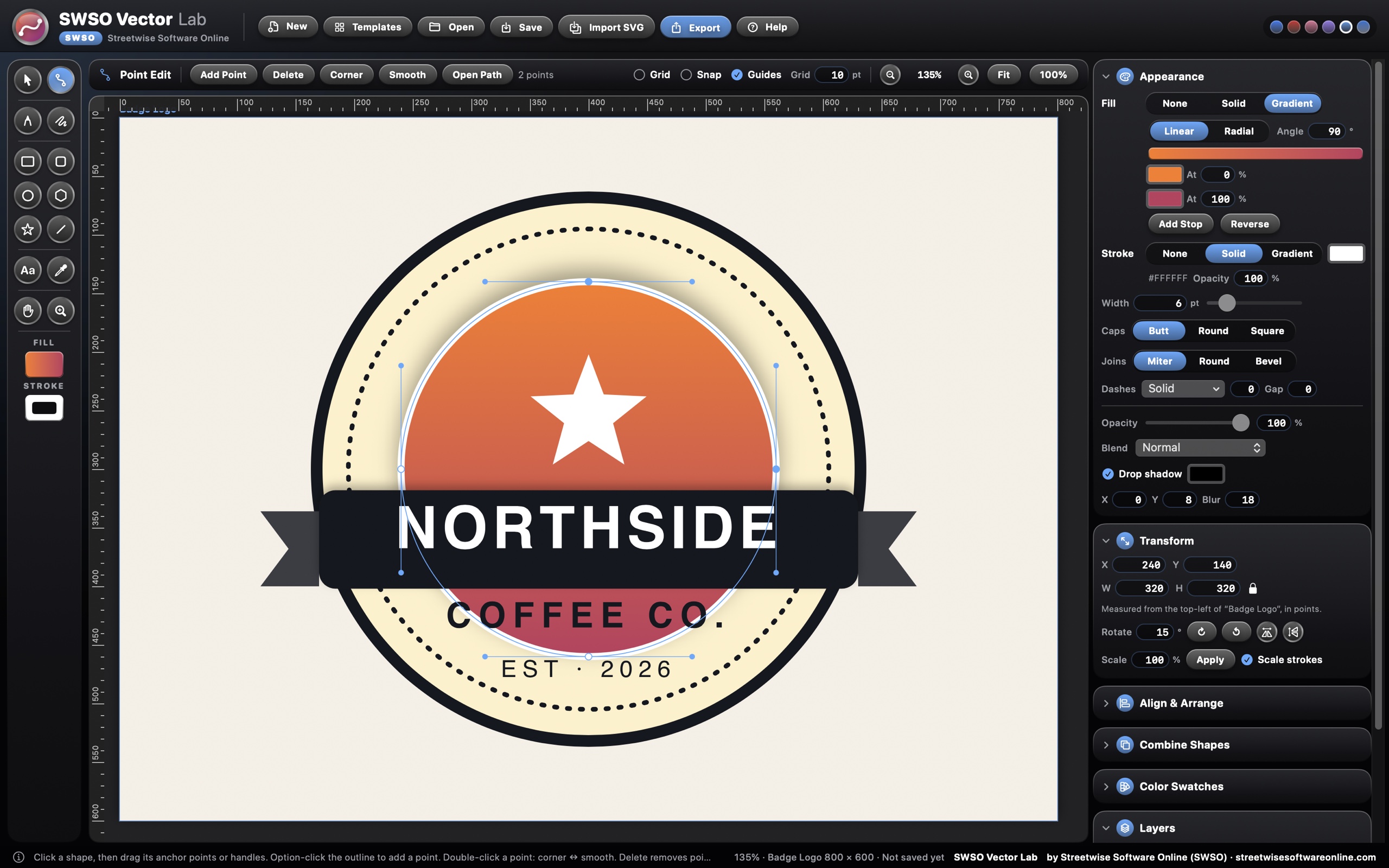
Point Edit on the badge logo, with two anchor points selected

Draw

A real pen tool, and every point under your control

Point Edit moves anchors and Bézier handles directly on the shape.

  • 14 tools: Pick, Point Edit, Pen, Pencil, Rectangle, Rounded Rectangle, Ellipse, Polygon, Star, Line, Text, Eyedropper, Hand and Zoom
  • Add or delete points, switch corner and smooth, open or close a path
  • The Pencil smooths freehand lines as you draw
  • Rulers, grid, snapping and smart guides; zoom from 5% to 6400%
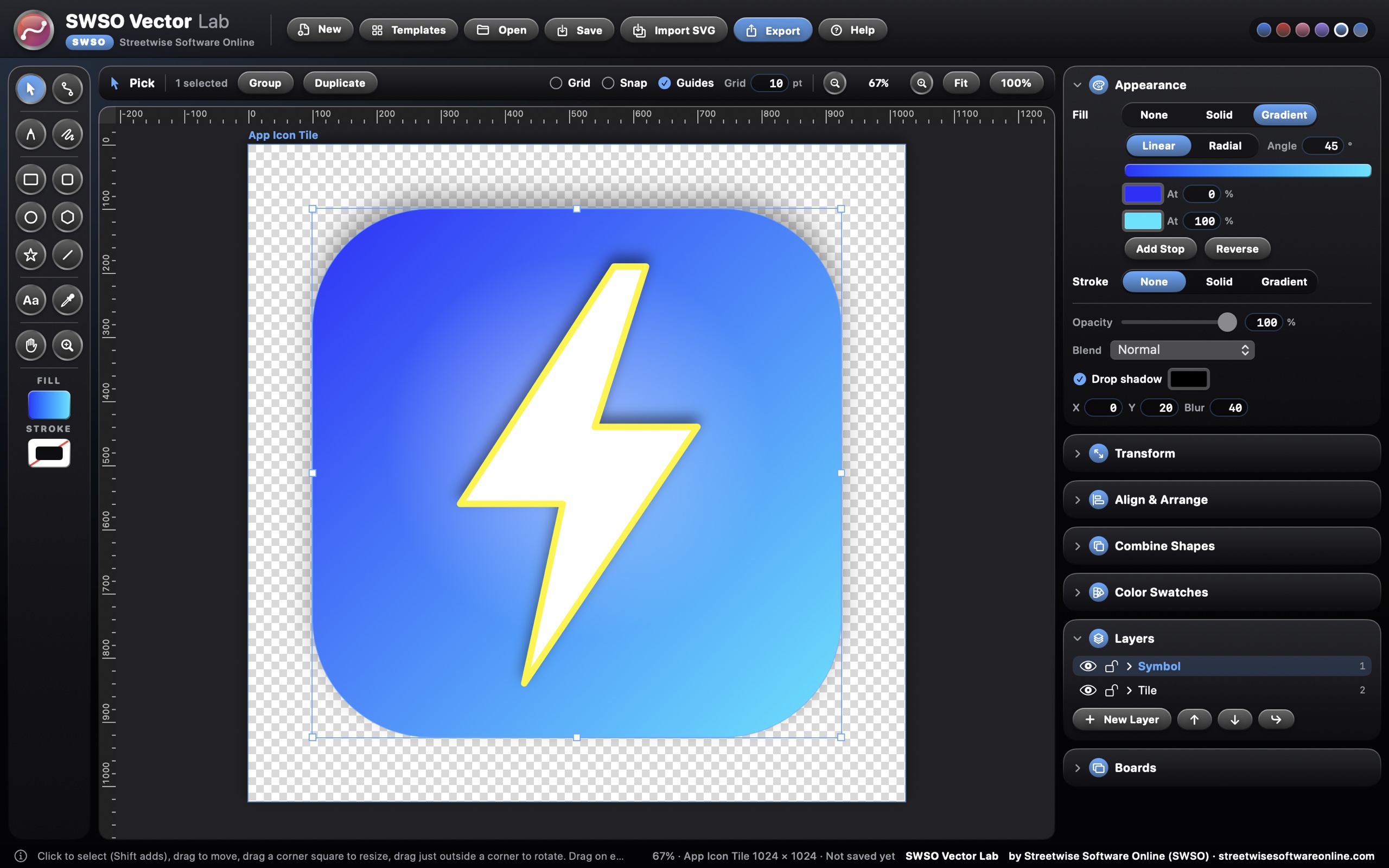
App icon tile with a gradient fill, the Appearance panel and the Layers panel

Style

Gradients, strokes and effects

Every fill and stroke can be a solid colour or a gradient, set right in the Appearance panel.

  • Linear and radial gradients with as many colour stops as you like
  • Stroke width, caps, joins and dashes
  • Opacity, 16 blend modes and drop shadow
  • A Layers panel to show, hide, lock, rename and reorder
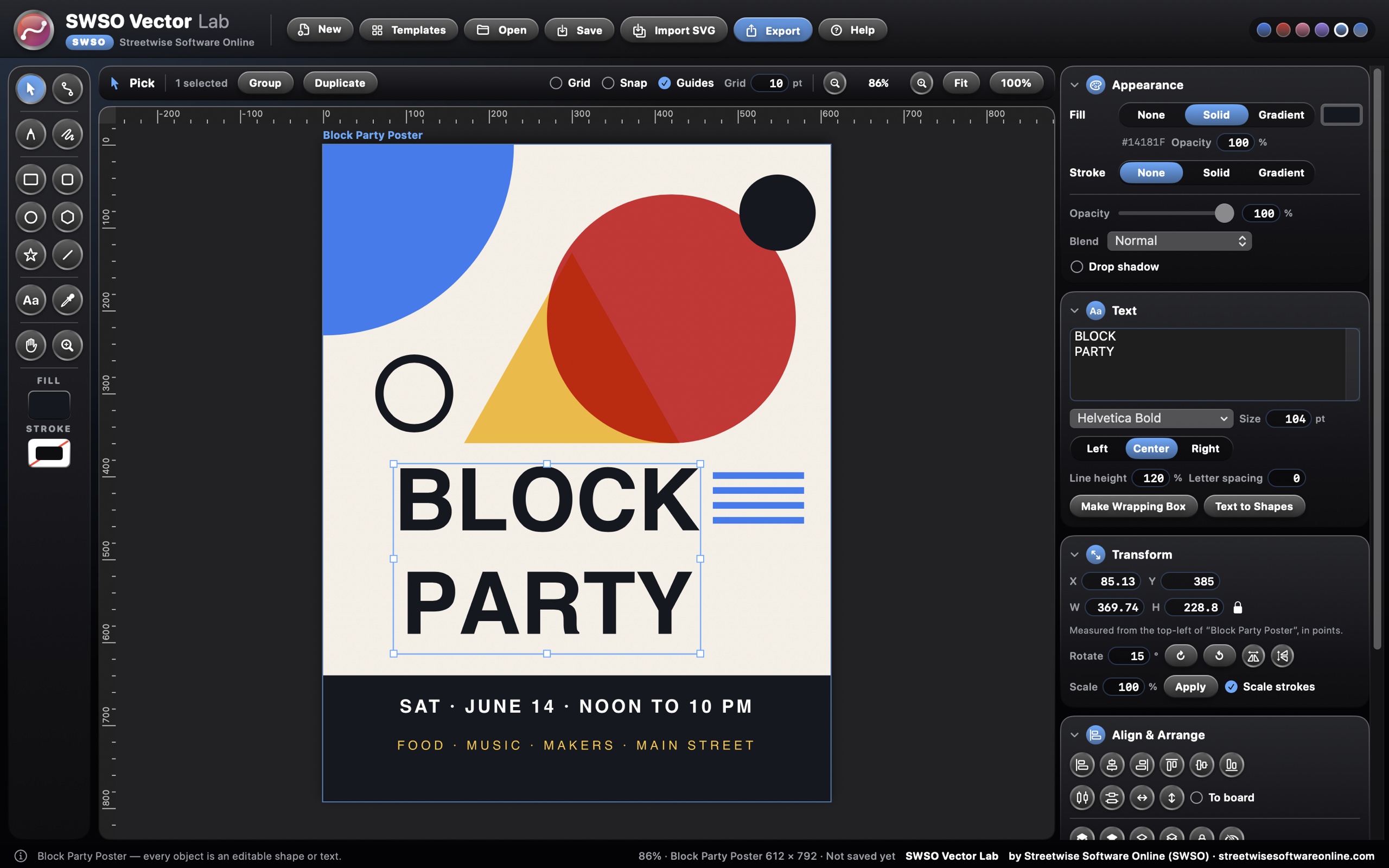
Block Party Poster with the big title selected and the Text panel open

Type

Text that stays sharp

Use any font on your Mac. Text stays editable, or turns into shapes when you need it.

  • Font, size, alignment, line height and letter spacing
  • Point text, and area text that wraps in a box
  • Text to Shapes turns lettering into editable outlines
  • More than 200 ready-made templates to start from, sorted by category and searchable: business cards, logos and badges, social posts and stories, flyers and posters, banners, icons, invitations, menus, labels and stickers, signs and certificates
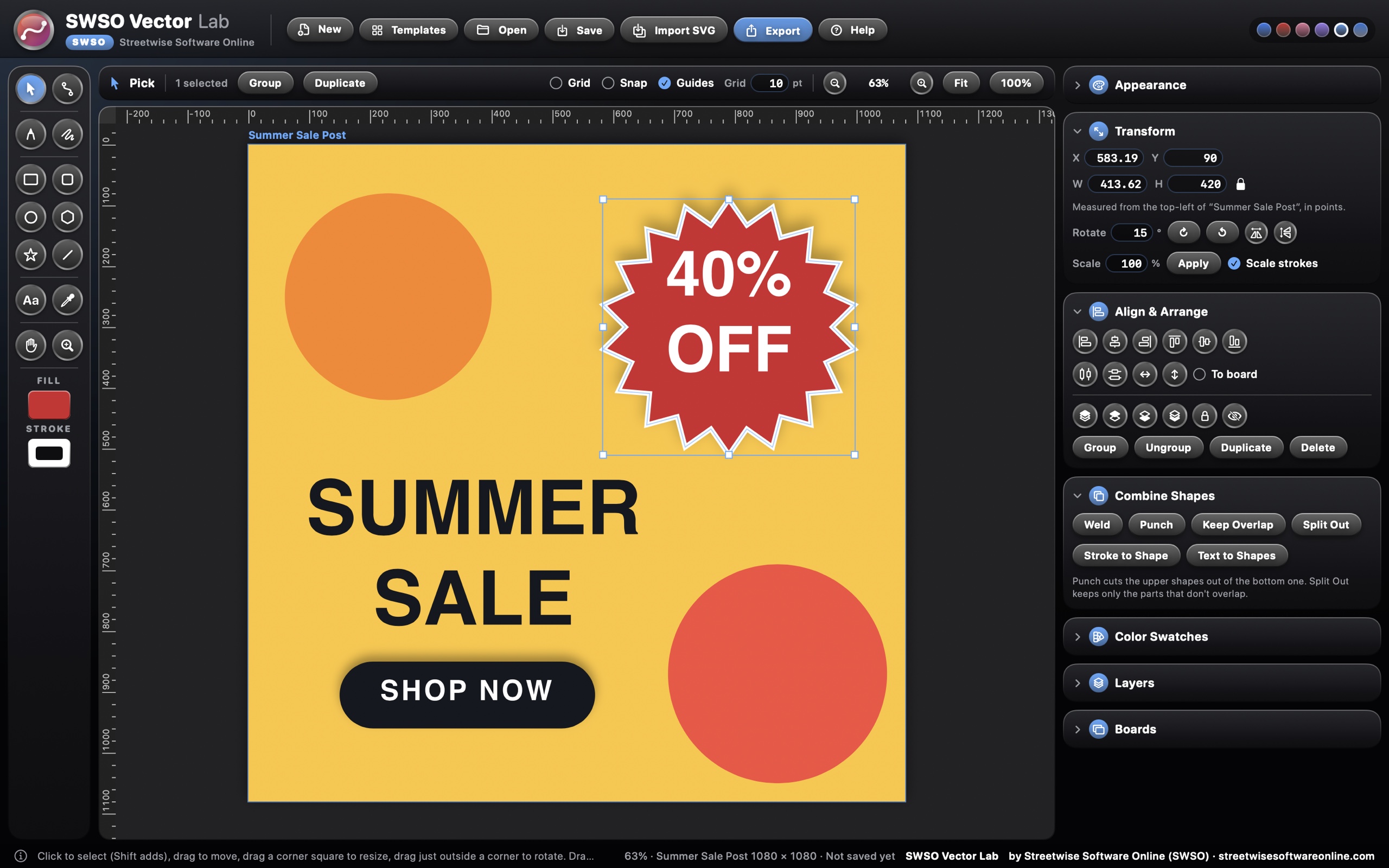
Summer Sale Post with the Combine Shapes, Align and Transform panels

Build

Combine shapes into something new

Make complex shapes from simple ones, then line everything up exactly.

  • Weld, Punch, Keep Overlap and Split Out, plus Stroke to Shape
  • Align six ways, to each other or to the board, and distribute evenly
  • Group, arrange, lock, hide and duplicate
  • Exact position, size, rotation, flip and scale in the Transform panel
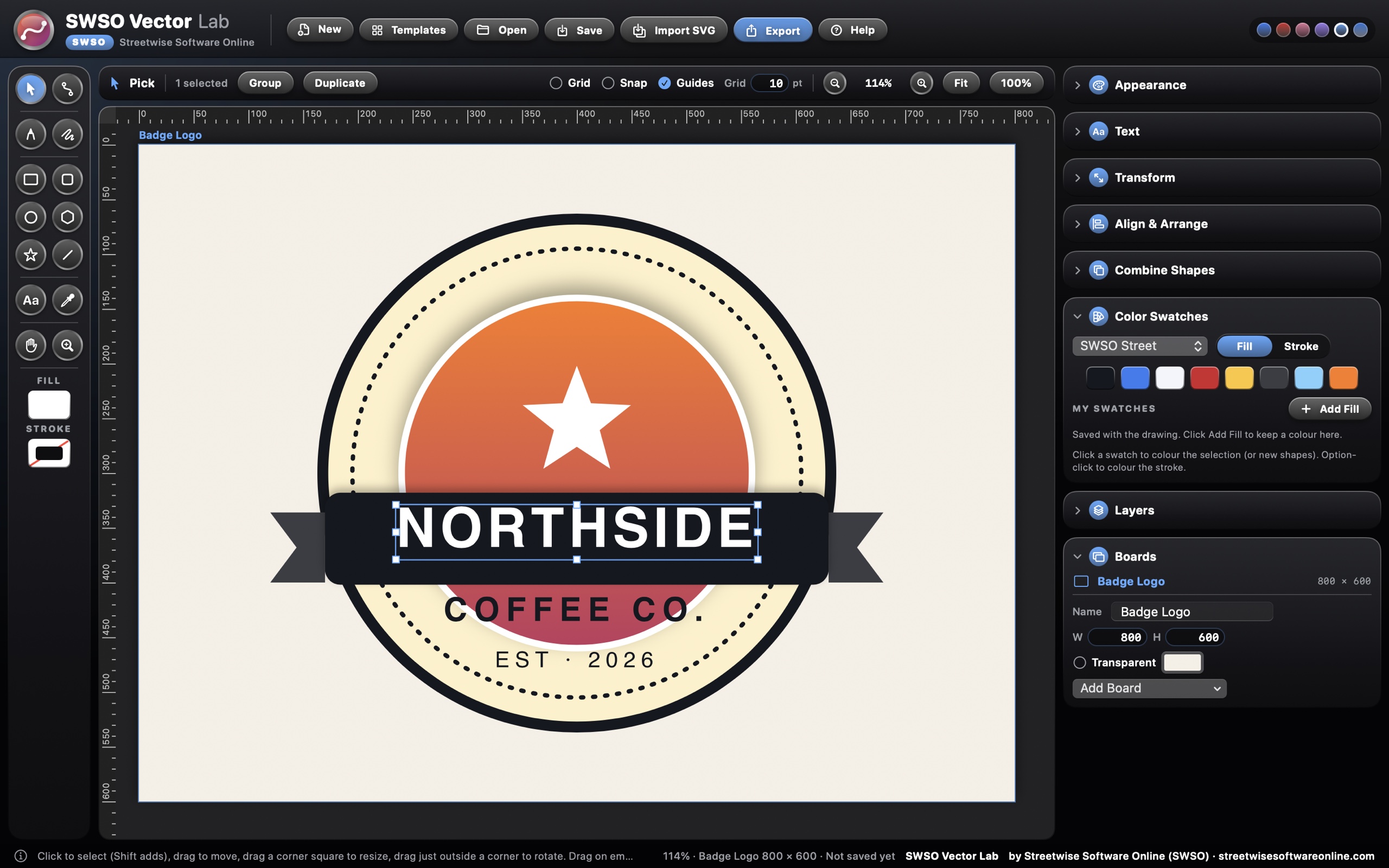
Badge logo with the Boards and Color Swatches panels open

Boards and export

One file, every size you need

Lay out several boards in one drawing and export them all at once.

  • Boards for US Letter, A4, an 18 × 24 in poster, square and story posts, wide posts, app icons, logos or any custom size
  • Six SWSO colour palettes plus your own swatches, saved with the drawing
  • Export PNG at 1x, 2x or 4x with transparency, JPEG, SVG, and vector PDF with one page per board
  • Import SVG files, or drag them onto the canvas

Also included

  • Undo and redo up to 250 steps; a whole drag counts as one step
  • Saves its own .swsovec drawing files, and opens SVG files as new drawings
  • SVG import reads paths, shapes, groups, text, gradients, transforms and simple CSS, and tells you what it skipped
  • Background colour or a transparent board
  • Cut, copy, paste and duplicate; lock all and show all
  • Six colour themes and interface zoom from 85% to 200%
  • Searchable built-in Help with a full logo tutorial and a page for every tool

Add-on packs

More power, inside the same app

Each add-on is built into SWSO Vector Lab itself: no extra download and no plug-in folder. Your license key switches it on. Photo-to-Vector Tracer comes free with every edition, and Pro includes every pack.

5 add-ons

4 paid packs worth $69.96 when bought one by one, all included with Pro for $50.00 more than Standard. Photo-to-Vector Tracer is free with both.

Free with Standard and Pro

Photo-to-Vector Tracer

Turn a photo, sketch or old logo into clean editable vector shapes.

  • Turn a photo, sketch, scan or old pixelated logo into clean, editable vector shapes
  • Choose black and white, a few flat colours, or a full colour look
  • Control detail and smoothness with simple sliders and see the result live
  • The traced shapes are ordinary paths you can edit, recolour and resize to any size

Included in every edition

$19.99 add-on

Sign & Vinyl Cutter

Weed lines, cut paths, outlines and sizes ready for vinyl cutters and sign shops.

  • Prepare designs for vinyl cutters, plotters and sign shops
  • Turns text and strokes into cut-ready outlines and removes hidden overlaps
  • Adds weed lines and weed boxes to make peeling easier
  • Exact real-world sizing in inches or millimetres, plus cut-path export

Included with Pro

$19.99 add-on

Extrude to 3D

Give a logo or shape depth and save a 3D model that opens in SWSO 3D Printer Pro XL.

  • Give a logo, letter or shape real depth, with a bevel if you like
  • Preview it in 3D and turn it around before saving
  • Save a 3D model (STL or OBJ) ready for printing
  • Opens straight in SWSO 3D Printer Pro XL to slice and print

Included with Pro

$14.99 add-on

Logo & Brand Kit

Make every logo size, color version and favicon at once, and send the kit to SWSO Print Shop Pro.

  • Make every version of your logo at once: full colour, one colour, white and black
  • Every size you need, from favicons and app icons to social profile pictures and print
  • Pulls your brand colours and fonts onto one brand sheet
  • Sends the whole kit to SWSO Print Shop Pro for cards, flyers and signs

Included with Pro

$14.99 add-on

Engraving & Halftone

Line-engraving, halftone and stipple looks made of real vector shapes, ready for laser and print.

  • Turn a photo or shape into line-engraving, halftone dot, stipple or crosshatch art
  • Every line and dot is a real vector shape, sharp at any size
  • Made for laser engravers, screen printing and print
  • Control line spacing, dot size, angle and contrast with simple sliders

Included with Pro

Editions

Choose your edition

Grand Opening: 20% off Standard and Pro until January 31, 2027.

SWSO Vector Lab Standard

$49.99 $39.99$49.99

one-time

Every core tool, plus Photo-to-Vector Tracer free.

  • Every tool on this page
  • Photo-to-Vector Tracer add-on included free
  • Add any add-on pack on its own, any time
  • Free updates for version 1

Creator Suite

$149.00

one-time

SWSO PDF Desk Pro and SWSO Vector Lab Pro together.

  • Both apps, Pro edition
  • Every add-on pack for both apps
  • Two license keys
  • Saves $30.98 on the two Pro editions

Try it free for 15 days

  • Every feature works for 15 days from the first launch, with no key and no sign-up
  • After day 15 the app opens read-only: you can still open, view and export your own work, and nothing is ever deleted
  • A license key unlocks editing again; it is checked on your Mac and works offline

System requirements

System
macOS 13 Ventura or later, Intel and Apple silicon (universal). Combining shapes needs macOS 14 Sonoma or later
Files
Saves .swsovec drawings; imports SVG; exports PNG, JPEG, SVG and vector PDF
Internet
Not needed. Your drawings stay on your Mac
Free trial
15 days with every feature. After that, opening, viewing, saving a copy and exporting still work; editing needs a license key. Nothing is ever deleted
Help
Searchable built-in Help with a tutorial and a page for every tool
Made by
Streetwise Software Online (SWSO)

Price

SWSO Vector Lab by Streetwise Software Online

One-time purchase, no subscription. Try it free for 15 days first.

$39.99$49.99 Standard, one-time · Pro $79.99$99.99 · Grand Opening prices through Jan 31, 2027

Back to all software

Product updates & bug reports

Found a bug or an issue? Report it to Streetwise Software Online with the app name, version and steps to reproduce it. We review reports and address confirmed bugs through product updates.

Read product updates and published fixes · 15-day trial and refund policy